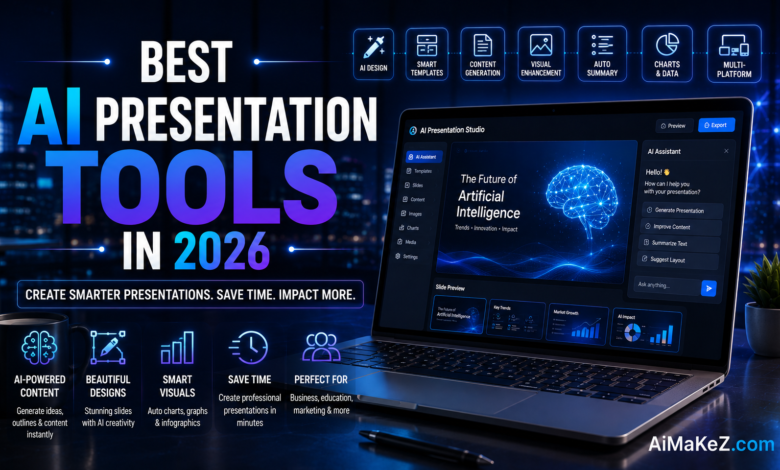
You’ve got a big pitch coming up. Maybe it’s a board presentation, a client proposal, or a keynote at an industry conference. You open your existing slide software, stare at a blank canvas, and realize you’re about to spend the next four hours tweaking fonts and struggling with layouts — time you simply don’t have. This is exactly the problem that AI presentation tools were built to solve. In 2026, these platforms have matured dramatically, offering everything from intelligent slide generation and smart design assistance to real-time speaker coaching and fully automated deck production from a single text prompt.
Whether you’re a startup founder crafting your first investor deck, a marketing manager producing weekly performance reports, or an educator building interactive course materials, there’s an AI presentation tool designed for your exact workflow. This guide covers the landscape thoroughly — what these tools are, which ones lead the market, and how to choose the right one for your needs.
Table of Contents
What Are AI Presentation Tools?
AI presentation tools are software platforms that use artificial intelligence to automate and enhance the process of creating slide-based presentations. Rather than building decks manually from scratch, users can input a topic, a text outline, or even a document, and the AI generates a complete, visually polished presentation in seconds — complete with layouts, typography, color schemes, images, and written content.
Beyond simple slide generation, today’s leading AI presentation tools incorporate natural language processing (NLP) for content rewriting and summarization, computer vision for intelligent image selection, generative AI for custom illustrations and icons, and machine learning models that continuously adapt designs based on user behavior and brand guidelines.
The category includes dedicated tools like Beautiful.ai, Gamma, Tome, Pitch, and Canva’s AI presentation suite, as well as AI features embedded in established platforms like Microsoft PowerPoint (Copilot) and Google Slides (Gemini integration). The market for AI-powered presentation software is projected to exceed $3.2 billion by 2028, fueled by widespread enterprise adoption and the growing demand for faster content production workflows.

Key Features of the Best AI Presentation Tools
Not every tool in this category offers the same depth of functionality. Here are the features that truly differentiate excellent AI presentation tools from mediocre ones:
Prompt-to-Presentation Generation
The core capability that defines this category is the ability to generate a full presentation from a text prompt. Type “Create a 10-slide pitch deck for a B2B SaaS startup in the HR tech space,” and the AI builds a structured, designed deck in under 30 seconds. The best platforms — Gamma, Tome, and Canva AI — excel at this, producing presentations that genuinely require minimal editing before use.
Smart Design and Layout Engine
Intelligent design engines automatically arrange content to maintain visual hierarchy, balance, and readability. When you add or remove content, the layout adapts rather than breaking. Beautiful.ai pioneered this “smart slide” approach, where design rules are baked into templates so that every version of a slide looks professionally composed.
Brand Kit and Style Consistency
Enterprise users need every deck to reflect brand guidelines precisely. The best AI presentation platforms let you upload brand kits — logos, color palettes, fonts, imagery guidelines — and automatically apply them across all generated content. This is a critical feature for marketing teams, agencies, and large organizations maintaining consistent visual identities.
AI Image and Media Generation
Instead of spending time searching stock photo libraries, modern AI presentation tools generate custom illustrations, icons, and photorealistic images directly within the platform. Canva’s text-to-image generator, Gamma’s AI image integration, and Tome’s generative visual system allow you to describe an image and have it created on demand — perfectly sized and styled for your slide.
Speaker Notes and Script Generation
Generating the visual deck is only half the battle — presenters also need talking points. Advanced platforms automatically generate speaker notes that are contextually aligned with each slide’s content, saving significant preparation time and ensuring the presenter’s script flows logically from slide to slide.
Real-Time Collaboration and Version Control
Presentation creation is rarely a solo activity in professional environments. Cloud-based AI presentation tools with real-time collaboration features — like Pitch and Canva — allow multiple team members to work simultaneously, leave comments, suggest edits, and track version history. This eliminates the chaos of emailing slide files back and forth.
Analytics and Audience Engagement Tracking
Tools like Pitch and Gamma offer presentation analytics that show you which slides viewers spent the most time on, where they dropped off, and how many times a deck was opened. This data is invaluable for sales teams optimizing decks and for marketers understanding which content resonates most effectively with prospects.
Benefits of Using AI Presentation Tools
The advantages go far beyond saving a few hours. Here’s why professionals across industries are making AI presentation tools a permanent part of their workflow in 2026:
- Dramatic Time Savings: What previously required 3–5 hours of design work can be accomplished in 5–15 minutes. This frees professionals to focus on strategy, messaging, and delivery rather than formatting.
- Professional Quality Without Design Skills: You don’t need to be a graphic designer to produce board-level presentation quality. AI handles typography, spacing, color theory, and visual hierarchy automatically.
- Faster Iteration: Need to update a 30-slide deck with new data? AI tools regenerate or reformat content instantly, whereas manual updates take hours and risk visual inconsistencies.
- Consistent Brand Representation: Every deck produced through a brand-kit-enabled AI tool looks like it came from the same design team, regardless of who created it.
- Scalability: Organizations producing hundreds of presentations monthly — sales enablement teams, agencies, consultants — can scale output dramatically without proportionally increasing headcount.
- Reduced Creative Blocks: Starting with a blank slide is paralyzing for many people. AI-generated first drafts give creators something to react to and refine, dramatically reducing the friction of starting.

How AI Presentation Tools Work
Understanding the technology behind these AI presentation tools helps you use them more strategically and get better outputs. Here’s the typical workflow:
Step 1: Input and Intent Recognition
You provide input — a text prompt, a document upload, a URL, or a rough outline. The AI’s natural language processing engine analyzes your input to understand the topic, intended audience, desired tone (formal/casual), and presentation structure. More sophisticated platforms ask clarifying questions to improve output quality.
Step 2: Content Architecture and Outline Generation
The AI structures the information into a logical presentation flow — determining the number of slides, section breaks, key messages per slide, and supporting points. This step is powered by large language models (LLMs) trained on thousands of high-performing presentations across industries and use cases.
Step 3: Design and Visual Composition
The content structure is fed into a design engine that selects appropriate layout templates, applies color schemes, chooses or generates relevant visuals, and arranges text for maximum readability and visual impact. Sophisticated tools use computer vision models to ensure image composition and color palette coherence across all slides.
Step 4: Refinement and Customization
The generated draft is presented to you for review. You can then prompt the AI to make changes (“make this slide more data-focused,” “change the tone to be more casual,” “replace this image with something more abstract”) or manually edit specific elements. The best tools treat this as an iterative, conversational process rather than a one-shot generation.
Step 5: Export and Delivery
Finished presentations can be exported in multiple formats — PowerPoint (.pptx), PDF, or shared via a live link. Some platforms offer interactive web-based presentation modes that include embedded videos, clickable elements, and real-time audience polls without any additional tool required.
Real-World Use Cases
The versatility of AI presentation tools makes them valuable across virtually every professional context. Here are the most impactful applications in 2026:
Sales Enablement and Pitch Decks
Sales teams are among the heaviest users of AI presentation tools. Platforms like Pitch allow reps to generate personalized decks for each prospect in minutes, incorporating company-specific data, competitive positioning, and tailored value propositions. Analytics features reveal which slides prospects engage with most, allowing sales leaders to continuously optimize their deck content based on real buyer behavior.
Investor and Startup Pitch Decks
Founders use tools like Gamma and Beautiful.ai to produce compelling investor presentations quickly. These platforms understand the conventions of the venture capital world — problem/solution frameworks, market size slides, traction metrics — and structure content accordingly. A first-time founder who isn’t a designer can produce a deck that looks comparable to those created by professional design agencies.
Marketing and Content Teams
Marketing professionals use AI slide makers to repurpose existing content — blog posts, research reports, social media campaigns — into presentation format for webinars, conference talks, and client briefings. What used to require a separate design resource can now be done in-house by any team member, dramatically reducing production bottlenecks.
Education and Training
Teachers, university lecturers, and corporate trainers use AI tools to rapidly build lesson modules, course overviews, and training materials. The ability to generate visually engaging educational content from a curriculum document — with learning objectives, key concepts, and assessment slides — transforms content development from a multi-day effort into an afternoon project.
Consulting and Strategy Reports
Management consultants and strategy teams produce large volumes of high-stakes presentations for C-suite audiences. AI tools help these teams translate complex data and strategic frameworks into clear, visually compelling narratives quickly. The ability to maintain consistent firm branding across every client deliverable also reduces the quality control burden on senior team members.
Executive Communications
Executive assistants and communications teams use AI presentation tools to produce board updates, quarterly business reviews, and all-hands meeting materials. The speed of AI generation means that leadership teams can update decks with the latest metrics the morning of a presentation rather than days in advance.
Best AI Presentation Tools in 2026
Here is a detailed breakdown of the leading AI presentation tools available in 2026, evaluated across quality, features, ease of use, and value:
1. Gamma — Best for Prompt-to-Presentation Speed
Gamma has emerged as one of the most beloved AI presentation tools for good reason: its output quality from a simple prompt is genuinely impressive. The platform creates modern, visually rich presentations in an interactive web format that feels closer to a landing page than a traditional slide deck. Gamma supports AI-generated images, embedded media, and interactive elements natively, making it perfect for client-facing and public-facing presentations.
Best for: Marketers, consultants, educators, content creators.
Pricing: Free plan (unlimited AI generations with watermark); Pro at $10/month; Teams at $20/user/month.
2. Beautiful.ai — Best for Consistent Professional Design
Beautiful.ai’s “smart slide” templates are still the gold standard for automated layout management. Every time you add content to a slide, the layout intelligently adjusts to maintain visual balance. Its brand kit features and team workspace capabilities make it a top choice for organizations that need consistent, polished presentations across multiple contributors without a design bottleneck.
Best for: Teams and enterprises, sales organizations, agencies.
Pricing: Pro at $12/month; Team at $40/user/month (billed annually).
3. Microsoft PowerPoint with Copilot — Best for Enterprise Adoption
For organizations already embedded in the Microsoft 365 ecosystem, PowerPoint with Copilot is the path of least resistance. Copilot can generate presentations from Word documents, emails, or text prompts, apply company themes, create speaker notes, and summarize long decks. Because it lives inside the familiar PowerPoint interface, the adoption curve is minimal and IT compliance requirements are easily satisfied.
Best for: Enterprises using Microsoft 365, corporate users, regulated industries.
Pricing: Included in Microsoft 365 Copilot at $30/user/month (on top of existing M365 subscription).
4. Canva AI Presentations — Best for All-Around Creative Flexibility
Canva’s AI presentation generator combines the platform’s legendary ease of use with robust AI features including Magic Design, text-to-image generation, background removal, and AI-powered content suggestions. Canva is the most accessible option for non-designers who need creative control, and its vast template library ensures there’s a starting point for virtually any use case — from school projects to Fortune 500 boardrooms.
Best for: Small businesses, educators, freelancers, solopreneurs.
Pricing: Free plan; Canva Pro at $15/month; Teams plans from $10/user/month.
5. Pitch — Best for Sales Teams and Collaboration
Pitch is purpose-built for modern sales and go-to-market teams. It combines beautiful AI-assisted design with the collaboration features that revenue teams need — real-time co-editing, deck analytics, CRM integrations, and a comprehensive template library built around common sales presentation formats. The analytics layer — showing which slides prospects engage with and for how long — makes Pitch uniquely valuable for data-driven sales organizations.
Best for: Sales teams, startup founders, go-to-market professionals.
Pricing: Free plan; Pro at $8/user/month; Business at $15/user/month.
6. Tome — Best for Narrative-Driven Storytelling
Tome takes a deliberately different approach to presentation — it’s less about traditional slides and more about creating flowing, narrative-first documents that blend text, visuals, and multimedia in a story format. This makes it particularly well-suited for vision documents, product narratives, strategy memos, and any presentation where the story arc is as important as the data. Its AI generation from a URL or document is notably strong.
Best for: Product managers, startup founders, strategy teams, storytellers.
Pricing: Free plan; Pro at $16/month.
7. Presentations.AI — Best for Fully Automated Deck Production
Presentations.AI is one of the more aggressive automation plays in the space, offering deep integration with enterprise data sources to auto-generate recurring report decks — weekly business reviews, monthly marketing dashboards, quarterly financial summaries — with minimal human intervention. For organizations that produce the same types of data-heavy presentations repeatedly, this level of automation delivers the clearest ROI.
Best for: Operations teams, finance departments, data-driven organizations.
Pricing: Free plan; Pro at $10/month; Enterprise pricing available.
Pros and Cons of AI Presentation Tools
| Platform | Pros | Cons |
|---|---|---|
| Gamma | Fast generation, interactive web format, great visual quality | Less control than PowerPoint, unique format may not suit all audiences |
| Beautiful.ai | Best smart layouts, excellent brand kit, team-friendly | Higher price point, limited free tier, export to PPT can be imperfect |
| PowerPoint + Copilot | Familiar interface, enterprise security, M365 integration | Requires Copilot subscription, AI features not as advanced as dedicated tools |
| Canva AI | Most accessible, huge template library, all-in-one creative platform | Can feel too casual for formal business contexts |
| Pitch | Best collaboration, strong analytics, sales-optimized | Not ideal for one-off presentations, limited offline capability |
| Tome | Best for narrative storytelling, strong AI generation | Not a traditional slide format — unsuitable for some formal contexts |
| Presentations.AI | Best for automated recurring reports, strong data integration | Less design flexibility, better for data than narrative decks |
Pricing Overview
Pricing structures across AI presentation tools vary significantly. Here’s a breakdown of what to expect in 2026:
Free Tiers: Most platforms offer generous free plans — Gamma, Canva, Pitch, and Tome all have functional free options. These typically include watermarks on exported content, limited AI credits per month, and restrictions on team features. Free plans are excellent for individual users and evaluation, but inadequate for professional production at scale.
Individual Pro Plans ($8–$20/month): This is the sweet spot for independent professionals, consultants, freelancers, and small teams. Pro plans remove watermarks, increase AI generation credits, unlock brand kit features, and provide access to premium templates and stock imagery. Gamma Pro at $10/month and Pitch Pro at $8/month represent strong value in this range.
Team and Business Plans ($10–$40/user/month): Designed for growing teams that need collaboration features, centralized brand management, shared workspaces, and usage analytics. Beautiful.ai’s Team plan at $40/user/month is on the premium end but justified by its design quality and enterprise-grade brand management capabilities.
Enterprise Plans (Custom Pricing): For large organizations, enterprise plans add SSO, advanced security controls, custom integrations, dedicated support, and custom AI model fine-tuning on company-specific content. Microsoft 365 Copilot effectively falls into this category at $30/user/month for the AI add-on.
Comparison With Traditional Presentation Software
How do AI presentation tools stack up against the legacy options that most professionals grew up using?
Microsoft PowerPoint (Without AI): The most widely used presentation software globally, with unmatched feature depth, animation capabilities, and ubiquity. Its limitation is that it requires significant design skill and time investment to produce something that looks polished. Without Copilot, it offers no AI assistance. For organizations that need total control and compatibility, it remains essential — but increasingly it’s used as an export target rather than the creation environment.
Google Slides: Free, accessible, and excellent for real-time collaboration. The Gemini AI integration added in 2025 brought basic AI generation capabilities to Google Slides, but the quality still lags behind dedicated AI tools. Google Slides works well for simple internal presentations but struggles for high-stakes external decks.
Keynote (Apple): Gorgeous animations and design capabilities, but tightly restricted to Apple devices. No meaningful AI features in 2026 beyond basic suggestions. Keynote remains the choice of design-conscious Mac users but has lost relevance for enterprise and cross-platform teams.
The Bottom Line: For most professionals in 2026, the optimal workflow is to generate and design in an AI tool (Gamma, Beautiful.ai, or Canva), then export to PowerPoint format if required for compatibility with clients or stakeholders who need .pptx files. This gives you the speed of AI with the universal compatibility of the industry standard format.

Best Practices for Using AI Presentation Tools
Getting the most out of AI presentation tools requires more than just typing a prompt and accepting the output. If you also use AI voice generators in your workflow, the same principles apply. Here are expert-level strategies to maximize your results:
Write Detailed, Specific Prompts
Vague prompts produce generic output. Instead of “create a marketing presentation,” try “create a 12-slide B2B marketing strategy presentation for a mid-market SaaS company targeting HR managers, with a formal tone, data-driven sections, and a call-to-action on the final slide.” The specificity dramatically improves both content quality and design relevance.
Set Up Your Brand Kit Before Creating
If your tool supports brand kits, configure it completely before you generate your first deck. Upload your logo in multiple variants, specify exact hex color codes, identify your preferred fonts, and set tone-of-voice guidelines. Every deck generated after this point will be on-brand without any manual adjustment.
Use AI for Drafts, Not Final Deliverables
The best professionals treat AI-generated presentations as highly developed first drafts rather than finished products. Spend 20–30 minutes reviewing and refining the AI output — adjusting messaging, replacing generic images with specific ones, adding proprietary data, and ensuring the narrative arc matches your strategic intent. This hybrid approach delivers the speed of AI with the quality of human judgment.
Leverage Templates for Recurring Presentations
If you produce the same type of presentation repeatedly — weekly team updates, monthly sales reviews, client status reports — build a branded master template in your AI tool and save it. Use this as your starting point each time rather than generating from scratch. This ensures consistency and dramatically reduces the time per deck.
Practice Before Presenting
AI-generated speaker notes are a starting point, not a script. Read through them before your presentation and add personal anecdotes, specific examples, and transitions that reflect your natural speaking style. The most compelling presentations combine AI-produced structure with authentically human delivery.
Common Mistakes to Avoid
Even experienced users of AI presentation tools fall into these traps. Knowing them in advance saves time and prevents embarrassing outcomes:
- Publishing AI output without review: AI-generated content occasionally includes factual errors, outdated statistics, or awkward phrasing. Always review every slide before sharing a deck externally, particularly for data-sensitive or compliance-relevant content.
- Overloading slides with AI-generated text: AI tools tend to generate more text than slides should actually contain. Edit ruthlessly — the best slides communicate one idea clearly, not five ideas competently. Use speaker notes for the detail.
- Ignoring the narrative flow: AI creates logically structured content but doesn’t always understand the emotional narrative arc you need. Review the deck as a story — does the sequence build tension and lead to a clear, compelling conclusion?
- Using generic stock imagery: Most AI presentation tools pull from stock libraries that your audience has seen hundreds of times. Replace generic business imagery with custom-generated visuals, real product screenshots, or authentic team photos to make your deck feel unique.
- Skipping mobile and dark mode preview: If your presentation will be shared as a web link (as Gamma and Tome links often are), preview it on mobile and in dark mode before sending. What looks great on a desktop sometimes breaks on smaller screens.
- Not setting a brand kit: Creating presentations without a brand kit results in inconsistent decks that require heavy manual editing. This negates most of the time savings these tools offer.
Frequently Asked Questions
1. What is the best free AI presentation tool in 2026?
Gamma offers the best free tier among dedicated AI presentation tools in 2026, providing unlimited AI generation with a modest watermark and no cap on the number of presentations. Canva is a close second, offering a rich free plan with AI features and an enormous template library. For Microsoft 365 users, Google Slides with Gemini integration is also available at no additional cost.
2. Can AI presentation tools replace PowerPoint entirely?
For many use cases, yes — but not universally. AI presentation tools are superior for speed, design quality, and scalability. However, PowerPoint still wins when maximum animation control, complex custom interactions, or .pptx compatibility with specific client or institutional requirements are essential. The most pragmatic approach for most professionals is to create in an AI tool and export to PowerPoint when required.
3. How accurate is the AI-generated content in these tools?
AI-generated content is generally well-structured and contextually appropriate but should never be published without human review. Statistics, dates, and specific claims can be inaccurate, particularly for rapidly changing industries or recent events. Treat AI output as a highly capable research assistant that occasionally hallucinates — useful as a starting point, but requiring verification for facts.
4. Are AI presentation tools secure enough for enterprise use?
Enterprise-tier plans from Beautiful.ai, Pitch, and Microsoft PowerPoint Copilot offer SOC 2 Type II compliance, SSO, data encryption at rest and in transit, and configurable data residency options. For highly sensitive materials — legal documents, M&A presentations, patient data — use enterprise plans with explicit data processing agreements and avoid uploading confidential information to free or consumer tiers.
5. Which AI presentation tool is best for investor pitch decks?
Gamma and Beautiful.ai are the top choices for investor presentations in 2026. Gamma generates visually impressive, narrative-rich decks quickly and is excellent for first drafts. Beautiful.ai produces more traditionally structured pitch deck formats with superior design consistency — ideal for the final version sent to VCs and angels. Pitch is also worth considering for its analytics features, which show you exactly how potential investors are engaging with your deck.
Final Verdict
The landscape of AI presentation tools in 2026 is mature, competitive, and genuinely impressive. The days of spending half a workday on a single deck are over for most professionals who embrace these platforms. The technology has reached the point where AI-generated presentations are not just “good enough” — they are often better than what most non-designers could produce manually, in a fraction of the time.
For individual users and small teams looking for the best combination of quality and value, Gamma is the standout choice — its free tier is generous, its output quality is excellent, and its interactive format impresses audiences. Teams that need enterprise-grade brand consistency and collaboration should evaluate Beautiful.ai or Pitch. Organizations already invested in Microsoft 365 should explore PowerPoint Copilot before adding another tool to their stack. And for creative flexibility without a steep learning curve, Canva remains the most approachable option on the market.
The key insight for 2026 is this: AI presentation tools are not a replacement for strategic thinking, compelling storytelling, or deep subject matter expertise. They are powerful amplifiers of all three. The best presenters in today’s world combine the speed and polish of AI with the irreplaceable human elements of genuine insight, authentic emotion, and real expertise. Master that combination, and you’ll produce presentations that don’t just look professional — they win business, change minds, and drive decisions.