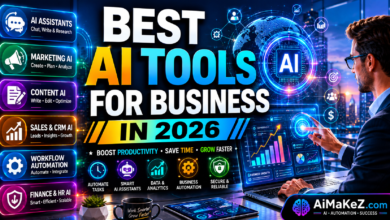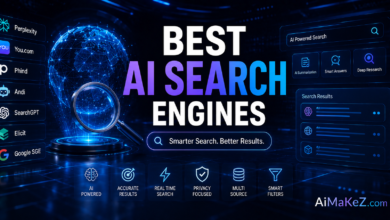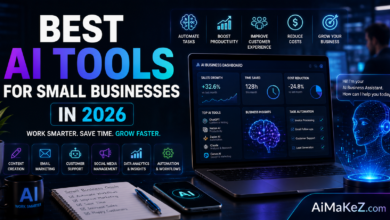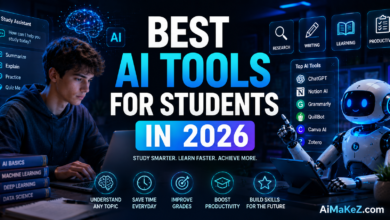
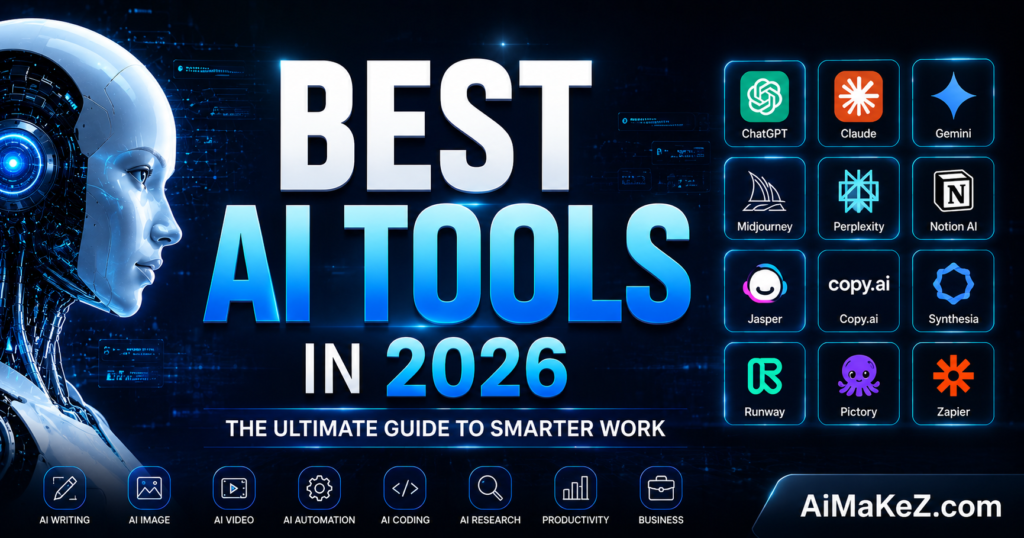
The best AI tools in 2026 are no longer a luxury reserved for tech giants — they’re the difference between thriving and falling behind. Whether you’re a solo entrepreneur in Austin, a marketing team in London, or a startup in Berlin, artificial intelligence has fundamentally changed how work gets done. But with hundreds of platforms competing for your attention, choosing the right ones can feel overwhelming.
This guide cuts through the noise. After extensive hands-on testing, research, and analysis of real-world performance, we’ve compiled the most comprehensive, honest breakdown of the best AI tools available today — organized by use case, budget, and skill level.
Table of Contents
What Are AI Tools?
AI tools are software applications powered by artificial intelligence — including machine learning, natural language processing (NLP), computer vision, and generative AI — designed to automate tasks, augment human capabilities, and accelerate decision-making.
In 2026, the landscape has matured dramatically. Early AI tools were largely experimental. Today, they’re production-grade platforms embedded into daily workflows across every industry. The best ones don’t just save time — they unlock capabilities that simply weren’t possible before.
From writing and coding to image generation, data analysis, and autonomous agents that complete multi-step tasks independently, AI tools have evolved into indispensable business infrastructure.
Key Features to Look For in the Best AI Tools
Not all AI platforms are created equal. When evaluating any tool, these are the features that separate genuinely useful software from overhyped demos:
1. Accuracy and Reliability
The output quality must be consistently high. A tool that produces brilliant results 70% of the time but hallucinates facts or generates unusable content the rest is a liability, not an asset. Look for platforms with strong benchmarks, transparent evaluation data, and built-in fact-checking mechanisms.
2. Integration Ecosystem
The best AI tools plug seamlessly into your existing stack. Whether that means native Slack integrations, Zapier compatibility, browser extensions, or direct API access, isolation is a dealbreaker. In 2026, the most valuable tools are those that enhance your entire workflow, not just one part of it.
3. Customization and Fine-Tuning
Generic outputs don’t cut it for serious users. The ability to train models on your brand voice, upload proprietary documents, set custom personas, or fine-tune behavior is what makes an AI tool truly yours. Platforms offering RAG (Retrieval-Augmented Generation) and custom knowledge bases stand out significantly.
4. Data Privacy and Security
Especially for European users navigating GDPR requirements and US enterprises handling sensitive data, privacy isn’t optional. Look for SOC 2 Type II certification, data residency options, zero data retention policies, and clear terms about whether your inputs are used for model training.
5. Multimodal Capabilities
The best AI tools in 2026 handle text, images, audio, video, and code — often within a single interface. Multimodal AI dramatically expands what’s possible, from analyzing a photograph to transcribing a podcast to generating a product demo video from a text prompt.
6. Speed and Scalability
Latency matters. Whether you’re running bulk content operations or need real-time AI assistance during a customer call, response speed is a practical necessity. Enterprise-grade tools also need to handle concurrent users and large-scale batch processing without degrading performance.
Best AI Tools by Category in 2026
Best AI Writing and Content Creation Tools
ChatGPT (OpenAI) remains the gold standard for conversational AI and long-form writing. GPT-4o and the newer GPT-5 architecture deliver nuanced, context-aware content that rivals human writers in many scenarios. Custom GPTs allow teams to create specialized writing assistants tailored to their brand voice.
Claude (Anthropic) has emerged as the preferred choice for long-document analysis and academic-quality writing. Its 200K token context window means you can feed it an entire manuscript and get intelligent, coherent responses. Claude consistently ranks highest for safety and reduced hallucinations.
Jasper AI is purpose-built for marketing teams. With its Brand Voice feature, campaign templates, and SEO integrations, it’s a strong choice for content operations at scale. Teams at HubSpot and Salesforce use Jasper to produce hundreds of content assets per month.
Copy.ai excels at short-form copy — ad headlines, email subject lines, social captions, and product descriptions. Its Workflows feature automates entire content pipelines, making it particularly valuable for e-commerce brands and performance marketers.
Best AI Coding Tools
GitHub Copilot (powered by OpenAI Codex) is the industry benchmark for AI-assisted development. Studies consistently show developers complete tasks 55% faster with Copilot active. It supports over 40 programming languages and integrates directly into VS Code, JetBrains IDEs, and Neovim.
Cursor has rapidly become the favorite among power users and indie developers. Built on top of VS Code, Cursor offers codebase-aware suggestions, multi-file edits, and natural language commands that feel genuinely intuitive. Many developers describe it as having a senior engineer looking over their shoulder.
Replit AI is the top choice for beginners and collaborative development. Its ability to spin up entire development environments, explain code in plain English, and deploy apps directly from the browser makes it extraordinarily accessible.
Best AI Image and Video Generation Tools
Midjourney v7 continues to set the bar for artistic image generation. Its latest model produces photorealistic results alongside breathtaking stylized artwork, with unprecedented control over composition, lighting, and character consistency across images.
DALL-E 3 (integrated into ChatGPT Plus) remains the most accessible image generator, particularly for those already in the OpenAI ecosystem. Its strength lies in precise prompt adherence — it’s excellent at following complex, detailed instructions.
Runway ML Gen-3 is redefining AI video generation. Marketing teams now use Runway to create product demos, social media videos, and even short-form ads without a production budget. The Motion Brush feature allows precise control over which elements move within a scene.
Sora (OpenAI) launched publicly in late 2024 and has since become the standard for cinematic AI video. While still evolving, Sora’s ability to generate physically accurate, story-coherent video clips from text prompts is genuinely unprecedented.
Best AI Productivity and Automation Tools
Notion AI has transformed the popular workspace app into an intelligent knowledge management system. It summarizes meeting notes, drafts project plans, extracts action items from documents, and answers questions about your team’s entire knowledge base instantly.
Microsoft Copilot 365 brings AI directly into Word, Excel, PowerPoint, Teams, and Outlook. For enterprises already invested in the Microsoft ecosystem, this represents the single most impactful AI upgrade available — automating everything from spreadsheet analysis to meeting summaries.
Zapier AI has evolved from a simple automation tool into a sophisticated AI workflow builder. Its AI-powered Zap builder can create complex, multi-step automations from natural language descriptions, opening automation to non-technical users for the first time.
Best AI SEO and Marketing Tools
Surfer SEO remains the leading AI-powered on-page optimization platform. Its Content Editor provides real-time NLP keyword suggestions, content score tracking, and SERP analysis that helps content teams consistently rank on page one.
SEMrush AI features have matured into a comprehensive digital marketing intelligence platform. From AI-generated content briefs to predictive keyword difficulty scoring and competitive gap analysis, it’s an essential tool for SEO professionals.
Perplexity AI is reshaping research and information retrieval. Unlike traditional search engines, Perplexity synthesizes information from multiple sources, cites its references, and delivers concise, accurate answers — making it invaluable for marketers, journalists, and researchers.
Best AI Data Analysis Tools
Julius AI lets you upload spreadsheets and databases and ask questions in plain English. It generates charts, identifies trends, and produces statistical analyses that would previously require a data analyst. Small business owners and non-technical marketers find it transformative.
Google Gemini Advanced brings AI into Google Workspace with particular strength in data-heavy environments. Its Deep Research feature can autonomously conduct multi-source research projects, synthesizing information into structured reports.
Benefits of Using the Best AI Tools
The advantages of integrating AI tools into your workflow extend far beyond simple time savings:
- Dramatic productivity gains: McKinsey research indicates knowledge workers using AI tools save an average of 3.5 hours per week on routine tasks — equivalent to over 21 weeks per year.
- Reduced operational costs: Automating repetitive processes like data entry, report generation, and customer inquiry handling can reduce operational expenses by 20-40% in certain departments.
- Enhanced creative output: Rather than replacing creativity, the best AI tools act as creative accelerators — helping teams explore more ideas, iterate faster, and produce higher-quality work in less time.
- 24/7 operational capacity: AI doesn’t sleep. Automated AI workflows handle customer inquiries, generate reports, and manage data processes around the clock without human intervention.
- Democratized expertise: AI tools give small businesses and solo operators access to capabilities previously reserved for enterprises with large, specialized teams — leveling the competitive playing field.
- Data-driven decision making: AI analytics tools surface patterns and insights buried in data that human analysts would miss, leading to better-informed strategy and measurable business outcomes.
How AI Tools Work: A Practical Overview
Understanding how these tools work helps you use them more effectively and set appropriate expectations.
Step 1: Data Training
Foundation models like GPT-5, Claude 3.5, and Gemini Ultra are trained on massive datasets — trillions of tokens of text, images, code, and other data — using techniques like supervised learning, reinforcement learning from human feedback (RLHF), and self-supervised learning. This training gives them broad general knowledge and reasoning capabilities.
Step 2: Inference and Context Processing
When you submit a prompt, the model processes it within its context window — understanding not just your words, but the intent, tone, and relationship between concepts. Modern models with extended context windows can process entire codebases, books, or document libraries in a single session.
Step 3: Output Generation
The model generates a response token by token, predicting the most statistically and semantically appropriate continuation based on its training. Techniques like temperature tuning, top-p sampling, and system prompts allow developers to control output style, creativity, and focus.
Step 4: Tool Use and Agentic Behavior
In 2026, the most advanced AI tools operate as agents — not just responding to prompts, but autonomously planning and executing multi-step tasks. An AI agent might receive a goal, then independently search the web, analyze data, write content, and format a deliverable without further human input.
Real-World Use Cases
Business and Operations
A mid-size e-commerce company reduced its customer service response time from 4 hours to 12 minutes by deploying a Claude-powered chatbot trained on its product documentation and return policies. The AI handles 78% of inquiries without human escalation.
Marketing and Content
A digital marketing agency in Chicago uses a combination of Surfer SEO, Jasper AI, and DALL-E 3 to produce complete SEO content packages — research, writing, and imagery — in under 2 hours per article. Their clients saw average organic traffic increases of 156% over 12 months.
Education and Training
A European university deployed NotebookLM to give students an AI research assistant trained on their course materials. Students reported 40% improvement in assignment quality and significantly reduced time spent searching through textbooks and lecture notes.
Software Development
A startup in Berlin cut its MVP development timeline from 6 months to 11 weeks by using Cursor for coding, v0.dev for UI generation, and GitHub Copilot for code review automation. Their team of 4 engineers delivered what would typically require 8.
Healthcare and Research
Medical research institutions are using AI tools to accelerate literature reviews, identify drug interaction patterns, and generate hypothesis frameworks. Tasks that previously took research assistants weeks are now completed in hours.
Pros and Cons of AI Tools
| Pros | Cons |
|---|---|
| Massive time savings on repetitive tasks | Risk of over-reliance reducing critical thinking |
| Accessible to non-technical users | Occasional hallucinations require human verification |
| Scales output without proportional cost increases | Subscription costs can accumulate across multiple tools |
| Enhances creativity and ideation | Privacy concerns with cloud-based AI platforms |
| 24/7 availability and consistent quality | Learning curve for advanced features |
| Democratizes access to specialized expertise | Risk of homogenized content in saturated niches |
| Integrates with existing workflows | Dependency on third-party uptime and pricing changes |
Pricing Overview
Most leading AI tools operate on freemium or subscription models. Here’s a realistic picture of what you’ll spend:
- ChatGPT Plus: $20/month — access to GPT-4o, image generation, and custom GPTs. Team plan at $25/user/month adds collaboration features.
- Claude Pro: $20/month — priority access to Claude 3.5 Sonnet and Opus, extended context, and projects.
- GitHub Copilot: $10/month individual, $19/user/month for business. Free for verified students and open-source maintainers.
- Midjourney: $10-$120/month depending on GPU hours and commercial usage needs.
- Jasper AI: $49/month for individuals, custom enterprise pricing for teams.
- Surfer SEO: $99-$219/month depending on content volume and team size.
- Microsoft Copilot 365: $30/user/month added to existing Microsoft 365 subscription.
- Notion AI: $10/member/month added to any Notion plan.
- Runway ML: $15-$95/month for video generation, enterprise pricing available.
Budget tip: Most teams find strong ROI starting with just two or three strategically chosen tools rather than subscribing to every platform. Start with a writing assistant and one automation tool, measure the impact, then expand.
Comparison With Top Alternatives
| Tool | Best For | Starting Price | Standout Feature | Weakness |
|---|---|---|---|---|
| ChatGPT Plus | General AI assistant | $20/mo | Custom GPTs, broad capabilities | Can be generic without prompting |
| Claude Pro | Writing and analysis | $20/mo | 200K context, low hallucination rate | Limited image generation |
| Gemini Advanced | Google Workspace users | $19.99/mo | Deep Research, Google integration | Less consistent than GPT/Claude |
| Jasper AI | Marketing content | $49/mo | Brand Voice, marketing templates | Expensive for solo users |
| Midjourney v7 | Image generation | $10/mo | Best artistic quality | Discord-based UI (improving) |
| GitHub Copilot | Developers | $10/mo | IDE integration, 40+ languages | Requires coding knowledge |
| Surfer SEO | SEO content | $99/mo | NLP optimization, SERP analysis | High cost for small teams |
Best Practices for Using AI Tools Effectively
Master Prompt Engineering
The quality of AI output is directly proportional to the quality of your input. Develop clear, specific prompts that include context, desired format, tone, audience, and examples. Use chain-of-thought prompting for complex reasoning tasks and role-based prompting to activate domain expertise.
Always Verify AI-Generated Content
Never publish or deploy AI-generated content without human review. Fact-check statistics, verify citations, and ensure the output aligns with your brand voice and values. AI tools are accelerators, not replacements for human judgment and editorial oversight.
Build an Integrated AI Stack
The most effective AI users don’t rely on a single tool — they build complementary stacks where each tool’s strengths cover another’s weaknesses. A typical high-performance stack might include ChatGPT for ideation, Claude for long-form writing, Surfer for SEO optimization, and Zapier AI for workflow automation.
Establish Clear AI Usage Policies
Organizations using AI tools should have documented policies covering acceptable use cases, data handling procedures, disclosure requirements, and quality review processes. This protects the business, maintains trust with customers, and ensures consistent application of AI capabilities across teams.
Invest in Ongoing Training
AI tools evolve rapidly. Teams that invest in regular training sessions, keep up with platform updates, and experiment with new features consistently outperform those who treat AI as a set-and-forget solution. Designate an AI champion within your team to drive adoption and knowledge sharing.
Common Mistakes to Avoid
- Accepting first-draft AI output: The first response is rarely the best response. Iterate, refine, and push the tool toward better outputs through follow-up prompts and specific feedback.
- Ignoring data privacy: Pasting confidential client information, financial data, or proprietary code into consumer AI tools poses real security risks. Always check the platform’s data usage policies and consider enterprise plans with stronger privacy guarantees.
- Using AI for everything without strategy: Not every task benefits from AI assistance. Over-reliance can create bland, undifferentiated content and reduce the personal touch that builds brand loyalty and customer relationships.
- Neglecting the human-in-the-loop: Fully automated AI workflows without human checkpoints can propagate errors at scale. Build review stages into any AI-powered process to catch issues before they become problems.
- Failing to measure ROI: Many teams adopt AI tools without establishing baselines or tracking outcomes. Define clear metrics — time saved, cost reduction, quality scores, output volume — and measure them regularly to justify investment and identify underperforming tools.
- Tool hopping without mastery: Jumping between platforms looking for the perfect AI tool prevents you from developing the deep prompt engineering and workflow skills that make any tool dramatically more effective. Master your core stack before expanding.
Frequently Asked Questions About the Best AI Tools
What are the best AI tools for small businesses in 2026?
For small businesses, the highest-ROI AI tools are typically ChatGPT Plus for writing and customer communication, Canva AI for design, Zapier AI for workflow automation, and Notion AI for knowledge management and planning. These four tools cover the majority of small business AI needs at a combined cost of around $70-100/month.
Are AI tools safe to use with sensitive business data?
It depends on the platform and plan. Consumer-tier plans for most AI tools use your input to improve their models, which poses privacy risks for sensitive data. Enterprise plans from providers like OpenAI, Anthropic, and Microsoft offer zero data retention, SOC 2 compliance, and contractual data protection. Always review privacy policies before sharing confidential information.
Can AI tools replace human employees?
AI tools augment rather than replace human workers in most cases. They automate routine, repetitive tasks — freeing humans to focus on strategic, creative, and relationship-driven work that AI still handles poorly. The most successful organizations view AI as a productivity multiplier for their existing team, not a headcount reduction strategy.
Which AI tool is best for SEO content writing?
For SEO-optimized content creation, the most effective approach combines multiple tools: use Surfer SEO or Clearscope for keyword research and content scoring, Claude or ChatGPT for initial drafting, and then manually refine for brand voice and accuracy. No single tool handles the entire SEO content workflow optimally — the combination is key.
How much do the best AI tools cost per month?
Most individual AI tool subscriptions range from $10-$50/month. A professional AI stack covering writing, automation, and SEO might cost $100-$250/month. Enterprise deployments with team access, custom models, and advanced security can range from $500 to several thousand dollars per month depending on usage volume and team size. Free tiers are available for most major platforms, though with significant limitations.
Final Verdict: Choosing the Best AI Tools for Your Needs
The best AI tools in 2026 are those that solve real problems in your specific context — not the ones with the most impressive demo videos or the biggest marketing budgets. The right stack depends on your industry, team size, technical sophistication, and the specific bottlenecks you’re trying to eliminate.
If you’re just starting out, begin with ChatGPT Plus for its versatility and low barrier to entry. As you identify specific needs, layer in specialized tools: Claude for document-heavy analysis, GitHub Copilot if you code, Midjourney for visual content, and Surfer SEO if content marketing drives your business.
For further research on the best AI tools, explore these authoritative resources: the OpenAI official platform for ChatGPT details, Anthropic’s Claude for enterprise AI, and GitHub Copilot for developer AI tools. Independent benchmarks from LMSYS Chatbot Arena provide objective performance comparisons across the best AI tools in 2026.
Interested in learning more about AI on AiMaKeZ? Check out our guides on AI writing tools, AI automation tools, and AI coding assistants to build your complete AI toolkit.
The organizations winning with AI in 2026 aren’t those with the biggest budgets — they’re the ones that have invested in understanding these tools deeply, built clear workflows around them, and maintained the human oversight necessary to ensure quality and trust.
AI is no longer the future of work. It’s the present. The question isn’t whether to use the best AI tools — it’s which ones to prioritize and how to integrate them thoughtfully into your workflow.
Start today. Measure relentlessly. Evolve continuously.