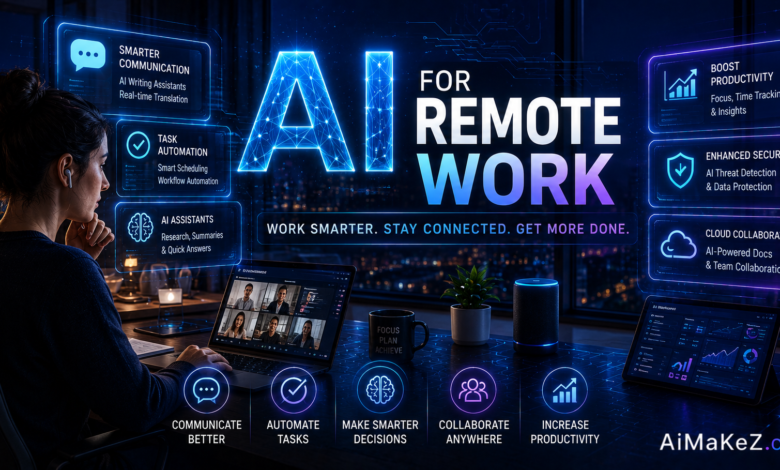
Remote work has moved from a temporary experiment into the default operating model for millions of professionals across the United States and Europe. Yet distributed teams still wrestle with scattered tools, endless meetings, time-zone friction, and the quiet fear of being “out of sight, out of mind.” AI remote work tools solve exactly these problems, acting like a tireless digital colleague that schedules, summarizes, writes, and automates so you can focus on work that actually matters. In this guide, drawn from years of hands-on experience managing distributed teams, you’ll learn how artificial intelligence is reshaping the way we collaborate from anywhere in 2026.
Table of Contents
What Is AI Remote Work?
AI remote work refers to the practice of using artificial intelligence tools to plan, execute, and manage tasks within a distributed or hybrid workforce. Instead of one monolithic app, it is an ecosystem of assistants: note-takers that join your video calls, writing copilots inside your documents, chatbots that answer teammates instantly, and automation engines that connect your apps together.
The core idea is simple. Machines are excellent at repetitive, predictable, and data-heavy chores, while humans excel at judgment, creativity, and relationships. When you offload the busywork to intelligent software, remote employees reclaim hours every week and reduce the coordination tax that plagues virtual teams.
Modern platforms rely on large language models, machine learning, and natural language processing to understand context. Ask a virtual assistant to “find a 30-minute slot next Tuesday for the design review,” and it reads your calendar, checks everyone’s availability across time zones, and books the meeting without a single back-and-forth email.
Key Features of AI Remote Work Tools
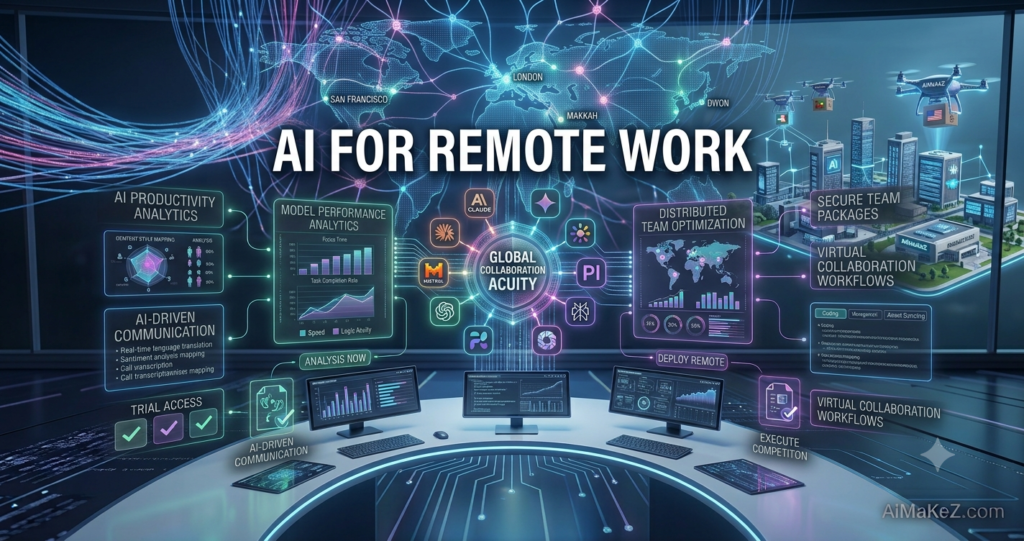
The strongest AI remote work platforms share a handful of capabilities that make distributed collaboration feel effortless.
Smart Scheduling and Calendar Management
AI schedulers analyze participant availability, working hours, and time-zone differences to propose meeting times automatically. Tools like Reclaim, Clockwise, and Motion protect deep-work blocks and reschedule low-priority events when conflicts arise.
Meeting Transcription and Summaries
AI note-takers such as Otter, Fireflies, and Fathom join calls, transcribe speech in real time, and generate action-item summaries. Nobody has to scribble notes, and asynchronous teammates catch up in minutes rather than watching an hour-long recording.
Writing and Content Assistance
Generative writing copilots draft emails, reports, and proposals, then refine tone and grammar. Whether you use ChatGPT, Claude, or Grammarly, the goal is faster communication with fewer errors.
Workflow Automation
Platforms like Zapier, Make, and n8n connect the apps you already use, moving data between them without manual copy-paste. A new client form can automatically create a task, notify Slack, and add a calendar event.
Intelligent Search and Knowledge Retrieval
Enterprise search assistants index your documents, wikis, and chats so employees find answers instantly instead of pinging colleagues. This is essential for onboarding and asynchronous work.
Benefits of AI Remote Work
The advantages of embracing AI remote work extend far beyond novelty, delivering measurable gains for individuals and organizations alike.
Reclaimed time. Automating scheduling, note-taking, and data entry can save the average knowledge worker several hours each week, time redirected toward strategic, high-value tasks.
Better asynchronous collaboration. Automatic summaries and transcripts keep teammates aligned across time zones, reducing the pressure for everyone to be online simultaneously.
Improved communication quality. Writing assistants help non-native English speakers and busy professionals communicate clearly, which is invaluable for teams spanning the US and Europe.
Reduced burnout. By handling repetitive chores and protecting focus time, AI helps prevent the always-on fatigue that erodes remote worker wellbeing.
Lower operational costs. Smaller teams accomplish more, and automation reduces the need for expensive manual processes.
How AI Remote Work Tools Actually Work
Understanding the mechanics helps you deploy these tools with confidence. Here is a step-by-step look at how a typical AI remote work workflow comes together.
Step 1: Connect your accounts. You grant the tool secure access to your calendar, email, or project management app through OAuth. This lets the AI read context and take actions on your behalf.
Step 2: The model interprets your intent. Using natural language processing, the assistant understands plain-language requests, whether typed, spoken, or triggered by an event.
Step 3: Data is analyzed. The system processes calendars, documents, or conversations, identifying patterns, priorities, and relevant information.
Step 4: Action or output is generated. The AI books a meeting, drafts a reply, produces a summary, or moves data between apps, often within seconds.
Step 5: You review and refine. The best practice is to keep a human in the loop, approving important outputs before they go live.
Real-World AI Remote Work Use Cases
Distributed teams apply AI remote work tools across nearly every department. Here are practical examples grounded in real business scenarios.
Business Operations and Project Management
A remote consultancy uses AI project assistants to auto-generate status reports, flag overdue tasks, and predict deadline risks. Managers spend less time chasing updates and more time coaching their teams.
Marketing and Sales
Marketing teams generate campaign copy, social posts, and A/B test variations in minutes, then use AI analytics to interpret results. Sales reps rely on conversation-intelligence tools to transcribe calls and surface buying signals. Comparing assistants such as those in our ChatGPT vs Gemini guide helps you pick the right copilot for outreach.
Content Creation
Freelance writers and agencies draft outlines, repurpose long articles into newsletters, and localize content for European audiences using AI translation, dramatically shortening production cycles. For teams that publish regularly, pairing these workflows with the best AI research tools keeps output accurate and well sourced.
Education and Training
Remote educators build lesson plans, quizzes, and personalized feedback with AI tutors, while corporate L&D teams create onboarding courses that adapt to each learner’s pace.
Productivity and Personal Workflows
Individuals use AI to triage inboxes, summarize long email threads, and turn messy meeting notes into clean to-do lists, keeping their personal productivity high without a physical office. Job seekers can even apply the same efficiency mindset with the best AI resume builders.
Automation Across Departments
Operations teams connect CRM, billing, and support tools so that a single customer action ripples through the entire stack automatically, eliminating error-prone manual handoffs.
Pros and Cons
| Pros | Cons |
|---|---|
| Saves significant time on repetitive tasks | Requires an initial learning curve |
| Improves asynchronous, cross-time-zone collaboration | Data privacy and security must be managed carefully |
| Enhances written communication quality | Over-reliance can dull critical thinking |
| Scales output without adding headcount | Subscription costs can add up across many tools |
| Reduces meeting fatigue with summaries | Outputs still need human review for accuracy |
Pricing
Most AI remote work tools follow a freemium or tiered subscription model, making them accessible to solo freelancers and enterprises alike.
Free plans typically offer limited transcription minutes, basic automations, or capped AI generations, ideal for testing before you commit.
Pro and individual plans generally range from roughly $10 to $30 per user per month, unlocking higher usage limits, integrations, and priority features.
Team and business plans often fall between $20 and $60 per user per month, adding admin controls, shared workspaces, and analytics.
Enterprise pricing is custom, including advanced security, single sign-on, dedicated support, and compliance guarantees for regulated industries. Always confirm current pricing on each vendor’s website, as plans change frequently.
Comparison With Alternatives
No single tool does everything, so most teams combine a few AI remote work specialists. Here is how popular categories stack up.
| Tool Category | Best For | Example Tools |
|---|---|---|
| AI Note-Takers | Meeting transcripts and summaries | Otter, Fireflies, Fathom |
| AI Schedulers | Time-zone-friendly scheduling | Reclaim, Clockwise, Motion |
| Writing Assistants | Drafting and editing content | ChatGPT, Claude, Grammarly |
| Automation Platforms | Connecting apps and workflows | Zapier, Make, n8n |
| Knowledge Search | Finding internal answers fast | Glean, Notion AI, Guru |
The right mix depends on your team size, budget, and workflow. Small teams often start with an all-in-one suite, while larger organizations layer specialized tools for depth.
Best Practices for AI Remote Work Success
Adopting the technology is easy; using it wisely takes discipline. These expert recommendations come from real deployment experience.
Start with one high-friction task. Automate your most painful bottleneck first, such as meeting notes, before expanding to a full stack.
Keep a human in the loop. Always review AI-generated content that touches clients, finances, or legal matters.
Write clear prompts. The quality of AI output mirrors the clarity of your instructions, so be specific about tone, format, and audience.
Protect sensitive data. Use enterprise plans with proper security settings and avoid pasting confidential information into consumer tools.
Document your workflows. Share prompt libraries and automation recipes so the whole team benefits, not just early adopters.
Common Mistakes to Avoid
Even experienced teams stumble when adopting AI remote work tools. Watch out for these frequent pitfalls.
Tool overload. Subscribing to a dozen overlapping apps creates confusion and wasted spend; consolidate where you can.
Blind trust in outputs. AI can hallucinate facts, so never publish or send anything without verification.
Ignoring privacy policies. Failing to check how a vendor handles your data can expose your organization to compliance risk, especially under GDPR in Europe.
Skipping team training. Buying licenses without teaching people how to use them leads to low adoption and wasted budget.
Automating broken processes. Automation amplifies whatever exists, so fix messy workflows before you scale them.
Frequently Asked Questions
Is AI remote work safe for handling company data?
It can be, provided you choose reputable vendors with strong encryption, clear data policies, and enterprise controls. Avoid entering confidential information into free consumer tools and confirm GDPR or SOC 2 compliance for sensitive workflows.
Will AI replace remote workers?
AI is far more likely to augment than replace. It removes repetitive busywork so people can focus on strategy, creativity, and relationships. Workers who learn to collaborate with AI tend to become more valuable, not less.
What are the best free AI tools for remote teams?
Popular free tiers include ChatGPT and Claude for writing, Otter for transcription, and Zapier for basic automation. These let you test real workflows before upgrading to paid plans.
How do I start using AI in my remote workflow?
Pick one repetitive task that drains your time, choose a well-reviewed tool for it, and run a two-week trial. Measure the time saved, then gradually expand to other tasks once you see results.
Do AI tools work well across different time zones?
Yes. Time-zone handling is one of AI’s biggest strengths for remote work. Schedulers automatically find overlapping availability, and asynchronous summaries keep everyone informed regardless of when they log on.
Why AI Remote Work Matters More Than Ever in 2026
The distributed workforce is no longer a niche perk offered by a handful of tech firms. Across North America and the European Union, hybrid and fully remote arrangements have become a baseline expectation for knowledge workers, and competition for talent now stretches across borders. In this environment, the organizations that thrive are the ones that remove friction from everyday collaboration. Artificial intelligence has become the connective tissue that holds distributed teams together, quietly bridging the gaps that physical offices used to fill through hallway conversations and spontaneous whiteboard sessions. Industry data from Gartner and McKinsey shows hybrid models continuing to expand across knowledge sectors.
Consider the sheer volume of coordination a remote team handles in a single day: aligning schedules across five time zones, catching up on meetings you could not attend, hunting for a document buried in a shared drive, and keeping a dozen apps in sync. Each of these tasks is small on its own, but collectively they consume an enormous share of the working week. Intelligent assistants compress that overhead, and the compounding effect over months is the difference between a team that feels stretched thin and one that feels genuinely productive.
There is also a cultural dimension. Remote employees frequently report feeling disconnected or invisible, and that isolation is a leading cause of turnover. When AI handles the administrative grind, managers gain back the bandwidth to invest in mentorship, recognition, and one-on-one connection, the human elements that no algorithm can replicate. Used well, the technology does not depersonalize work; it creates room for more meaningful human interaction.
The Shift From Synchronous to Asynchronous Culture
One of the most profound changes AI enables is the move toward genuinely asynchronous work. For years, distributed teams tried to recreate the office by scheduling more meetings, which only spread meeting fatigue across time zones. With automatic transcripts, searchable summaries, and AI-drafted updates, information now flows to people when they are ready to receive it, rather than forcing everyone into the same thirty-minute window. A designer in Lisbon can review a product decision made in Chicago hours earlier, complete with context and action items, without a single live call.
How to Choose the Right AI Remote Work Stack
With hundreds of tools competing for attention, selecting the right combination can feel overwhelming. The most effective approach is to evaluate options against a clear set of criteria rather than chasing the newest launch on social media.
Integration depth. A tool is only as useful as its connections. Prioritize software that plugs directly into the calendar, communication, and project systems your team already relies on, so information flows without manual bridging.
Security and compliance. For teams operating in Europe, verifying GDPR compliance is non-negotiable, and many US organizations will also want SOC 2 or ISO certifications. Read the data-handling policy before you connect anything sensitive.
Ease of adoption. The best platform is the one people will actually use. Favor intuitive interfaces and vendors that offer onboarding resources, because a powerful tool nobody understands delivers zero value.
Transparent pricing. Watch for usage caps and per-seat costs that balloon as your team grows. A predictable pricing model protects your budget and prevents unpleasant surprises at renewal.
Reliability and support. When an automation breaks at the worst possible moment, responsive support becomes priceless. Check community reviews for real-world reliability rather than trusting marketing promises alone.
The Future of AI in Distributed Teams
Looking ahead, the trajectory for AI remote work is clear: assistants are becoming more autonomous and more context-aware. Instead of responding only to explicit commands, the next generation of agentic tools can anticipate needs, chaining several steps together to complete an objective with minimal supervision. Imagine an assistant that notices a project is slipping, drafts a revised timeline, flags the affected stakeholders, and proposes a recovery plan before a human even asks.
Voice and multimodal interfaces are also maturing rapidly, letting workers interact with their tools naturally while walking, commuting, or stepping away from the keyboard, an especially welcome shift for remote employees who value flexibility. At the same time, personalization is deepening, with assistants learning individual communication styles and work rhythms to deliver output that feels tailored rather than generic.
None of this removes the need for human judgment. The winning philosophy for the years ahead is augmentation, not replacement: let machines handle scale and repetition while people supply strategy, empathy, and creativity. Teams that internalize this balance will set the standard for what productive, humane distributed work looks like.
Final Verdict
AI remote work is no longer a futuristic add-on; it is a practical foundation for how modern distributed teams operate in 2026. From smart scheduling and meeting summaries to content creation and end-to-end automation, these tools give remote professionals across the United States and Europe a genuine edge in productivity and wellbeing. The key to getting AI remote work right is thoughtful adoption: start small, keep humans in the loop, protect your data, and choose tools that fit your actual workflow rather than chasing every shiny release. Do that, and AI will feel less like software and more like the most reliable colleague you have ever worked with.