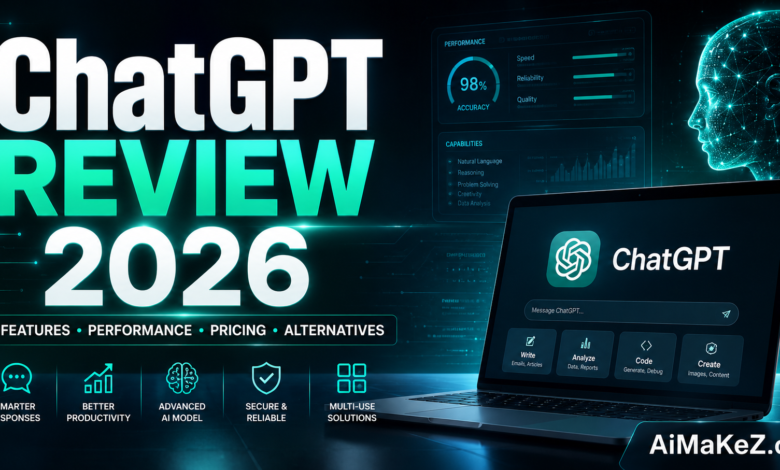
If you’ve been trying to figure out whether ChatGPT is actually worth using in 2026 — or you’re wondering how it stacks up against newer competitors — this ChatGPT review is exactly what you need.
The AI landscape has changed dramatically. When ChatGPT first launched in late 2022, it felt like science fiction made real. By 2026, it has evolved into a sophisticated, deeply integrated productivity platform used by over 200 million people worldwide. Businesses rely on it for automation. Marketers use it to scale content creation. Students use it to understand complex concepts. Developers use it to write, debug, and optimize code.
But with so many AI tools now flooding the market — from Google Gemini to Anthropic’s Claude to Meta’s Llama-powered assistants — this ChatGPT review will help you decide which tool is right for you.
This ChatGPT review covers everything you need to make an informed decision: what ChatGPT can do in 2026, how it’s priced, where it excels, where it falls short, and which alternatives might serve you better depending on your needs.
Table of Contents
What Is ChatGPT?
ChatGPT is a large language model (LLM)-powered conversational AI assistant developed by OpenAI. It was first publicly released in November 2022 and has since become the world’s most recognized AI chatbot.
At its core, ChatGPT is built on OpenAI’s GPT (Generative Pre-trained Transformer) model architecture. The current generation powering the platform in 2026 is GPT-4o and, for subscribers on advanced tiers, access to OpenAI’s latest model — GPT-5 — which brings significantly improved reasoning, multimodal capabilities, and real-time information access.
Unlike a basic search engine that retrieves links, ChatGPT generates original responses in natural language. It understands context across an entire conversation, remembers prior messages, and can handle complex, multi-step tasks.
It’s not just a chatbot. In 2026, ChatGPT functions as a full-featured AI workspace: a writing assistant that drafts emails, articles, and marketing copy; a coding partner that writes and debugs code across dozens of languages; a research tool that synthesizes information; a data analyst that reads uploaded files; a creative collaborator for ideation; a voice assistant; and an autonomous agent that can browse the web and execute multi-step tasks.
Key Features of ChatGPT in 2026
1. GPT-5 Model Access (Pro and Team Plans)
The most significant upgrade in 2026 is access to GPT-5 for paid subscribers. GPT-5 represents a generational leap: it reasons more accurately, handles longer context windows (up to 1 million tokens on select plans), and produces far fewer hallucinations than its predecessors. For users on the free plan, GPT-4o remains the default and is still one of the most capable models publicly available.
2. Multimodal Capabilities
ChatGPT is no longer text-only. In 2026, users can upload and analyze images, generate images using DALL·E 3 integration (available on paid plans), process PDFs and spreadsheets, and use real-time voice mode for natural, near-human spoken conversations.
3. Real-Time Web Browsing
In this ChatGPT review, one standout feature is real-time web search: ChatGPT can search the web in real time to retrieve current information, prices, news, stock data, weather, and more — without needing to leave the chat interface.
4. Custom GPTs (GPT Store)
OpenAI’s GPT Store allows users to access thousands of specialized AI assistants built on top of ChatGPT. Need a GPT tuned specifically for legal research, tax preparation, or fitness coaching? There are purpose-built GPTs for virtually every professional niche. Users on paid plans can also build their own custom GPTs without writing a single line of code.
5. Memory and Personalization
For this ChatGPT review, persistent memory is a key feature worth highlighting: ChatGPT now maintains memory across sessions. It can remember your preferences, communication style, ongoing projects, and personal context.
6. Advanced Data Analysis (Code Interpreter)
The built-in Code Interpreter tool allows ChatGPT to run actual Python code on uploaded files. You can ask it to clean messy datasets, produce visualizations, run statistical analyses, and generate charts — all within the chat interface. For data professionals, this alone justifies the cost of a paid plan.
7. Canvas (Collaborative Document Editor)
ChatGPT Canvas is a document-editing mode where you and the AI can co-write and edit long-form content side by side. Instead of pasting back and forth, Canvas lets you make targeted edits, request rewrites of specific sections, and refine tone — all in a clean workspace.
8. Operator and Agent Capabilities
For power users and enterprises, this ChatGPT review finds that ChatGPT Operator allows the model to take actions on your behalf in a browser — booking appointments, filling out forms, and navigating websites autonomously.
9. API Access
Developers can access OpenAI’s models directly through the API to build custom applications, integrate ChatGPT into existing software, and automate workflows at scale. The API is one of the most widely used in the AI industry.
10. Enterprise Security and Compliance
ChatGPT Enterprise offers SSO, data encryption, audit logs, and a guarantee that conversation data is not used to train OpenAI’s models — addressing the privacy concerns that historically made businesses hesitant to adopt AI tools.
Benefits of Using ChatGPT
Save Hours Every Week
The most immediate benefit highlighted in this ChatGPT review is time savings. Tasks that once took hours — writing drafts, analyzing data, answering research questions — now take minutes with ChatGPT.
Lower the Cost of Content Production
As this ChatGPT review shows, marketing agencies and content creators use ChatGPT to dramatically reduce the cost and time of content production — while maintaining quality that rivals human writers.
Democratize Technical Skills
As this ChatGPT review demonstrates, ChatGPT has lowered the barrier to technical knowledge. A small business owner with no coding experience can now build functional spreadsheets, automate tasks, and analyze data — all by describing what they want in plain language.
Accelerate Learning
One underappreciated use case highlighted in this ChatGPT review is personalized tutoring. Unlike static educational resources, ChatGPT adapts to your learning level, explains concepts in multiple ways, and answers follow-up questions in real time.
Scale Business Operations
From automating customer support to generating sales proposals to drafting HR policies, businesses are finding that this ChatGPT review’s top finding holds true: ChatGPT delivers measurable ROI across departments.
How ChatGPT Works
Understanding how ChatGPT works helps you use it more effectively. This section of our ChatGPT review provides a simplified step-by-step breakdown of what happens when you send a message.
Step 1: You Submit a Prompt. Everything starts with your input — a question, a request, or an uploaded file. This is called a “prompt.” The quality of your prompt heavily influences the quality of the response.
Step 2: Tokenization. ChatGPT breaks your input into tokens (roughly chunks of text) and processes them through its neural network. Context from your previous messages in the same conversation is included in this processing.
Step 3: Model Inference. The underlying model — GPT-4o or GPT-5 — predicts the most contextually appropriate and accurate response based on its training data, your prompt, and the conversation history.
Step 4: Response Generation. ChatGPT generates a response token by token, producing natural language text, code, a structured table, or an image depending on the request.
Step 5: Tool Use (When Applicable). If your request requires searching the web, running a calculation, or analyzing a file, ChatGPT activates the relevant tool, retrieves additional information, and incorporates it into its response.
Step 6: Iterative Refinement. You can follow up, correct, or redirect. ChatGPT maintains full context throughout the session, and with memory enabled, key details persist across sessions.
Real-World Use Cases
Business and Marketing
A New York-based e-commerce brand uses ChatGPT to generate product descriptions, write email campaigns, and respond to customer inquiries — a real-world ChatGPT review success story that saves over 20 hours per week.
Content Creation
Freelance writers across the US and Europe use ChatGPT to research topics, generate structured outlines, and draft content — consistently rating it positively in every ChatGPT review for creative professionals.
Education
Teachers in K–12 and higher education settings use ChatGPT to generate quiz questions, create personalized study guides, draft lesson plans, and provide students with instant tutoring outside classroom hours. Universities are also using it to build AI literacy programs across departments.
Software Development
Developers use ChatGPT daily to write boilerplate code, generate unit tests, and explain legacy codebases — making it a top-rated tool in any ChatGPT review focused on technical use cases.
Legal and Compliance
Law firms use ChatGPT (often within Enterprise accounts for data privacy reasons) to draft initial contract templates, summarize lengthy legal documents, and research case law — reducing hours billed on administrative tasks and freeing attorneys for higher-value work.
Productivity and Automation
Knowledge workers use ChatGPT to triage and respond to emails, summarize meeting transcripts, create project timelines, draft presentations, and build automation workflows using tools like Zapier or Make integrated with the ChatGPT API.
Pros and Cons of ChatGPT
| Feature | Pros | Cons |
|---|---|---|
| Model Quality | GPT-4o is world-class; GPT-5 available on higher tiers | Free tier limited to basic model access |
| Multimodal Support | Image, voice, file, and data analysis all available | Image generation limited to paid plans |
| Real-Time Web Access | Browses live web for current information | Occasional inaccuracies in retrieved data |
| Custom GPTs | Thousands of specialized GPTs in the store | Quality of third-party GPTs is inconsistent |
| Memory | Persistent, customizable memory across sessions | Privacy concerns for some users |
| Ease of Use | Intuitive interface; no technical skills needed | Advanced features have a learning curve |
| Pricing | Free plan is genuinely usable | Pro and Enterprise tiers are expensive |
| API Access | Powerful, widely supported, well-documented | Costs can escalate with high-volume use |
| Data Privacy | Enterprise plan offers strong data protection | Free and Plus plans may use data for training |
| Accuracy | Strong on factual, well-documented topics | Can still hallucinate on niche or recent topics |
ChatGPT Pricing Plans
OpenAI offers a tiered pricing structure designed to serve individual users, professionals, and large organizations. Here’s a clear breakdown of what’s available in 2026:
Free Plan — $0/month
The free plan provides access to GPT-4o with usage limits. You can try ChatGPT for free directly on the official platform. Real-time web browsing and basic file analysis are included, though with daily caps. This is a generous entry point and is genuinely useful for casual, everyday tasks. Image generation and advanced data analysis are not available on the free tier.
ChatGPT Plus — $20/month
Plus remains one of the best-value AI subscriptions available. It unlocks higher usage limits on GPT-4o, access to GPT-5 with usage caps, DALL·E image generation, advanced data analysis, voice mode, and priority access during peak times. For individual professionals and power users, this is the recommended tier.
ChatGPT Pro — $200/month
The Pro plan offers unlimited access to GPT-5, extended context windows, and early access to new OpenAI features. It’s designed for heavy users — researchers, developers, and professionals whose work depends on cutting-edge AI performance every day.
ChatGPT Team — $30/user/month
Team is built for small to mid-size businesses (minimum 2 users). It includes a dedicated workspace, admin controls, higher message limits, and a data privacy guarantee — conversations are not used to train OpenAI’s models. It’s a significant step up from Plus for any organization with multiple users.
ChatGPT Enterprise — Custom Pricing
Enterprise is OpenAI’s offering for large organizations. It includes SSO, advanced security, compliance features, custom context windows, dedicated support, and the highest available usage limits. Pricing is negotiated directly with OpenAI based on organizational scale and requirements. Visit OpenAI’s official pricing page for the latest details.

ChatGPT vs. Top Alternatives
ChatGPT vs. Claude (Anthropic)
Claude — particularly Claude 3.5 Sonnet and the newer Claude 4 models — is widely regarded as ChatGPT’s most direct competitor. Read our Best AI Tools in 2026 guide for a full comparison. Claude excels at nuanced, long-form writing, producing content with a noticeably more natural, human tone. Its massive context window makes it ideal for processing book-length documents. However, Claude lacks the breadth of integrations, the GPT Store ecosystem, and the multimodal maturity that ChatGPT offers. For writing-heavy workflows, Claude is arguably superior. For versatility and ecosystem depth, ChatGPT wins.
ChatGPT vs. Google Gemini
Google Gemini has made enormous strides by 2026, powered by Google’s Gemini Ultra model. Its primary advantage is deep integration with Google Workspace — Gmail, Docs, Sheets, Drive, and Meet all have native Gemini capabilities. If your organization runs on Google, Gemini’s embedded features are hard to beat. However, ChatGPT still leads in raw conversational intelligence, coding capability, and third-party integrations. Gemini is the better choice for Google-native workflows; ChatGPT is the better all-rounder.
ChatGPT vs. Microsoft Copilot
Microsoft Copilot is built on OpenAI’s technology and deeply embedded in Microsoft 365 — Word, Excel, PowerPoint, Outlook, and Teams. If your workplace runs on the Microsoft ecosystem, Copilot’s native integration offers frictionless AI assistance without context switching. For standalone use or non-Microsoft environments, ChatGPT offers more flexibility and a superior standalone interface.
ChatGPT vs. Perplexity AI
Perplexity AI is a research-focused AI tool that functions more like a cited search engine than a general-purpose assistant. It provides real-time answers with source citations, making it ideal for fact-checking and research. It’s not designed for content creation, coding, or complex task execution. Think of Perplexity as a complement to ChatGPT, not a replacement.
ChatGPT vs. Meta AI
Meta AI, powered by the Llama model family, is embedded in WhatsApp, Instagram, Facebook, and Messenger. It’s highly accessible and free — but it lacks the depth, customizability, and professional-grade features of ChatGPT. For casual social media use, Meta AI is convenient. For serious professional or business use, ChatGPT is the clear winner.
Best Practices for Getting the Most Out of ChatGPT
Be Specific in Your Prompts. The more context you provide, the better the output. Instead of “write a blog post about AI,” try “write a 1,200-word blog post for a non-technical audience explaining how AI is changing small business marketing in 2026, with a conversational tone and three real-world examples.”
Use Role Prompting. Assign ChatGPT a role at the start of your conversation: “You are a senior financial analyst specializing in SaaS metrics.” This primes the model to respond with the vocabulary, framing, and depth appropriate to that expertise.
Iterate, Don’t Regenerate. If the first response isn’t quite right, tell ChatGPT specifically what to change: “Make the introduction more punchy,” “Expand the third section with two additional examples,” or “Rewrite this in a more formal tone.” Iteration beats regeneration every time.
Use Custom GPTs for Recurring Tasks. If you use ChatGPT for the same type of task regularly, build or find a custom GPT configured specifically for that workflow. A custom GPT for email drafting, for example, can have your brand voice, formatting preferences, and recurring context baked in.
Enable and Manage Memory Strategically. Let ChatGPT remember your preferred writing style, your business context, and your frequently used frameworks. But periodically review your memory settings to keep them relevant and remove outdated information.
Combine Tools. ChatGPT works best as part of a broader workflow. Combine it with tools like Notion, Zapier, Airtable, or your CRM using integrations and the API to unlock genuine automation — not just one-off tasks.
Verify High-Stakes Outputs. Always fact-check any output that will be used in legal, financial, medical, or compliance contexts. Treat ChatGPT as a highly capable first-draft generator, not an authoritative source.
Common Mistakes to Avoid
Treating It Like a Search Engine. ChatGPT is not Google. Typing a keyword into it and expecting a relevant list of links will disappoint you. Frame your inputs as instructions or questions, and you’ll get far better results.
Accepting the First Output Uncritically. Many users take the first response and run with it — without editing, verifying, or refining. This is how low-quality, generic AI content gets published. Always review, fact-check, and personalize the output.
Writing Vague Prompts. “Write something about marketing” will produce something mediocre. The model needs context: who the audience is, what tone to use, how long the output should be, and what the goal is. Invest thirty seconds in crafting a proper prompt and the quality difference is dramatic.
Ignoring Privacy Settings. If you’re using ChatGPT for business purposes and pasting in sensitive client data on a free or Plus plan, you may be inadvertently contributing that data to model training. Use the Team or Enterprise plan for any sensitive work.
Using It for Everything Without Judgment. ChatGPT is excellent at many tasks, but not all. It’s not the right tool for real-time financial trading data, deeply specialized medical diagnoses, or accessing non-public internal systems. Knowing its limitations makes you a more effective user.
Neglecting System-Level Instructions. In the API or custom GPTs, system instructions allow you to define the model’s behavior, persona, and constraints at a foundational level. Skipping this step results in generic, unfocused behavior. Power users always configure system prompts carefully.
Frequently Asked Questions
Is ChatGPT free to use in 2026?
Yes. OpenAI maintains a free tier that provides access to GPT-4o with daily usage limits. The free plan includes real-time web browsing and basic file uploads, making it genuinely useful for everyday tasks. Advanced features like image generation, advanced data analysis, and GPT-5 access require a paid subscription starting at $20/month (ChatGPT Plus).
What is the difference between ChatGPT Plus and ChatGPT Pro?
ChatGPT Plus ($20/month) gives you higher usage limits on GPT-4o, GPT-5 access with caps, DALL·E image generation, voice mode, and advanced data analysis. ChatGPT Pro ($200/month) offers unlimited GPT-5 access, extended context windows, and early feature access — designed for researchers and power users who depend on cutting-edge AI performance every day.
Can ChatGPT replace a human writer or developer?
Not entirely. ChatGPT can produce high-quality first drafts and functional code, but it lacks genuine creativity, strategic judgment, and deep domain expertise. The most effective approach is to use ChatGPT as a force multiplier for skilled humans — writers produce more, developers ship faster — but human oversight remains essential for quality and accuracy.
Is ChatGPT safe to use for business and sensitive data?
It depends on the plan. Free and Plus tiers may use conversation data to improve OpenAI’s models, which raises concerns for businesses handling confidential information. The Team and Enterprise tiers include contractual guarantees that conversation data is not used for training. For enterprise use cases involving sensitive data, always use the appropriate plan and review OpenAI’s data usage policies carefully.
What are the best ChatGPT alternatives in 2026?
The top alternatives are: Claude by Anthropic (best for long-form writing and large document processing), Google Gemini (best for Google Workspace users), Microsoft Copilot (best for Microsoft 365 environments), Perplexity AI (best for research and cited answers), and Meta AI (best for casual, social media-integrated queries). Each has its strengths — the right choice depends on your workflow and existing tool ecosystem.
Final Verdict: Is ChatGPT Worth It in 2026?
After conducting this comprehensive ChatGPT review across every dimension that matters — features, performance, pricing, use cases, pros and cons — the conclusion is clear: ChatGPT remains the most capable and versatile AI assistant available in 2026.
It’s not perfect. The free tier has limits. Hallucinations still occur on niche topics. The Pro plan is expensive. And for specific use cases — long-form writing, Google Workspace integration, cited research — dedicated alternatives like Claude, Gemini, or Perplexity may serve you better.
But as an all-in-one AI platform for individuals, teams, and enterprises, nothing else comes close to the breadth of what ChatGPT offers. The GPT Store ecosystem, multimodal capabilities, autonomous agent features, coding proficiency, and the combination of GPT-4o and GPT-5 access make it the Swiss Army knife of the AI world.
Our Recommendation
- Casual users and students: Start with the free plan. It’s more powerful than most people realize.
- Freelancers and professionals: ChatGPT Plus at $20/month is one of the best productivity investments you can make.
- Heavy users and researchers: ChatGPT Pro at $200/month justifies its cost if AI is central to your daily output.
- Small businesses and teams: ChatGPT Team at $30/user/month offers the right balance of capability and data privacy.
- Large enterprises: ChatGPT Enterprise delivers the security, compliance, and scale that large organizations need.
Whether you’re just starting your AI journey or looking to level up how you use it, this ChatGPT review confirms that ChatGPT in 2026 is the benchmark every competitor is measured against.
Last updated: June 2026 | Published on AiMaKeZ.com