Choosing between today’s AI assistants can feel overwhelming. Every week a new model promises to write your emails, debug your code, plan your travel, and run your business on autopilot. Yet most people still waste hours jumping between tools that don’t quite fit their workflow. If you have ever felt that frustration, this guide is for you. Below, we break down the best AI assistants in 2026, how they actually perform in real work, and which one deserves a place in your daily routine.
Table of Contents
What Are AI Assistants?
AI assistants are software systems powered by large language models and multimodal AI that understand natural language, reason across context, and complete tasks on your behalf. Unlike the rigid voice assistants of the early 2020s, the modern generation blends conversation, memory, tool use, and autonomous action. You can ask one to summarize a 40-page report, draft a marketing campaign, analyze a spreadsheet, or trigger a workflow across your apps, and it will do so with striking fluency.
In 2026, the category has matured into three overlapping types. General-purpose chat assistants such as ChatGPT, Claude, and Gemini handle everything from writing to research. Embedded productivity copilots live inside tools like Microsoft 365, Google Workspace, and Notion. And agentic AI assistants can plan multi-step tasks, browse the web, and act with limited supervision. Understanding which type fits your needs is the first step toward picking the right one.
What ties all three types together is intent: you describe an outcome in plain language, and the assistant figures out the steps. That shift from clicking through menus to simply stating what you want is why adoption has spread so quickly beyond tech circles. A small-business owner, a teacher, and a software engineer can all use the same underlying tool in completely different ways, each shaping it to their own vocabulary and goals without writing a single line of configuration.
Key Features of the Best AI Assistants
The leading tools share a set of capabilities that separate genuinely useful assistants from novelty chatbots. When you evaluate any option, these are the features that matter most.
Advanced Reasoning and Context
Top models now handle long context windows, meaning they can read entire books, codebases, or contract bundles in a single conversation. This lets the assistant track nuance, remember earlier instructions, and produce answers that stay consistent across a lengthy project.
Multimodal Understanding
Text alone is no longer enough. The best AI assistants read images, interpret charts, transcribe audio, review video, and generate visuals. A financial analyst can drop in a screenshot of a dashboard and ask for trends, while a teacher can upload a worksheet and request a simpler version.
Tool Use and Integrations
Connectivity is where 2026 assistants pull ahead. Through connectors, plugins, and the Model Context Protocol, they reach calendars, email, CRMs, databases, and code repositories. This turns a chat box into an operator that books meetings, updates records, and runs automations.
Persistent Memory and Personalization
Memory features let an assistant recall your tone, preferences, and ongoing projects. Over time it learns that you prefer concise replies, US spelling, or a particular brand voice, delivering results that feel tailored rather than generic.
Safety, Privacy, and Reliability
As assistants gain more autonomy, trust becomes a feature in its own right. The strongest tools of 2026 show their sources, flag when they are unsure, and let you review an action before it runs rather than acting blindly. Enterprise tiers add data isolation, audit logs, and compliance certifications so sensitive information never trains a public model. When you compare options, treat these guardrails as seriously as raw capability, because an assistant you cannot trust with real work is not much of an assistant at all.
Benefits for Everyday Users
The practical payoff of adopting capable AI assistants shows up quickly. The clearest advantage is time. Tasks that once took an hour, such as drafting a proposal or cleaning a dataset, often shrink to minutes. That reclaimed time compounds across a week and a team.
Beyond speed, these tools reduce cognitive load. Instead of switching between a dozen tabs, you delegate the busywork and stay focused on decisions that require human judgment. They also flatten skill gaps. A non-designer can produce a decent layout, a non-coder can build a working script, and a solo founder can operate like a small team. For US and European professionals juggling tight deadlines, that leverage is transformative. Explore more guides on our AiMaKeZ homepage.
There is a quieter benefit too: consistency. A well-briefed assistant applies the same standards to the tenth task of the day as it did to the first, without fatigue or shortcuts. For routine work like formatting reports, checking tone, or catching obvious errors, that steadiness is genuinely valuable. It frees people to spend their sharpest attention on the judgment calls that only a human should make.
How AI Assistants Work
Understanding the mechanics helps you use these tools more effectively. Here is a simplified step-by-step view of what happens when you send a request.
- Input and interpretation. You type, speak, or upload a file. The assistant converts your request into tokens and interprets intent using its language model.
- Context assembly. It gathers relevant context from your conversation, connected apps, and stored memory to ground the response.
- Reasoning and planning. For complex jobs, the model breaks the task into steps, decides whether it needs external tools, and forms a plan.
- Tool execution. If needed, it calls tools such as web search, a code interpreter, or an API to fetch data or perform an action.
- Response generation. The assistant synthesizes everything into a clear answer, then waits for your feedback to refine or continue.
What makes the 2026 generation feel different is how invisibly these steps flow together. You rarely see the model deciding to search the web or run code; you simply get an answer that already reflects fresh information and a bit of calculation. Behind the scenes, the assistant may loop through the plan-and-execute cycle several times, checking its own work before it responds. Knowing this rhythm helps you prompt better: give it the goal and the constraints, and let it handle the intermediate steps rather than micromanaging each one.
Real-World Use Cases
The value of any assistant becomes concrete when you see it applied to real jobs. Here are the scenarios where AI assistants deliver the biggest wins in 2026.
Business and Operations
A regional operations manager uses an agentic assistant to reconcile invoices, flag anomalies, and draft weekly summaries for leadership. What used to consume a full Friday now runs in the background and lands in the inbox by lunch.
The same manager can push further by asking the assistant to monitor supplier performance, forecast inventory needs from historical orders, and prepare a short briefing before every leadership call. Because the tool remembers prior context, each week’s report builds on the last, surfacing trends a person skimming spreadsheets might easily miss. The payoff is not just faster reporting but sharper decisions grounded in data that used to sit unexamined.
Marketing and Content Creation
Marketing teams generate campaign angles, repurpose a single webinar into blog posts, newsletters, and short videos, and A/B test headlines in minutes. Writers use assistants as research partners and editors rather than ghostwriters, keeping the human voice intact while cutting production time.
The advantage compounds for small teams that cannot afford a large content studio. One marketer can maintain a consistent brand voice across channels by feeding the assistant a style guide and past top performers, then letting it draft variations to refine. Instead of staring at a blank page, the team starts from a solid first draft and spends its energy on strategy, positioning, and the creative spark that machines still cannot fake.
Education and Research
Students and educators lean on assistants to explain difficult concepts, generate practice questions, and summarize dense academic papers. A graduate researcher can feed in twenty studies and receive a structured literature overview to accelerate a review, then verify the sources manually.
Educators benefit just as much as learners. A teacher can turn a single lesson plan into differentiated versions for different reading levels, generate a quiz with an answer key, and draft parent-friendly progress notes in a fraction of the usual time. Because the assistant explains its reasoning, it also becomes a tutor that adapts to a student who is stuck, offering hints instead of handing over the answer.
Productivity and Automation
Knowledge workers connect assistants to their calendar and email to triage messages, schedule meetings, and prepare briefing notes before each call. Developers pair with coding assistants to write tests, refactor legacy code, and squash bugs, often shipping features days faster.
These automations shine because they run quietly in the background. A single trigger, such as a new email or calendar invite, can set off a chain that drafts a reply, updates a tracker, and files the relevant document without any manual clicks. Over a month, dozens of these micro-workflows add up to hours reclaimed and far fewer forgotten follow-ups.
Customer Support and Service
Support teams increasingly pair AI assistants with their help desks to draft first replies, suggest relevant knowledge-base articles, and summarize long ticket threads for the next agent. Rather than replacing human reps, the assistant handles the repetitive triage so people can focus on the tricky, emotional, or high-value cases. Response times drop, and customers get consistent answers around the clock.
Pros and Cons
| Pros | Cons |
|---|---|
| Massive time savings on repetitive tasks | Can produce confident but incorrect answers |
| Available 24/7 across devices | Best features often sit behind paid tiers |
| Handles text, images, audio, and code | Privacy and data handling require caution |
| Scales expertise for small teams | Over-reliance can dull core skills |
| Deep integrations automate workflows | Output quality depends on prompt quality |
Pricing Overview
Most leading assistants follow a freemium model. A capable free tier covers casual use, while paid plans unlock the strongest models, higher usage limits, and advanced features. As a rough guide for 2026, individual premium plans typically land around 20 US dollars per month, with team and enterprise tiers priced per seat and offering admin controls, security compliance, and data protection guarantees.
The right choice depends on volume and sensitivity. Occasional users are well served by free tiers. Freelancers and professionals usually recoup a single paid subscription within the first week of saved time. Businesses handling regulated data should budget for enterprise plans that keep information private and auditable.
When you weigh the cost, think in terms of hours rather than dollars. If a twenty-dollar plan saves even two hours of skilled work each month, it has already paid for itself many times over. The bigger risk is not overpaying but underusing: many subscribers stay on a free tier for serious work and quietly accept weaker results, or pay for a premium plan and never connect the integrations that unlock its real value. Review your usage every few months and adjust your plan to match how you actually work.
Comparison With Alternatives
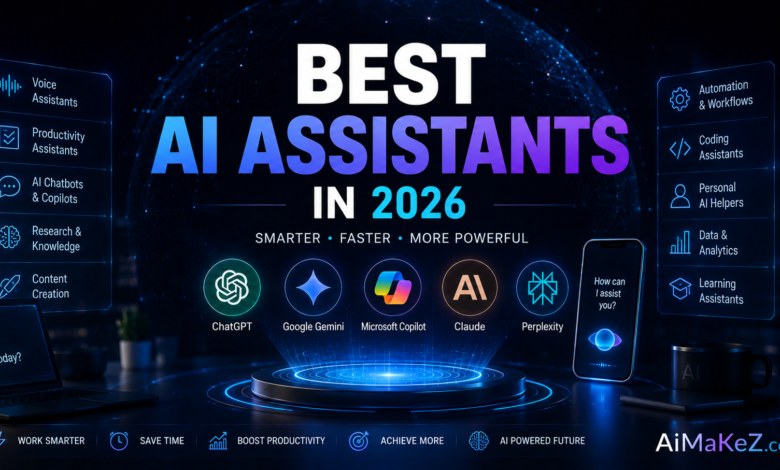
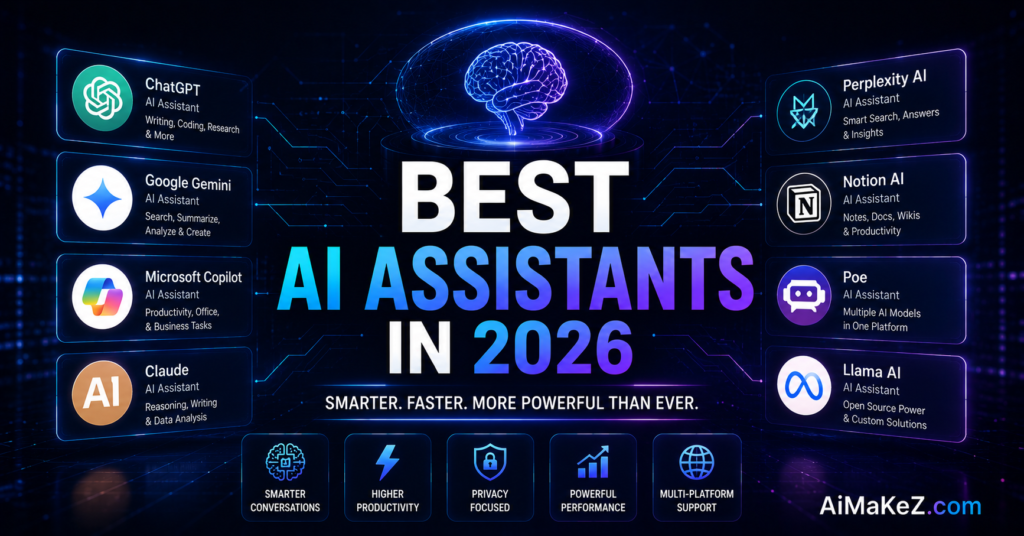
No single assistant wins every category, so the smart move is matching strengths to your workload. ChatGPT remains the most versatile all-rounder with a rich ecosystem of custom tools. Claude is widely praised for long-document reasoning, careful writing, and coding reliability. Gemini shines for users deep in Google Workspace and real-time search. Microsoft Copilot is the natural pick if your day lives inside Word, Excel, and Outlook. Perplexity leads for source-cited research, while open models such as Llama appeal to teams that need self-hosting and control.
In practice, many power users run two assistants: one general model for writing and reasoning, and one embedded copilot inside their primary work suite. This combination covers the widest range of tasks without forcing a single tool to do everything.

It also helps to look beyond the big three. Specialized assistants now excel at narrow jobs: some are tuned for legal drafting, others for medical summaries, coding, or data analysis. Open-source models have matured to the point where privacy-conscious teams can self-host a capable assistant entirely on their own infrastructure. The trade-off is usually convenience versus control, and the right balance depends on how sensitive your data is and how much engineering support you have.
Best Practices for Getting the Most From AI Assistants
Getting great results from AI assistants is a skill. These expert habits consistently raise the quality of what you get back.
- Be specific. State your goal, audience, format, and constraints. Vague prompts produce vague answers.
- Give context and examples. Share a sample of your preferred style so the assistant can match your voice.
- Iterate in steps. Treat it as a collaborator. Ask for a draft, then refine section by section.
- Verify important facts. Cross-check statistics, quotes, and legal or medical details against trusted sources.
- Protect sensitive data. Avoid pasting confidential information into AI assistants unless you use an enterprise plan with clear privacy terms.
Common Mistakes to Avoid
Even experienced users stumble in predictable ways. The biggest error is blind trust. Treating every output as fact invites embarrassing mistakes when the model hallucinates. A second pitfall is under-prompting, where a one-line request produces generic filler that could apply to anyone.
Other frequent missteps include ignoring privacy settings, using the free tier for high-stakes work that demands the strongest model, and abandoning your own expertise. The best results come when you steer the assistant with clear judgment rather than handing over the wheel entirely. Finally, many people never explore integrations, missing the automation that delivers the greatest long-term value.
A subtler mistake is failing to build a personal system around the tool. People who get the most value save their best prompts, create reusable templates, and set up a small library of instructions the assistant should always follow. Without that scaffolding, every session starts from scratch and the quality swings wildly. Treat the assistant like a new team member you are training: the clearer your standing instructions, the more consistent and useful its output becomes over time.
Frequently Asked Questions
Which is the best AI assistant in 2026?
There is no single winner for everyone. ChatGPT is the most versatile all-rounder, Claude excels at writing and long-document reasoning, and Gemini is ideal for Google users. The best assistant is the one that fits your specific workflow, budget, and privacy needs.
Are AI assistants free to use?
Most offer a capable free tier suitable for casual use. Advanced models, higher limits, and integrations usually require a paid plan, often around 20 US dollars per month for individuals, with per-seat pricing for teams.
Are AI assistants safe for confidential data?
Consumer tiers may use your inputs to improve models, so avoid sharing sensitive information there. Enterprise plans typically include stronger privacy guarantees, data isolation, and compliance certifications suitable for business use.
Can AI assistants replace human jobs?
They automate tasks rather than entire roles. The people who benefit most treat these tools as collaborators that handle repetitive work, freeing them to focus on strategy, creativity, and relationships that still require human judgment.
Do I need technical skills to use AI assistants?
No. Modern assistants understand plain language, so anyone can start immediately. Learning to write clear, specific prompts is the only skill that meaningfully improves your results over time.
Choosing the Right AI Assistant for You
With so many capable options, the smartest move is to match AI assistants to the work you actually do rather than chasing the highest benchmark score. Start by listing the three tasks that eat the most time in your week. If you write and research constantly, prioritize a model with strong reasoning and a long context window. If you live inside spreadsheets and email, an embedded copilot that already sees your data will save more time than any standalone chatbot.
Next, weigh privacy against convenience. Independent professionals handling client information should favor plans with clear data-isolation terms, while a student summarizing public articles can comfortably use a free tier. Finally, test before you commit. Run the same real task through two or three assistants for a week and keep the one that consistently needs the fewest corrections. The best assistant is rarely the flashiest; it is the one that quietly fits the shape of your day.
One last piece of advice: revisit your choice regularly, because AI assistants evolve fast. This space moves fast, and the assistant that fits you best today may be leapfrogged in a few months by a rival that suddenly nails your key task or drops its price. Stay curious, keep testing new releases against your real workflow, and be willing to switch when the evidence is clear. The goal is never loyalty to a brand but leverage in your own work, and the tool that delivers that leverage will keep changing as the technology matures.
Final Verdict
The best AI assistants in 2026 are no longer clever novelties; they are dependable partners that save time, expand skills, and quietly power everyday work. If you want one recommendation, start with a versatile general model like ChatGPT or Claude, pair it with the copilot built into your main work suite, and connect the integrations that automate your busywork. Choose based on your real tasks rather than hype, protect your data, and keep your own judgment in the loop. Do that, and an AI assistant becomes one of the highest-leverage tools in your professional life.