Table of Contents
College life in 2026 looks nothing like it did five years ago. Between demanding coursework, tight deadlines, part-time jobs, and the constant pressure to stay ahead, students need every advantage they can get. That’s exactly why AI tools for students have exploded in popularity — and for very good reason.
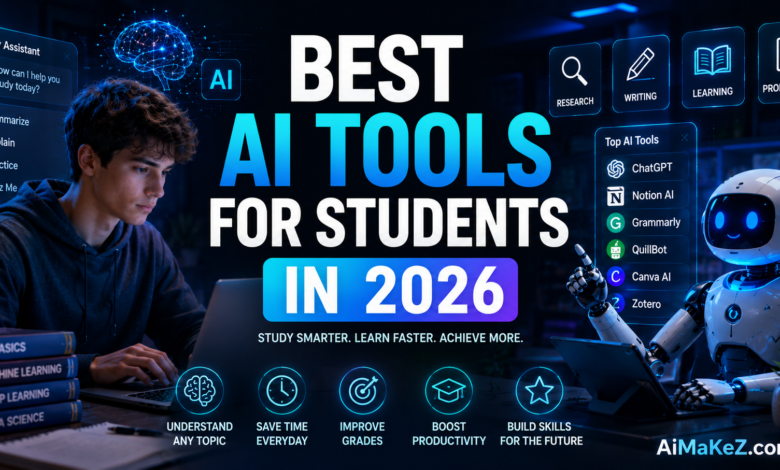
From AI writing assistants that help you draft essays in minutes to smart study planners that adapt to your learning style, today’s AI-powered apps are genuinely transforming the way students in the United States, Europe, and beyond approach their education. In this guide, we break down the best AI tools for students in 2026, covering features, pricing, real use cases, and honest pros and cons so you can choose the right tools for your academic journey.
Whether you are a freshman or a graduate student, the right AI toolkit can save you hours every week while improving the quality of your work.
What Are AI Tools for Students?
AI tools for students are software applications powered by artificial intelligence that help learners complete academic tasks more efficiently and effectively. These tools leverage machine learning, natural language processing (NLP), and generative AI to assist with tasks like writing, research, note-taking, math problem solving, language learning, and exam preparation. Unlike generic productivity apps, modern AI student tools are designed with learners in mind — they understand academic contexts, can summarize dense research papers, generate study guides, check citations, and even explain complex concepts in plain language.
The best AI tools for students go beyond simple automation. They act as intelligent study partners, offering personalized feedback, adaptive learning paths, and real-time suggestions that help students develop critical thinking and writing skills rather than replacing them. Whether you’re a high school sophomore preparing for college entrance exams or a doctoral student analyzing research data, there is an AI-powered tool designed specifically for your academic needs.
Key Features of the Best AI Student Tools
Not all AI tools for students are created equal. The top-rated tools in 2026 share a core set of features that set them apart from basic apps and generic AI chatbots:
1. AI Writing and Essay Assistance
The best AI writing tools for students help with brainstorming, outlining, drafting, and editing academic papers. Tools like Grammarly, Jasper, and ChatGPT can analyze your writing tone, suggest stronger vocabulary, catch grammar errors, and even restructure arguments for greater clarity. Crucially, the top tools flag potential plagiarism and suggest citation improvements, keeping academic integrity intact.
2. Smart Summarization and Research
Reading dozens of academic papers for a single assignment is exhausting. AI summarization tools like Elicit, Consensus, and Perplexity AI can scan research papers, extract key arguments, and surface relevant findings in seconds. This makes literature reviews dramatically faster without sacrificing depth or accuracy.
3. Adaptive Flashcards and Spaced Repetition
Tools like Anki, Quizlet, and Khanmigo use spaced repetition algorithms and AI to optimize your study sessions. Instead of re-reading the same material repeatedly, the system surfaces flashcards at the precise moment you’re about to forget them — dramatically improving long-term retention with less time spent studying.
4. AI Tutoring and Concept Explanation
Stuck on a calculus problem at midnight? AI tutors like Khan Academy’s Khanmigo, Socratic by Google, and Wolfram Alpha provide step-by-step explanations for math, science, history, and more. Unlike static textbooks, these tools respond to follow-up questions, adjust explanation depth, and tailor examples to your learning level.
5. Citation Management and Academic Integrity
Zotero, CiteThis, and similar AI-assisted citation tools automatically generate correct MLA, APA, Chicago, and Harvard citations from URLs, DOIs, or book ISBNs. This eliminates hours of manual formatting work and reduces the risk of citation errors that cost valuable grade points.
6. AI-Powered Note-Taking
Apps like Notion AI, Otter.ai, and Microsoft OneNote with Copilot can transcribe lectures in real time, organize notes into structured summaries, and surface relevant content when you need it. Some tools even identify connections between topics across different courses, helping students build a holistic understanding of their subject matter.
Benefits of Using AI Tools for Students
The practical advantages of integrating AI tools for students into daily academic life are substantial and well-documented. Here are the most impactful benefits:
- Time Savings: AI can draft a structured essay outline in under 60 seconds, summarize a 40-page research paper in minutes, and generate a week’s worth of flashcards from your lecture notes automatically.
- Personalized Learning: Adaptive AI systems track your progress, identify weak areas, and adjust content difficulty in real time — something no static textbook can do.
- 24/7 Availability: Unlike professors and tutors, AI tools are available at 3 AM during finals week, providing instant help exactly when you need it most.
- Better Writing Quality: AI writing assistants help students improve grammar, sentence structure, argument flow, and vocabulary — skills that carry over into future academic and professional writing.
- Reduced Academic Stress: When students have reliable tools to help manage workload and catch mistakes before submission, overall academic anxiety decreases significantly.
- Cost Efficiency: Many top AI student tools offer free or heavily discounted student plans, making professional-grade AI assistance accessible regardless of budget.
How AI Student Tools Work
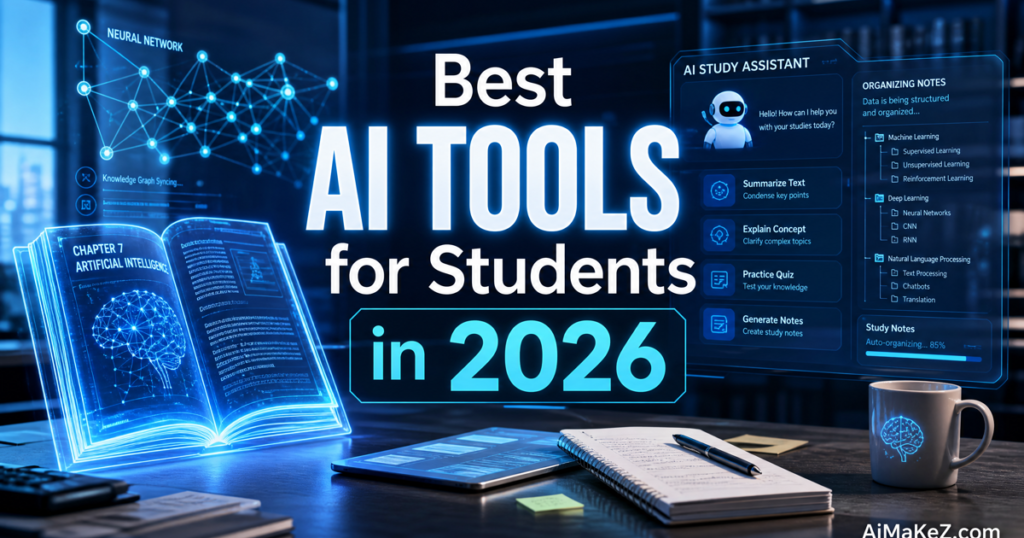
Understanding how AI tools for students function under the hood helps you use them more effectively and make smarter tool choices. Here’s a simplified step-by-step breakdown:
- Input Processing: You provide the AI with input — a question, a document, a topic, or a set of notes. The AI uses NLP to understand the context, intent, and structure of your request.
- Knowledge Retrieval: The AI searches its training data or, in the case of tools like Perplexity AI, live web sources to retrieve relevant information, research, and examples.
- Content Generation or Analysis: The model generates a response — whether that’s a draft essay, a summary, a set of flashcards, or a step-by-step math solution — based on patterns learned from millions of academic texts.
- Personalization Layer: Adaptive AI tools track your previous interactions, learning pace, and performance metrics to adjust future suggestions and difficulty levels.
- Feedback Loop: You review the output, provide corrections or follow-up questions, and the AI refines its response. Over time, many tools learn your preferences and academic style.
The most advanced student AI tools combine multiple AI models — for example, using a language model for writing assistance and a separate recommendation engine for study scheduling.
The result is a comprehensive academic support system that works across all your devices and adapts to your individual study habits over time.
Real-World Use Cases
The value of AI tools for students becomes clearest when you look at how real learners are applying them across different disciplines and academic challenges:
Writing and Humanities
A sophomore English major at a US university uses Grammarly Premium and ChatGPT to outline her thesis arguments, check citation consistency, and identify weak transitions between paragraphs. She reports cutting her editing time by over 60% while producing higher-quality final drafts.
STEM Subjects
A computer science student in Germany uses Wolfram Alpha and GitHub Copilot to debug code assignments and understand complex algorithm behaviors. When a professor’s explanation doesn’t click, he prompts the AI tutor with the specific code block and asks for a plain-language walkthrough.
Language Learning
An international student studying in the UK uses Duolingo’s AI features and DeepL to strengthen her academic English writing. The AI flags non-native phrasing patterns and suggests more natural alternatives, helping her adapt to the expectations of British academic writing conventions.
Research and Literature Reviews
A PhD student uses Elicit and Consensus to systematically search and filter hundreds of papers for her dissertation literature review. What would have taken three weeks of manual searching took four days with AI-assisted filtering and summarization.
Exam Preparation
A pre-med student preparing for the MCAT uses Anki with AI-generated flashcards and Khanmigo for on-demand concept explanations. The adaptive spaced repetition system identifies his weakest topics — biochemistry and organic chemistry — and increases their frequency in daily review sessions.
Pros and Cons of AI Tools for Students
| Pros | Cons |
|---|---|
| ✅ Saves significant time on writing and research | ❌ Risk of over-reliance reducing critical thinking skills |
| ✅ Personalized, adaptive learning experiences | ❌ AI-generated content may contain factual errors |
| ✅ Available 24/7 for instant academic support | ❌ Privacy and data security concerns with some platforms |
| ✅ Improves writing quality and grammar | ❌ Academic integrity policies may restrict certain uses |
| ✅ Many free or affordable student plans available | ❌ Premium features can be expensive for budget students |
| ✅ Reduces academic stress and mental burden | ❌ Learning curve for advanced tool features |
Pricing: Best AI Tools for Students in 2026
One of the great things about the current landscape of AI tools for students is that many of the most powerful options are either free or offer generous student discounts. Here’s a pricing breakdown of the most popular tools:
| Tool | Free Plan | Paid Plan | Student Discount |
|---|---|---|---|
| ChatGPT (OpenAI) | Yes (GPT-4o mini) | $20/month (Plus) | No official discount |
| Grammarly | Yes (basic) | $12/month (Premium) | Institutional plans available |
| Notion AI | Yes (limited) | $10/month (AI add-on) | Free for students (.edu email) |
| Khanmigo | Free (Khan Academy) | $4/month (supporters) | Largely free |
| Quizlet | Yes | $7.99/month (Plus) | Yes — student pricing |
| Otter.ai | Yes (300 min/month) | $8.33/month (Pro) | Edu plan available |
| Elicit | Yes (5 papers/query) | $10/month (Plus) | Free tier is generous |
The good news: students on tight budgets can build a powerful AI toolkit for students entirely for free or under $15/month by combining free tiers from ChatGPT, Khanmigo, Elicit, and Grammarly.
Best AI Tools for Students: Comparison With Alternatives
When evaluating AI tools for students, it helps to understand how the leading options compare across key use cases:
ChatGPT vs. Google Gemini for Students
ChatGPT remains the most versatile general-purpose AI assistant for students, excelling at essay drafting, code explanation, and concept breakdown. Google Gemini, integrated natively into Google Workspace, has a key advantage for students already using Google Docs and Gmail — it can access your Drive files directly and assist within documents in real time. For students deep in the Google ecosystem, Gemini is hard to beat for seamless workflow integration.
Grammarly vs. ProWritingAid
Grammarly is the industry standard for quick grammar and style corrections, with a clean interface and broad compatibility across browsers, Google Docs, and Microsoft Word. ProWritingAid offers deeper long-form analysis — better for thesis writers and novelists who want detailed structural feedback — but its interface is less polished and its free plan is more restrictive.
Quizlet vs. Anki for Exam Prep
Quizlet shines for collaborative study and its huge community-created flashcard database. Anki wins on algorithmic precision — its spaced repetition engine is the gold standard for long-term retention, especially for medical and language students. Anki is free on desktop but charges a one-time fee for iOS. Quizlet offers a more beginner-friendly experience with AI assist features baked into the Plus plan.
Notion AI vs. Obsidian with AI Plugins
Notion AI is the top choice for students who want an all-in-one workspace that combines note-taking, task management, and AI writing assistance. Obsidian with community AI plugins appeals to power users who prefer a local-first, privacy-respecting setup with advanced knowledge graph features. Notion is easier to get started with; Obsidian rewards patient customization.
Best Practices for Using AI Tools for Students
To get maximum value from AI tools for students without compromising your education or academic integrity, follow these expert recommendations:
- Use AI as a Starting Point, Not a Finish Line: Let AI generate outlines and first drafts, then rewrite them in your own voice. This develops your writing skills while saving time on initial structure.
- Always Verify AI-Generated Facts: Language models can “hallucinate” plausible-sounding but incorrect information. Cross-check all factual claims against primary sources before including them in academic work.
- Check Your Institution’s AI Policy: Academic policies on AI use vary widely. Know exactly what your school permits before using AI assistance on graded work.
- Combine Tools Strategically: Use Elicit or Consensus for research discovery, ChatGPT for concept explanation, Grammarly for writing polish, and Quizlet for memorization. No single tool does everything best.
- Use AI for Active Learning: Instead of having AI answer questions for you, ask it to quiz you, explain concepts from multiple angles, or challenge your arguments. This turns passive reading into active engagement.
- Protect Your Privacy: Avoid entering personal information, sensitive research data, or confidential institutional material into public AI tools. Review each tool’s data privacy policy before use.
Common Mistakes to Avoid With AI Student Tools
Even well-intentioned students can misuse AI tools for students in ways that hurt rather than help their academic performance. Watch out for these frequent pitfalls:
- Submitting AI Output Without Editing: Unedited AI text is often detectable, lacks your personal voice, and can contain subtle errors. Always treat AI output as raw material requiring human refinement.
- Using AI to Avoid Understanding the Material: If you use AI to answer homework questions without actually engaging with the content, you’ll be unprepared for exams and future courses that build on the same concepts.
- Ignoring Citation Requirements: AI tools that generate research summaries do not automatically provide citations. Always trace claims back to original sources and cite them properly.
- Overloading on Subscriptions: Students sometimes sign up for five or six paid AI tools simultaneously and then use none of them consistently. Start with one or two tools, master them, and add more only when you identify a clear gap.
- Neglecting Free Tiers: Many of the best AI apps for students have genuinely powerful free plans. Don’t assume you need to pay before exploring what’s available at no cost.
- Not Updating Your Skill Set: AI tools evolve rapidly. A tool you used last semester may have dramatically new features this term. Set aside time monthly to explore updates and new capabilities.
AI Tools for Students: Frequently Asked Questions
What are the best free AI tools for students in 2026?
The best free AI tools for students in 2026 include ChatGPT (free tier with GPT-4o mini), Grammarly Free for grammar and writing checks, Khanmigo for AI tutoring on Khan Academy, Elicit for research paper discovery, and Quizlet’s free plan for flashcard-based studying. Together, these tools cover writing, research, tutoring, and memorization at zero cost.
Are AI tools for students allowed in schools and universities?
Policies vary significantly by institution and course. Many universities in the US and Europe now have nuanced AI use policies — some permit AI for brainstorming and drafting but require disclosure, while others prohibit AI assistance on certain assessments entirely. Always check your institution’s academic integrity policy and your individual course syllabus before using AI assistance on graded work.
Can AI tools help students with STEM subjects?
Absolutely. AI tools for students are particularly powerful in STEM contexts. Wolfram Alpha solves complex math and science problems step-by-step. GitHub Copilot assists computer science students with code. Socratic by Google provides instant explanations for physics and chemistry questions. Khan Academy’s AI tutor walks students through calculus and biology at their own pace.
Do AI tools for students replace human tutors?
No — AI student tools are best understood as a complement to human tutoring, not a replacement. AI tutors excel at providing instant, patient, 24/7 explanations for well-defined problems. Human tutors add emotional support, mentorship, nuanced feedback on complex arguments, and the ability to recognize and address deeper conceptual misunderstandings. The ideal study strategy combines both.
How do I choose the right AI tools for my academic needs?
Start by identifying your biggest academic pain points. Struggling with writing? Prioritize Grammarly and ChatGPT. Need to retain more from studying? Invest time in Anki or Quizlet. Doing research-heavy coursework? Try Elicit or Consensus. Taking lots of lecture notes? Explore Otter.ai or Notion AI. Choose tools that address your specific challenges rather than trying to use every popular app at once.
Final Verdict: Best AI Tools for Students in 2026
The landscape of AI tools for students in 2026 is richer, more capable, and more affordable than ever. Whether you’re trying to write better essays, study more efficiently, understand complex concepts, or manage a mountain of research, there is an AI-powered solution that fits your needs and budget.
For most students, we recommend building a core toolkit of three to four tools: ChatGPT for general assistance and writing support, Grammarly for polishing your academic writing, Anki or Quizlet for smart studying and exam prep, and Elicit or Notion AI for research and organization. This combination covers the vast majority of academic use cases at minimal cost.
The key is to use these AI tools for students as intelligent assistants that enhance your thinking — not shortcuts that replace it. Students who learn to work effectively alongside AI in 2026 will be far better prepared for careers in a world where AI collaboration is a baseline professional skill. Explore the top AI tool reviews and guides on AiMaKeZ to find more in-depth breakdowns of each tool mentioned in this guide.