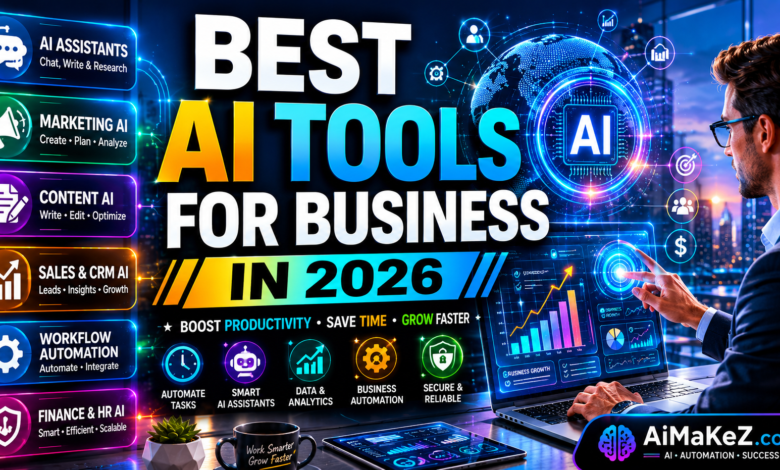
If you’re running a business in 2026 and you’re not using AI tools for business, you’re already falling behind. That’s not a scare tactic — it’s the reality that millions of entrepreneurs, executives, and team leads are discovering right now. Artificial intelligence has shifted from a “nice-to-have” feature to a core business infrastructure element, quietly powering everything from customer support to financial forecasting and content production.
This guide is built for business owners, decision-makers, and growth-focused teams who want actionable, honest advice — not a recycled list of apps you’ve already heard of. We’ve done the research, tested the platforms, and curated only the tools that are actually delivering measurable ROI in 2026.
Table of Contents
Whether you’re searching for the best AI tools for business productivity, the top AI tools for business automation, or the most affordable AI tools for business on a startup budget, this guide covers all the bases. According to McKinsey’s 2025 State of AI report, over 72% of businesses have now adopted AI in at least one function — up from 55% just two years ago. The question is no longer “should we use AI?” but “which AI tools for business are right for us?”
What Are AI Tools for Business?
AI tools for business are software applications powered by machine learning, natural language processing (NLP), computer vision, and generative AI models that automate, augment, or accelerate business processes. Unlike traditional software that follows rigid, rule-based logic, these tools learn from data, adapt over time, and make intelligent decisions without constant human oversight.
The category of AI tools for business is broad — intentionally so. It includes everything from AI writing assistants and intelligent CRM platforms to predictive analytics engines and autonomous sales development representatives (SDRs). What unites them is a common goal: helping businesses operate smarter, faster, and at a lower cost per output.
In 2026, the defining shift is that AI tools are no longer standalone add-ons. They’re increasingly embedded into the core platforms businesses already use — from Microsoft 365 Copilot to Salesforce Einstein and HubSpot’s AI suite. The tools have matured, pricing has become more accessible, and the ROI is no longer theoretical.
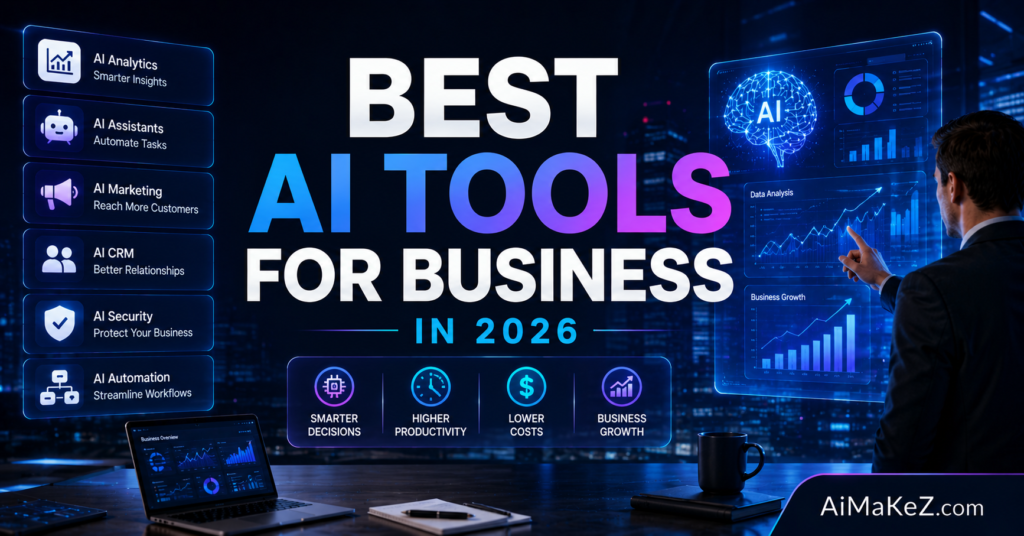
Key Features to Look For in AI Business Tools
Not all AI tools are created equal. Before investing, here are the critical features that separate genuinely useful platforms from polished demos:
1. Deep Workflow Integration
The best AI tools for business don’t force you to change your existing workflow — they slot directly into it. Look for native integrations with tools like Slack, Google Workspace, Salesforce, HubSpot, Notion, or your existing ERP. A tool that requires a complete workflow overhaul will see low adoption no matter how powerful it is.
2. Customizability and Fine-Tuning
Generic AI outputs are exactly that — generic. Enterprise-grade tools in 2026 allow you to fine-tune models on your proprietary data, train custom personas, or configure industry-specific prompts. This means your AI assistant sounds like your brand, not like a chatbot from a demo video.
3. Security and Compliance
For businesses operating in regulated industries or handling sensitive customer data, compliance is non-negotiable. Top-tier tools offer SOC 2 Type II certification, GDPR and CCPA compliance, role-based access controls, and on-premise deployment options. Data privacy must be built in — not bolted on.
4. Explainability and Transparency
As AI becomes embedded in high-stakes decisions — credit scoring, hiring, medical diagnosis — explainability matters. Quality business AI tools offer audit trails, confidence scores, and human-in-the-loop options so your team can verify and override decisions when needed.
5. Scalability
Whether you’re a bootstrapped startup or a Fortune 500, your AI tools should scale with you. Look for tiered pricing models, API access, and enterprise options that grow without punishing you for success.
Benefits of Using AI Tools for Business
The business case for AI adoption has never been clearer. Here’s what companies are actually experiencing in the field — not just in whitepapers:
Among the most compelling advantages of AI tools for business, cost reduction stands out prominently. Significant Cost Reduction: Automating repetitive tasks like data entry, invoice processing, and customer FAQs reduces labor costs without reducing output quality. McKinsey research suggests that AI-driven automation can reduce operational costs by 20–35% in certain functions.
Faster Decision-Making: AI-powered analytics tools process and synthesize data at a speed no human team can match. Leaders get real-time dashboards, anomaly alerts, and predictive forecasts that shorten the decision cycle from weeks to hours.
Personalization at Scale: AI enables hyper-personalized customer experiences across millions of touchpoints simultaneously — something previously only possible for the largest companies with the biggest budgets. In 2026, even SMBs can deliver personalized email campaigns, product recommendations, and dynamic pricing.
Enhanced Employee Productivity: Studies from Microsoft’s Work Trend Index show that employees using AI Copilot tools save an average of 1.2 hours per day. Across a 50-person team, that’s 60 hours recovered daily — equivalent to 7.5 full-time employees.
In the race for competitive advantage, the best AI tools for business give early adopters a compounding edge. Competitive Differentiation: Companies that adopt AI faster than their competitors build compounding advantages. They launch products faster, serve customers better, and iterate more quickly. In commoditized markets, this speed becomes the real moat.
How AI Business Tools Work
Understanding the mechanics helps you make smarter buying decisions. Here’s a simplified breakdown of how modern AI business tools function:
Step 1 — Data Ingestion: The AI system connects to your data sources — CRM records, emails, documents, web analytics, or transaction histories. It ingests and indexes this information to build a contextual understanding of your business.
Step 2 — Model Processing: Using a combination of pre-trained foundation models (like GPT-4o, Claude 3.5, or Gemini 1.5 Pro) and fine-tuned layers specific to your use case, the tool processes queries or triggers and generates outputs — whether that’s a drafted email, a sales forecast, or a flagged anomaly.
Step 3 — Output and Action: The tool delivers its result — a suggested response, an automated action, a visual dashboard, or a generated asset. In agentic workflows, the AI can then take follow-up steps autonomously, like scheduling a meeting, sending a follow-up email, or updating a CRM record.
Step 4 — Feedback and Learning: Over time, the system learns from user corrections and new data. Tools with reinforcement learning from human feedback (RLHF) loops improve their accuracy and relevance the more your team uses them.
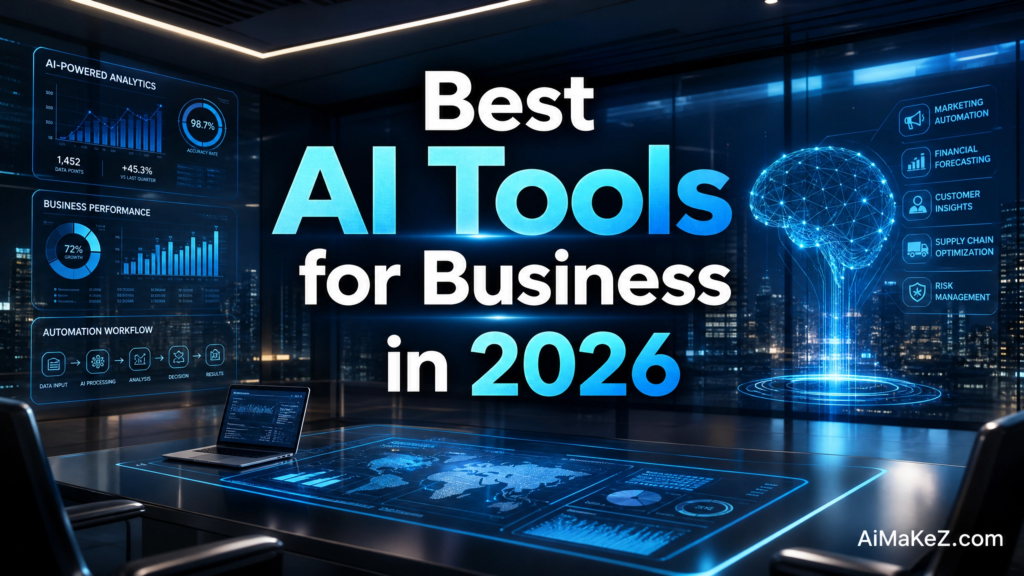
The Best AI Tools for Business in 2026
These AI tools for business represent the standout platforms making a real difference for businesses right now, organized by use case:
1. Microsoft Copilot 365 — Best for Enterprise Productivity
Microsoft Copilot is embedded directly into Word, Excel, PowerPoint, Outlook, and Teams. It drafts documents, summarizes meetings, analyzes spreadsheet data, and even generates full PowerPoint presentations from a text prompt. For businesses already running on Microsoft 365, this is the lowest-friction AI upgrade available. The 2026 version includes autonomous agent capabilities that can complete multi-step tasks like researching a topic, drafting a report, and emailing it — all without human prompting.
2. HubSpot AI — Best for Sales and Marketing Teams
HubSpot’s AI suite covers the full revenue funnel. Breeze AI, HubSpot’s proprietary AI layer, automates lead scoring, drafts personalized outreach sequences, predicts deal close rates, and generates SEO-optimized blog content. It’s particularly powerful for small and mid-size businesses that want enterprise-level intelligence without enterprise-level complexity. The CRM integrations are seamless and the learning curve is gentle.
3. Salesforce Einstein — Best for Large-Scale CRM Intelligence
Einstein GPT, now deeply integrated into the Salesforce platform, gives revenue teams AI-generated insights, next-best-action recommendations, and automated case summarization for customer service. For enterprises managing thousands of accounts and millions in pipeline, Einstein’s predictive forecasting alone can recover significant revenue that would otherwise slip through the cracks.
4. Jasper AI — Best for Marketing Content at Scale
Jasper remains one of the leading AI writing tools for business marketing teams. Its brand voice training feature lets you upload brand guidelines and past content, then generates new materials that genuinely sound like your company — not a generic AI. From landing pages and ad copy to long-form blog posts and email nurture sequences, Jasper accelerates content output by 5–10x without sacrificing quality.
5. Notion AI — Best for Knowledge Management and Team Collaboration
Notion AI transforms your company wiki into an active intelligence layer. It summarizes long documents, answers questions across your knowledge base, auto-fills project templates, and generates meeting agendas from loose notes. For remote-first and distributed teams, it’s become an indispensable operational backbone in 2026.
6. Tableau AI (Powered by Salesforce Einstein) — Best for Data Analytics
Tableau’s AI-augmented analytics platform lets non-technical business users ask plain-English questions of their data and get instant visualizations and summaries. “What were our top three revenue drivers in Q1?” generates a full interactive dashboard in seconds. This democratization of data analysis is eliminating the bottleneck of relying solely on data science teams for insights.
7. Intercom Fin — Best for AI Customer Support
Intercom’s Fin AI agent handles customer inquiries with remarkable accuracy, pulling answers from your help documentation, product pages, and CRM data. It resolves over 50% of support tickets without any human involvement, deflects repetitive queries, and escalates complex issues to the right human agent with full context already written up. For e-commerce and SaaS companies with high support volumes, the cost savings are immediate and significant.
8. Zapier AI Agents — Best for Workflow Automation
Zapier’s AI Agents represent the next evolution of workflow automation. Instead of rigid “if this, then that” zaps, these agents can reason about tasks, handle exceptions, and make judgment calls — like deciding whether a new lead should be routed to inside sales or field sales based on deal size, geography, and product fit. They connect to 7,000+ apps and require zero coding to configure.
9. Grammarly Business — Best for Communication Quality
Grammarly Business goes far beyond grammar checking in 2026. Its AI layer now suggests tone adjustments, rewrites for brand consistency, flags potentially sensitive language, and even provides real-time coaching to improve professional communication across your entire organization. For global teams where English may not be everyone’s first language, it’s an equalizing force that raises the quality floor for all written communication.
10. Google Gemini for Workspace — Best for Google-Native Teams
Google’s Gemini is deeply embedded into Gmail, Docs, Sheets, Slides, and Meet. It drafts emails from bullet points, synthesizes long email threads, creates images for presentations, and generates formulas in Sheets from natural language. For teams living in Google Workspace, Gemini provides a frictionless AI layer that requires no onboarding or tool switching.
Real-World Business Use Cases
Theory is useful. Examples are better. Here’s how different businesses are leveraging AI tools for business in practice: Here’s how different types of businesses are using AI tools in practice:
E-Commerce: A mid-size fashion retailer used Intercom Fin and Jasper AI together to handle 70% of inbound support automatically and produce 80 SEO articles per month — content that previously required a team of six freelancers. Result: 40% reduction in support costs and a 3x increase in organic traffic within eight months.
B2B SaaS: A software company integrated HubSpot’s Breeze AI with Zapier Agents to automate their entire inbound lead qualification workflow. New trial sign-ups were automatically scored, segmented, and enrolled in personalized email sequences — without a single SDR touching them in the first 72 hours. Demo booking rates improved by 28%.
Professional Services: A 30-person consulting firm deployed Notion AI across their operations to standardize proposal generation. What used to take consultants 6–8 hours per proposal now takes under 90 minutes, with the AI pulling relevant case studies, pricing models, and methodology documentation automatically from their knowledge base.
Healthcare Administration: A regional clinic network uses Microsoft Copilot to handle administrative documentation — summarizing patient intake forms, drafting prior authorization letters, and generating billing codes. Clinical staff save an average of 2.5 hours per day on paperwork, redirecting that time toward direct patient care.
These real-world examples show that the right AI tools for business create measurable, trackable results across every industry. Financial Services: A wealth management firm uses Tableau AI to deliver real-time portfolio performance reports to clients in plain English. Previously, a team of analysts spent three days each quarter compiling those reports manually. Now they’re automated, personalized, and delivered within hours of market close.
Pros and Cons of AI Tools for Business
| Aspect | Pros | Cons |
|---|---|---|
| Productivity | Automates repetitive tasks, frees human time for high-value work | Initial setup and training requires time and resources |
| Cost | Reduces labor costs, scales without proportional headcount increase | Premium plans can be expensive for early-stage startups |
| Quality | Consistent output quality, 24/7 availability, no sick days | AI hallucinations and factual errors require human review |
| Personalization | Hyper-personalized experiences at massive scale | Over-reliance on AI can make communications feel impersonal |
| Decision-Making | Data-driven insights reduce cognitive bias | Black-box decisions can be hard to explain or audit |
| Security | Leading tools offer enterprise-grade compliance frameworks | Data privacy risks if tools are misconfigured or cheaply built |
| Learning Curve | Modern AI tools are increasingly intuitive and low-code | Some advanced features require technical expertise to configure |
Pricing Overview
Pricing varies dramatically across the AI tools landscape. Here’s a realistic breakdown of what businesses are spending in 2026:
Microsoft Copilot 365: $30 per user/month (see official pricing) (add-on to existing Microsoft 365 Business plans). Enterprise contracts typically involve volume discounts starting at 50+ seats.
HubSpot AI (Breeze): Included at no additional cost in HubSpot’s Marketing Hub Professional ($800/month) and above. Standalone AI features are increasingly available in lower tiers.
Jasper AI: Creator plan starts at $49/month. Business plan from $125/month per seat. Enterprise plans are custom-priced based on volume and brand customization needs.
Notion AI: $10/member/month add-on to any Notion plan, or included in the Notion AI plan starting at $16/member/month. Enterprise pricing is available for larger organizations.
Intercom Fin: Priced per resolution, typically $0.99 per resolved conversation. Monthly plans start at around $39/month for small teams. Volume pricing is available for high-traffic operations.
Zapier AI Agents: Included in Professional plans ($49/month) and above. Task-based pricing with free tier available for basic workflows.
Google Gemini for Workspace: Gemini Business at $20/user/month; Gemini Enterprise at $30/user/month. Both require an existing Google Workspace subscription.
Grammarly Business: Starts at $15/member/month (minimum 3 members). Enterprise pricing includes priority support and advanced analytics.
Comparison With Alternatives
| Tool | Best For | Starting Price | AI Model | Standout Feature |
|---|---|---|---|---|
| Microsoft Copilot 365 | Enterprise productivity | $30/user/mo | GPT-4o | Deep Office 365 integration |
| Google Gemini | Google Workspace users | $20/user/mo | Gemini 1.5 Pro | Native Workspace embedding |
| HubSpot Breeze AI | SMB sales & marketing | Included | Proprietary + OpenAI | Full-funnel CRM intelligence |
| Jasper AI | Content marketing | $49/mo | GPT-4 / Claude | Brand voice training |
| Notion AI | Knowledge management | $10/user/mo | Claude / GPT-4 | AI over your company data |
| Intercom Fin | Customer support | $0.99/resolution | Proprietary LLM | 50%+ ticket deflection rate |
| Zapier Agents | Workflow automation | $49/mo | Multiple LLMs | 7,000+ app integrations |
| Salesforce Einstein | Enterprise CRM | Custom | Proprietary + OpenAI | Revenue intelligence at scale |
Best Practices for Implementing AI Tools in Your Business
Implementation strategy separates businesses that achieve ROI from those that accumulate expensive software subscriptions that gather dust. Here are the principles that consistently distinguish successful AI adoption:
Implementing AI tools for business successfully requires more than just signing up for a subscription. Start with a specific problem, not a technology. The worst AI implementations begin with “we need to use AI.” The best ones begin with “we’re losing 15 hours a week on manual data entry — how do we solve that?” Define the problem first, then find the tool. This keeps projects scoped, measurable, and adoptable.
Pilot before you scale. Run a 30-day pilot with a small team before rolling out company-wide. Measure adoption, output quality, and time savings rigorously. Use the pilot data to build an internal business case that gets everyone else on board.
Invest in prompt engineering training. The quality of AI outputs is directly proportional to the quality of your inputs. Train your team on how to write effective prompts for their specific tools and use cases. Even a one-hour workshop can dramatically improve outputs and reduce frustration.
Establish a human review layer. Never let AI outputs go directly to customers or into critical documents without a human review step — at least until the tool has proven its reliability in your specific context. Trust is built incrementally.
Audit your AI tools for business stack quarterly. The AI landscape changes rapidly. Tools that were best-in-class 12 months ago may have been surpassed. Schedule quarterly reviews to assess whether your current tools still offer the best value, or whether a newer option better fits your needs.
Protect your data. Responsible use of AI tools for business starts with understanding data governance. Read the data usage policies of every AI tool you adopt. Understand what data is used to train models, what is retained, and what privacy controls are available. For sensitive industries, prioritize tools that offer private deployment options and data residency controls.
Common Mistakes to Avoid
For every business that gets AI right, there are several that make avoidable mistakes. Here are the most common pitfalls:
One of the biggest mistakes businesses make when deploying AI tools for business is: Adopting too many tools at once. Tool sprawl is real. When teams are given five new AI platforms simultaneously, adoption of all five drops to near zero. Prioritize ruthlessly. Deploy one tool at a time, achieve adoption, then layer in the next.
Assuming AI is a set-and-forget solution. AI tools require ongoing tuning, prompt refinement, and data feeding. Businesses that deploy them without a maintenance plan quickly find degrading output quality and diminishing returns.
Ignoring change management. Employee resistance is one of the biggest causes of failed AI implementation. If your team sees AI as a threat to their jobs rather than a productivity multiplier, adoption will be poor regardless of how good the tool is. Communicate clearly, involve employees in the selection process, and celebrate early wins publicly.
Skipping the vendor due diligence. Many AI startups are raising on hype, not substance. Before committing to a long-term contract, verify the company’s funding runway, customer retention rate, security certifications, and support quality. Ask for reference customers in your industry.
Publishing AI-generated content without editing. This is particularly relevant for marketing and content teams. AI-generated content requires human editing for accuracy, brand voice, and factual verification. Publishing raw AI output — especially for SEO — carries risks that include penalties, misinformation, and brand damage.
When deploying AI tools for business, measuring ROI from day one is non-negotiable. Neglecting to measure ROI. If you can’t measure it, you can’t manage it. Before implementing any AI tool, define what success looks like. Set baseline metrics and track them at 30, 60, and 90 days post-launch. This data becomes the foundation for scaling what works and cutting what doesn’t.
Frequently Asked Questions
What are the best AI tools for small businesses in 2026?
For small businesses seeking the best AI tools for business, the key is balancing affordability with impact. For small businesses, the best AI tools balance affordability, ease of use, and meaningful impact. Top picks include HubSpot’s AI features (particularly for CRM and email marketing), Notion AI for team knowledge management, Grammarly Business for communication quality, and Zapier Agents for automating repetitive cross-platform tasks. Many of these tools offer free tiers or low-cost entry points that make them accessible to bootstrapped teams. The key is to start with the one that solves your most pressing operational bottleneck.
Are AI business tools safe to use with sensitive customer data?
Safety depends heavily on which tool you choose and how you configure it. Leading platforms like Microsoft Copilot, Salesforce Einstein, and Google Gemini for Workspace are built with enterprise-grade security, including SOC 2 Type II compliance, end-to-end encryption, and data residency controls. However, not all AI tools on the market meet these standards. Always review the privacy policy, data usage terms, and security certifications before feeding any sensitive customer data into a third-party AI platform. For highly regulated industries like healthcare or finance, prioritize tools with HIPAA or SOC 2 compliance documentation.
How much does it cost to implement AI tools for a business?
Budgeting for AI tools for business requires understanding both upfront and ongoing costs. Costs vary enormously based on company size, the tools selected, and the depth of implementation. At the entry level, tools like Grammarly Business or Notion AI add $10–15 per user per month to your operating costs. Mid-tier implementations using HubSpot AI, Jasper, and Zapier can run $200–$500/month for a small team. Enterprise-level deployments with Microsoft Copilot or Salesforce Einstein often involve $20,000–$100,000+ annually depending on seat count and customization. The important metric isn’t the cost in isolation — it’s the ROI. Most businesses that implement strategically report recovering their AI investment within 3–6 months.
Can AI tools replace human employees in a business?
This is the most common fear — and the most misunderstood reality. AI tools are currently best understood as amplifiers of human capability, not replacements. They handle repetitive, high-volume, rules-based tasks exceptionally well. They struggle with nuanced judgment, creative strategy, relationship-building, and ethical decision-making. In practice, businesses using AI in 2026 are not eliminating roles wholesale — they’re redistributing human energy from low-value tasks to high-value ones. The employees most at risk are those who refuse to adapt, while those who learn to work with AI are dramatically increasing their output and value.
How do I choose the right AI tool for my business?
Start by identifying your single most significant operational bottleneck — the process that consumes the most time, generates the most errors, or creates the most friction. Then look for AI tools specifically designed to address that problem rather than general-purpose platforms. Request demos and insist on a free trial. Involve the team members who will actually use the tool in the evaluation. Prioritize tools with strong customer support, clear documentation, and a track record of continuous improvement. Finally, evaluate total cost of ownership — including setup, training, and ongoing maintenance — not just the subscription price.
If you’re building a complete AI strategy for your business, you may also want to explore our guide on Best AI Image Generators for 2026 and our breakdown of AI Automation Tools that integrate directly with the platforms reviewed in this article. Together, these resources give you a complete picture of the AI tools for business landscape in 2026.
Final Verdict: The Future Belongs to AI-Augmented Businesses
The best AI tools for business in 2026 aren’t futuristic novelties — they’re operational necessities for companies that want to compete. Whether you’re a solo founder automating your content calendar with Jasper, a sales team using HubSpot’s Breeze AI to qualify leads faster, or an enterprise running Salesforce Einstein across a 500-seat revenue organization, the common thread is clear: AI is delivering measurable, compounding value to businesses willing to adopt it strategically.
Choosing the right AI tools for business is a strategic decision that deserves the same rigor as any major investment. Businesses using AI tools for business strategically outperform those that adopt haphazardly. The key word is “strategically.” The businesses winning with AI aren’t the ones that subscribed to the most tools — they’re the ones that identified real problems, deployed targeted solutions, trained their teams, and measured results. They treat AI adoption like any other serious business investment: with discipline, patience, and a clear success metric.
If you haven’t started yet, the best time is now. If you’ve started but haven’t seen results, revisit your implementation strategy using the best practices outlined in this guide. The companies building AI-augmented operations today are constructing the competitive moats that will define their markets tomorrow.
Don’t let your competitors build that moat without you.
[schema type=”FAQPage” questions=”What are the best AI tools for small businesses in 2026?,Are AI business tools safe to use with sensitive customer data?,How much does it cost to implement AI tools for a business?,Can AI tools replace human employees in a business?,How do I choose the right AI tool for my business?”]