Video is the most persuasive format on the internet, yet producing it has always demanded cameras, actors, editing software, and days of work. That barrier is gone. Today you can create AI videos from a single line of text, a script, or even a rough idea, and have a polished clip ready in minutes. Whether you run a small business in Chicago, manage social media for a brand in Amsterdam, or teach an online course, learning to create AI videos is one of the highest-leverage skills you can pick up in 2026.
This guide is built from hands-on testing of the leading platforms. You will learn exactly what the technology does, how it works, which tools fit which jobs, and the practical habits that separate amateurish results from clips that actually convert. Let’s get into it.
Table of Contents
What Does It Mean to Create AI Videos?
To create AI videos means using artificial intelligence to generate moving footage, voiceovers, avatars, and edits without traditional filming. Instead of pointing a camera at the world, you describe what you want, and a generative model produces the visuals for you.
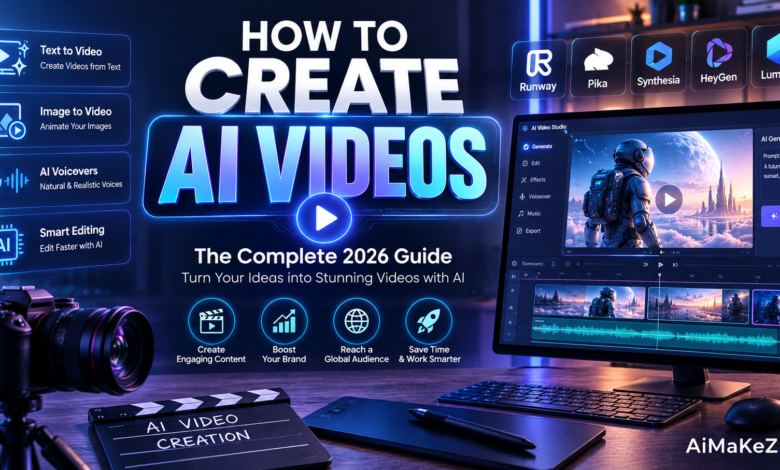
There are three broad families of tools. Text-to-video generators like OpenAI’s Sora and Google’s Veo turn written prompts into original cinematic clips. Avatar and talking-head platforms such as Synthesia and HeyGen convert a script into a presenter reading it on screen. And AI-assisted editors like Runway and Pika help you cut, restyle, and extend existing footage with a few clicks.
Each family solves a different problem. If you need a spokesperson explaining a product, an avatar tool is the obvious choice. If you want an imaginative establishing shot that does not exist anywhere in stock libraries, text-to-video is unbeatable. And if you already have raw clips that just need a creative facelift, an AI editor gets you there fastest. Knowing which family to reach for is half the battle, and it is the first thing experienced creators consider before they open any app.
Underneath, these systems rely on diffusion models and large multimodal networks trained on enormous datasets of video and language. The result is that anyone can now create AI videos that once required a full production crew.
It helps to think of the model as a very fast, very literal junior editor. It will do exactly what you describe, so the burden of direction shifts to you. The people who get the best results are not the ones with the most expensive subscriptions; they are the ones who give the clearest creative instructions and who understand the strengths and limits of the tool in front of them.
Key Features of AI Video Generators
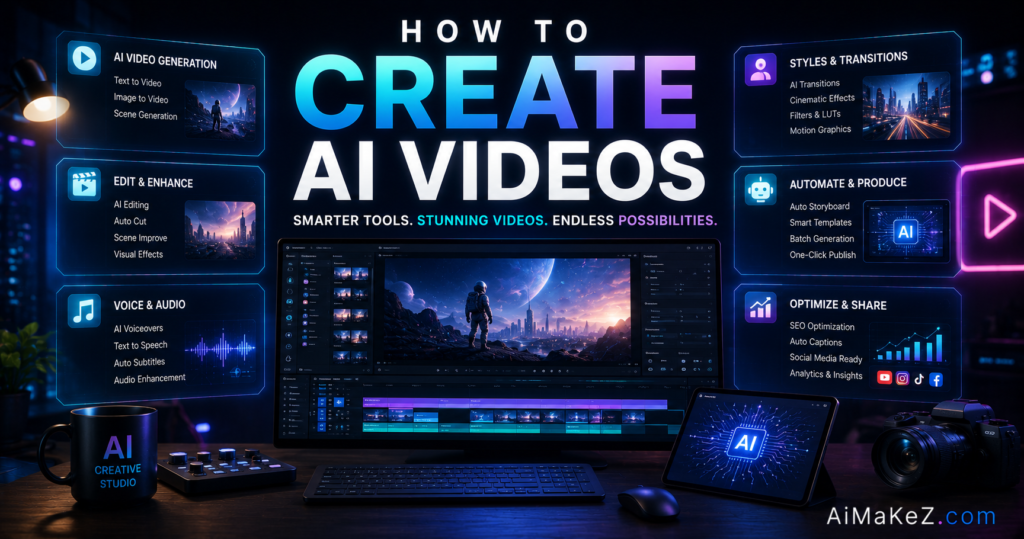
Modern platforms pack a surprising amount of power. These are the features that matter most.
Text-to-Video Generation
Type a descriptive prompt such as “a drone shot over a misty pine forest at sunrise,” and the tool renders original footage. This is the fastest way to create AI videos when you have no source material at all.
Realistic AI Avatars
Choose a digital presenter, paste your script, and the avatar speaks it with natural lip-sync in dozens of languages. It is ideal for training videos, product explainers, and news-style updates.
AI Voiceovers and Cloning
Generate lifelike narration from text, or clone your own voice so every clip sounds consistent. Multilingual voices let you localize a single video for global audiences instantly.
Templates and Auto-Editing
Prebuilt templates for ads, reels, and tutorials handle pacing, captions, and transitions automatically. Smart editing can turn a long recording into short, shareable highlights in seconds. Templates are the quickest way for a newcomer to create AI videos that look designed rather than thrown together.
Stock Media and Music Libraries
Built-in access to royalty-free clips, images, and soundtracks means you rarely leave the platform. Everything you need to create AI videos lives in one place.
Benefits of Using AI Video Tools
The advantages go far beyond novelty. Here is what real users gain.
You save enormous amounts of time and money. A clip that once cost thousands and took a week can be finished in an afternoon for the price of a subscription.
You scale content effortlessly. Produce fifty product videos or localize one explainer into twelve languages without hiring a single extra person.
You lower the skill barrier. No camera confidence, no editing degree, and no studio required. Beginners can create AI videos that look professional on day one.
You iterate quickly. Change a line of the script and regenerate instantly instead of scheduling a costly reshoot.
You unlock accessibility and reach. Automatic captions, multilingual voiceovers, and audio descriptions make your content usable by far more people. A single project can serve viewers across the United States and Europe at once, which used to mean separate shoots and separate budgets.
You keep creative control. Because regeneration is cheap, you are free to experiment with wild ideas you would never risk on an expensive shoot. That freedom to fail quickly is where the most original video ideas tend to come from.
Taken together, these benefits explain why so many teams now create AI videos as a default part of their content calendar rather than a one-off experiment. The economics simply make sense.
How to Create AI Videos: A Step-by-Step Guide
Getting started is easier than most people expect. Follow these six steps to create AI videos that look intentional rather than generic.
Step 1: Define Your Goal and Platform
Decide what the video is for and where it will live. A vertical TikTok ad, a YouTube tutorial, and an internal training module each call for different tools and aspect ratios.
Step 2: Write a Tight Script or Prompt
Clarity wins. For avatars, write a conversational script; for text-to-video, describe the scene, camera movement, lighting, and mood in specific detail. Vague prompts produce vague footage.
A reliable prompt formula is subject, action, setting, style, and camera. For example: “a golden retriever puppy chasing a red ball across a sunny backyard, warm cinematic lighting, slow-motion, tracking shot.” The more concrete your language, the closer the first render lands to what you pictured, which saves you regeneration credits and time.
Step 3: Choose Visuals, Voice, and Style
Pick your avatar or visual style, select a voice, and set the tone. Consistency in fonts, colors, and pacing is what makes a clip feel like your brand.
Step 4: Generate and Review
Run the generation, then watch the whole thing critically. Check pacing, lip-sync, captions, and any visual artifacts before moving on.
Step 5: Refine and Polish
Trim dead air, add captions, drop in background music, and adjust the script where the delivery feels off. This editing pass is where good clips become great ones, and it is the stage most beginners rush when they first create AI videos.
Step 6: Export and Publish
Export in the right resolution and format for your channel, then publish. Learning to create AI videos responsibly also means disclosing AI use when your audience expects transparency.
Real-World Use Cases
Here is how different people put these tools to work every day.
Business and Sales
Sales teams create AI videos for personalized outreach, turning a cold email into a friendly avatar pitch. Startups produce investor updates and onboarding walkthroughs without a videographer.
Marketing and Advertising
Marketers spin up dozens of ad variations to test hooks and audiences cheaply. Social managers repurpose one blog post into a week of short-form reels. E-commerce brands generate product demo clips for every item in their catalog, something that was simply impossible to justify with a traditional film crew. E-commerce brands generate product demo clips for every SKU in their catalog, something that was simply impossible to justify with a traditional film crew.
Content Creation
YouTubers and faceless-channel creators generate B-roll, intros, and full narrated videos. Podcasters convert audio episodes into engaging visual clips for Instagram and TikTok.
Education and Training
Teachers and course builders turn slide decks into narrated lessons, and companies localize compliance training into every language their staff speaks. Universities increasingly create AI videos to give distance learners the same polished experience as students on campus.
Productivity and Automation
Teams connect AI video APIs to their workflows to auto-generate weekly report summaries or product-update clips. This is where the ability to create AI videos becomes a genuine automation engine.
Pros and Cons
An honest look at the trade-offs before you commit.
| Pros | Cons |
|---|---|
| Dramatically faster and cheaper than filming | Text-to-video can still show visual glitches |
| No camera, studio, or editing skills needed | Best quality is locked behind paid tiers |
| Instant multilingual localization | Avatars can feel slightly robotic up close |
| Easy to test and iterate on many versions | Ethical and disclosure concerns around deepfakes |
| Scales to hundreds of clips | Output still needs a human review pass |
Pricing Plans
Costs vary widely by tool and change often, so confirm current rates on each provider’s site. As a general guide for 2026:
- Free tiers: Most platforms offer limited free minutes or watermarked exports so you can create AI videos and test quality before paying.
- Creator plans: Roughly $20 to $40 per month for solo creators, unlocking HD exports, more minutes, and premium avatars or voices.
- Business plans: Around $60 to $120 per month per seat, adding brand kits, collaboration, and higher usage limits.
- Enterprise and API: Custom pricing with dedicated support, security controls, and pay-as-you-go API access for automation.
For most individuals and small teams, a creator plan is the sweet spot between cost and capability.
Comparison With Alternatives
No single tool wins at everything. Here is how the leading options compare so you can match the right one to your goal.
| Tool | Best For | Strength | Watch-Out |
|---|---|---|---|
| Synthesia | Avatar training videos | Realistic presenters, 140+ languages | Not for cinematic footage |
| HeyGen | Marketing and sales clips | Fast avatars, voice cloning | Premium features cost more |
| Runway | Creative editing and effects | Powerful video-to-video tools | Steeper learning curve |
| Sora / Veo | Original cinematic scenes | Stunning text-to-video quality | Limited fine control |
| Pika | Short social clips | Quick, fun, affordable | Shorter clip lengths |
When you weigh these options, think in terms of your primary output rather than features. A recruiter making onboarding videos values realistic avatars and language coverage. A short-form creator values speed and clip variety. A filmmaker prototyping a scene values raw visual fidelity. There is no universally best app, only the best fit for the job in front of you.
Many creators combine two tools: an avatar platform for the talking segments and a text-to-video generator for B-roll. If you are new to the wider AI toolkit, our AiMaKeZ guides cover complementary tools worth pairing with your video workflow.
Best Practices to Create AI Videos That Convert
These habits consistently separate scroll-stopping clips from forgettable ones. After producing hundreds of clips across avatar, text-to-video, and editing tools, the patterns below are the ones that reliably moved the needle on watch time and conversions.
- Hook viewers in three seconds. Lead with the payoff, a bold claim, or a striking visual before anyone can scroll away.
- Keep prompts specific. Detail the subject, setting, camera angle, and mood so the model knows exactly what to build.
- Add captions by default. Most social video is watched on mute, so on-screen text is non-negotiable.
- Match length to platform. Short and punchy for social, longer and structured for tutorials.
- Stay on brand. Reuse the same colors, fonts, and voice so every clip feels cohesive.
- Always review before publishing. A quick human check catches artifacts and awkward phrasing the model missed.
Common Mistakes to Avoid
Steer clear of these traps and your results improve immediately.
- Overloading a single prompt. Cramming five ideas into one shot confuses the model. Break scenes apart.
- Ignoring pacing. Long, static talking-head clips lose viewers. Cut tighter and add motion.
- Skipping the review pass. Publishing raw output invites glitches and off-brand moments.
- Forgetting disclosure. When realism matters, be transparent that you used AI to avoid eroding trust.
- Chasing every new tool. Master one workflow before you scatter your attention across ten apps.
Frequently Asked Questions
Is it free to create AI videos?
Many platforms offer a free tier with limited minutes or watermarked exports, which is enough to test the quality. To remove watermarks, unlock HD, and access premium avatars or voices, you will usually need a paid plan starting around $20 per month.
How long does it take to make one video?
A short avatar or social clip can be ready in five to fifteen minutes once your script is written. Longer or more complex cinematic pieces take more prompting and review, but still a fraction of traditional production time.
Do I need editing experience?
No. Modern tools handle transitions, captions, and pacing automatically, so beginners can create AI videos on their first try. A little editing knowledge helps you polish results, but it is not a requirement.
Are AI-generated videos legal to use commercially?
Generally yes, if you follow the platform’s license terms and avoid impersonating real people without consent. Always check the provider’s commercial-use policy and disclose AI use where your audience or local rules require it.
Which tool is best for beginners?
For talking-head and marketing content, Synthesia and HeyGen are the friendliest starting points. For quick, creative social clips, Pika is approachable. Try free tiers first and pick the one whose workflow feels most natural.
Final Verdict
The ability to create AI videos has shifted from a novelty to a core skill for anyone who publishes content. The tools are fast, affordable, and good enough that a solo creator can now match the output of a small studio.
Looking ahead through 2026, the gap between AI footage and filmed footage keeps narrowing, and regulators in both the United States and Europe are moving toward clearer disclosure rules. Building good habits now, especially transparency about AI use, will keep you on the right side of those changes as they arrive.
My recommendation is simple: pick one platform that matches your primary goal, learn its workflow deeply, and build a repeatable process before you expand. Beginners should start with an avatar tool and a free tier, while teams focused on scale should invest in a business plan with API access.
Treat the technology as a powerful collaborator, not an autopilot. Bring a clear message, review every export, and be honest about AI use. Do that, and you can create AI videos that inform, sell, and delight, all while spending a fraction of the time and budget the old way demanded.