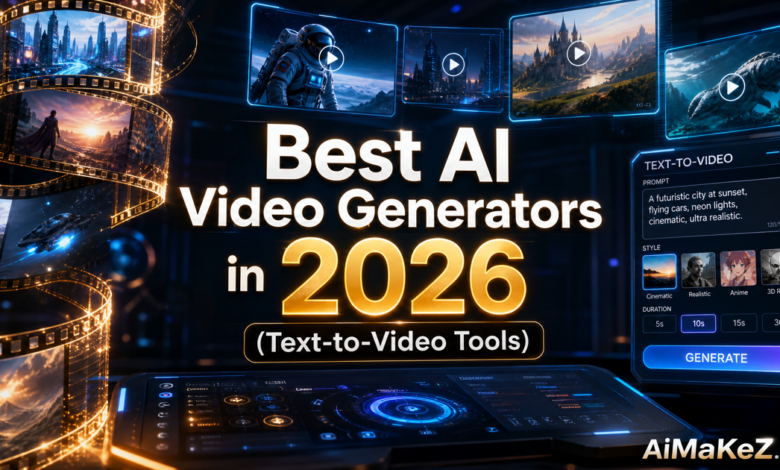
The world of content creation has been turned upside down. If you’ve been spending thousands of dollars on video production teams or struggling to keep up with the relentless demand for visual content, you’re not alone — and there’s finally a smarter solution. The best AI video generators in 2026 can transform a simple text prompt into a polished, broadcast-ready video in minutes. Whether you’re a solo creator, a marketing manager at a Fortune 500 company, or a small business owner, these tools are rewriting the rules of what’s possible. If you’re also exploring other AI tools beyond video, check out our guide to the best AI tools in 2026.
In this guide comparing the best AI video generators, we’ve tested and ranked the top text-to-video AI platforms available right now. You’ll find honest assessments of their features, pricing, real-world performance, and who they’re best suited for — so you can make an informed choice without wasting time or money.
Table of Contents
- What Are AI Video Generators?
- Key Features to Look For
- Benefits of Using AI Video Generators
- How Text-to-Video AI Works
- Best AI Video Generators in 2026
- Real-World Use Cases
- Pros and Cons Comparison
- Pricing Overview
- Best Practices
- Common Mistakes to Avoid
- Frequently Asked Questions
- Final Verdict
What Are Best AI Video Generators?
AI video generators are software platforms powered by large-scale generative AI models — specifically diffusion models, transformer architectures, and multimodal neural networks — that can produce video content from text descriptions, images, audio files, or existing footage. Instead of hiring a full production crew, you type what you want to see, and the AI renders it.
The technology has matured dramatically since the early days of choppy, five-second clips with distorted faces. In 2026, the leading best AI video generators can produce high-definition, multi-minute videos with consistent characters, realistic motion, accurate lip-sync, and cinematic camera movements — all from a written prompt.
These tools fall into a few broad categories: text-to-video generators (pure prompt-to-clip), image-to-video tools (animate a static image), AI avatar video makers (talking heads for explainers and marketing), and AI video editors (enhance or repurpose existing footage). Many of today’s best platforms combine all four capabilities in a single dashboard.
Key Features to Look For in AI Video Generators
Not all of the best AI video generators are created equal. Before committing to a subscription, evaluate each platform against these essential capabilities:
1. Video Quality and Resolution
Look for platforms that support at least 1080p output, with 4K options increasingly becoming the standard in 2026. Pay attention to frame rates (24fps vs. 60fps) and whether the tool maintains visual consistency across frames — a crucial factor for professional-looking results.
2. Prompt Fidelity
The best AI video generators accurately interpret complex, nuanced prompts. Some tools excel at abstract, stylized visuals while others shine with photorealistic scenes. Test how well each platform follows detailed instructions about subject positioning, lighting, mood, and camera angles.
3. Character Consistency
One of the biggest pain points in early AI video tools was maintaining consistent character appearances across multiple scenes. Modern platforms like Runway Gen-4 and Kling AI now offer “character locking” features that keep your protagonist looking the same from shot to shot — a game-changer for storytelling and branded content.
4. Duration and Scene Length
Clip length varies wildly across platforms. Some cap at 5 seconds per generation; others support multi-minute scenes. If you need long-form video content, prioritize tools with extended clip support or easy stitching workflows.
5. Audio and Music Integration
The ability to add AI-generated voiceovers, background music, and sound effects directly in the platform saves significant post-production time. Look for tools with built-in text-to-speech, voice cloning, and royalty-free music libraries.
6. Editing and Customization Tools
A good AI video generator should also function as a capable editor — allowing you to trim clips, adjust timing, add captions, apply color grading, and overlay text graphics without needing a separate app.
Benefits of Using AI Video Generators
The practical advantages of adopting the best AI video generators go well beyond just saving money on production:
Speed: A traditional video production cycle can take days or weeks. AI tools can produce a polished draft in minutes, enabling truly agile content workflows. A marketing team can test five different video ad concepts in the time it used to take to shoot one.
Cost Efficiency: Professional video production averages $1,000–$10,000+ per minute of finished content. AI tools bring that cost down to a few dollars or even cents per clip, democratizing high-quality video for businesses of every size.
Scalability: Need 50 localized versions of an ad in different languages? AI video generators with voice cloning and lip-sync can produce them in hours rather than months.
Creative Freedom: Concepts that would be physically impossible or prohibitively expensive to film — a dragon flying over a medieval city, a product appearing in zero gravity — become trivially easy to visualize.
Consistency: AI-generated content maintains brand consistency effortlessly once you set the right parameters, styles, and character profiles.
How the Best AI Video Generators Work
Understanding how the best AI video generators work under the hood helps you write better prompts and troubleshoot outputs. Here’s a simplified breakdown of the process:
- Text Encoding: Your prompt is processed by a large language model (LLM) or CLIP-style encoder that converts words and phrases into numerical representations (embeddings) the AI understands.
- Video Diffusion: A video diffusion model uses those embeddings to iteratively “de-noise” a random sequence of frames, gradually shaping them into coherent visuals that match your description.
- Temporal Coherence: Advanced models use 3D convolutions or attention mechanisms to ensure smooth motion between frames — preventing the flickering and morphing that plagued earlier generations.
- Upscaling and Enhancement: The raw output is typically run through an AI upscaler to sharpen details and boost resolution before delivery.
- Post-Processing: Some platforms automatically add color grading, noise reduction, and audio synchronization to finalize the video.
The Best AI Video Generators in 2026: Detailed Reviews
After extensive hands-on testing, here are the best AI video generators that deliver real results in 2026:
1. Runway Gen-4 — Best Overall
Among the best AI video generators for professionals, Runway has consistently been the benchmark for professional AI video generation, and Gen-4 continues that tradition. It produces stunningly cinematic footage with exceptional character consistency, directorial camera controls, and a robust in-browser editor. The “Act One” feature lets you control character performances using simple reference videos — essentially giving you motion capture capabilities without a studio.
Best for: Filmmakers, advertising agencies, and high-end content creators who need cinematic quality. Standout feature: Character consistency engine and Reference Pack system for maintaining visual style across a project.
2. Kling AI 2.0 — Best for Realism
When evaluating the best AI video generators for photorealism, Kling AI (developed by Kuaishou) has become the top choice. Its physics simulation engine produces convincing fluid dynamics, cloth movement, and human motion that rivals what you’d expect from a high-budget production. Kling 2.0 supports up to 3-minute clips at 1080p and includes a powerful video-to-video transformation mode.
Best for: E-commerce brands, product demonstrations, and anyone who needs convincingly real-world footage. Standout feature: Advanced physics engine and lip-sync accuracy.
3. Sora (OpenAI) — Best for Storytelling
Among the best AI video generators for storytelling, OpenAI’s Sora represents a paradigm shift in long-form AI video production. Its ability to maintain narrative continuity across extended scenes — keeping locations, character appearances, and lighting consistent across multiple minutes — makes it exceptional for short film creation and serialized content. Sora also features “storyboard mode,” which lets you plan multi-scene narratives before generating.
Best for: Storytellers, scriptwriters, and creators who need multi-scene video narratives. Standout feature: Narrative coherence and storyboard planning tools.
4. HeyGen 3.0 — Best for AI Avatar Videos
In the category of best AI video generators for corporate use, HeyGen has dominated the AI avatar space, and version 3.0 sets the bar even higher. You can create hyper-realistic digital spokespersons from a 2-minute video sample, then generate unlimited videos in any language with near-perfect lip-sync. The platform is purpose-built for corporate training, sales enablement, and multilingual marketing — and it shows.
Best for: Corporate communications teams, L&D professionals, and global marketing campaigns. Standout feature: 175-language support with natural-sounding voice cloning.
5. Pika 2.2 — Best for Social Media Content
For social media creators searching for the best AI video generators with speed and simplicity, Pika Labs has carved out a niche as the fastest, most accessible tool for short-form social media video. Its interface is deliberately simple — you can generate a punchy 5–10 second clip optimized for TikTok, Instagram Reels, or YouTube Shorts in under 30 seconds. Pika 2.2 introduced “Pikaffects,” a library of cinematic effects you can apply with a single click.
Best for: Social media managers, content creators, and influencers. Standout feature: Speed, ease of use, and one-click cinematic effects.
6. Invideo AI 3.0 — Best for Marketing Videos
InVideo AI has evolved beyond a simple template tool into a full AI video creation suite. You can describe an entire marketing campaign in plain English — “Create a 60-second product explainer video for a SaaS tool targeting HR managers” — and the AI writes a script, selects visuals, records a voiceover, adds music, and outputs a finished video. It’s the closest thing to a one-person production studio.
Best for: Small business owners, digital marketers, and solo content creators. Standout feature: End-to-end automated video creation from a single text brief.
7. Luma Dream Machine 2 — Best Free Option
Luma AI’s Dream Machine offers an impressive free tier that gives new users access to genuinely high-quality video generation. The tool excels at smooth camera movements, fluid animation, and stylized visuals. While it lacks some of the professional features of paid platforms, for a free tool, its output quality is remarkable.
Best for: Beginners, students, and creators testing the waters before investing in a paid plan. Standout feature: High-quality free tier with strong visual aesthetics.
Real-World Use Cases for the Best AI Video Generators
Marketing and Advertising
Digital marketing teams are using the best AI video generators to produce A/B test variations of video ads at a fraction of traditional production costs. A retail brand can now create personalized video ads tailored to different audience segments — same product, different visual narratives — without booking a new shoot each time. Performance marketing teams report up to 70% reduction in video creative costs after adopting these tools.
E-Learning and Corporate Training
HR departments and L&D teams are using the best AI video generators to replace expensive video training modules with AI-generated content that can be updated in minutes rather than months. When company policies change, instead of reshooting an entire training video, you simply update the script and regenerate. HeyGen and Synthesia are particularly popular in this space because of their realistic AI instructor avatars.
Content Creation and Social Media
YouTube channels, TikTok creators, and newsletter operators are using the best AI video generators to scale their content output without burning out. A single writer can now produce daily video content across multiple platforms by leveraging AI for the visual production work. This has fundamentally changed what it means to be a “one-person media company.”
Film and Entertainment
Independent filmmakers are using tools like Runway Gen-4 and Sora to pre-visualize scenes, create animatics, and even produce final footage for budget-limited productions. Several short films created primarily with AI video tools have screened at respected festivals, signaling a genuine creative shift in the industry.
Real Estate and Architecture
Real estate agents and architects are generating property walkthrough videos from floor plans or renderings. A client can tour a property that hasn’t been built yet via a photorealistic AI-generated video, dramatically accelerating decision-making in high-value transactions.
Pros and Cons: AI Video Generators Comparison
| Tool | Best For | Pros | Cons | Starting Price |
|---|---|---|---|---|
| Runway Gen-4 | Professional / Cinematic | Top-tier quality, character consistency, professional editor | Expensive, steep learning curve | $12/mo |
| Kling AI 2.0 | Photorealism | Incredible realism, physics engine, long clips | Slower generation times | $8/mo |
| Sora (OpenAI) | Storytelling | Narrative coherence, long-form video, world-class quality | Limited availability, costly | $20/mo (via ChatGPT Pro) |
| HeyGen 3.0 | Avatar / Spokesperson | Best lip-sync, 175 languages, enterprise features | Less creative/abstract output | $24/mo |
| Pika 2.2 | Social Media | Super fast, easy UI, great effects library | Short clip duration, limited control | $8/mo |
| InVideo AI 3.0 | Marketing Videos | End-to-end automation, large template library | Less unique visual output | $20/mo |
| Luma Dream Machine 2 | Beginners / Free | Strong free tier, fluid animation, easy to use | Limited customization on free plan | Free / $24/mo |
Pricing: What You’ll Pay in 2026
The pricing of the best AI video generators has become more accessible, though the best-in-class tools still command premium rates. Most platforms have moved to a credit-based model where you pay per second or per clip generated, with monthly subscription tiers that bundle a set number of credits.
Runway Gen-4 offers a limited free tier, then starts at $12/month (Standard) for 625 credits, scaling to $28/month (Pro) and $76/month (Unlimited). Enterprise pricing is custom. Kling AI starts at approximately $8/month with international pricing. HeyGen starts at $24/month for the Creator plan with limited seats and avatar credits. Pika 2.2 starts at $8/month for the Basic plan. InVideo AI costs $20/month for the Business plan. Luma Dream Machine offers 30 free generations per month, with the Explorer plan at $24/month.
For teams and agencies, most platforms offer custom enterprise plans with dedicated support, higher generation limits, API access, and commercial licensing. If you’re going to use AI video professionally, budget for at least $50–$100/month across one or two platforms to meet production demands.
Best Practices for Using the Best AI Video Generators
Write Cinematic, Specific Prompts
Vague prompts produce mediocre results. Instead of “a man walking in a city,” try “a 35-year-old professional man in a blue suit walking purposefully through a rain-slicked Manhattan street at dusk, shallow depth of field, moody cinematic lighting.” Describe the camera angle, lighting conditions, mood, character details, and time of day explicitly.
Use Reference Images for Style Consistency
Most top platforms accept reference images alongside text prompts. Upload a mood board image or style reference to anchor the visual aesthetic of your output. This dramatically reduces the iteration cycle when you’re trying to hit a specific look.
Plan Your Edit Before You Generate
Think like a video editor before you start generating. Break your concept into individual scenes and write separate prompts for each shot. This approach gives you more control over pacing, coverage, and final edit quality than trying to generate an entire story in one clip.
Iterate and Refine
Your first generation is rarely your best. Use the variation, inpainting, and re-generation features in your chosen tool to refine specific elements of a clip without starting from scratch. Small prompt adjustments can yield dramatically different — and better — results.
Combine Multiple Tools
Professional AI video creators rarely rely on a single platform. A common workflow is to use Runway or Kling for the primary footage generation, HeyGen for spokesperson segments, and InVideo or CapCut for final editing and assembly. Be sure to also explore our ChatGPT review if you want to integrate AI writing into your video production workflow. Building a multi-tool workflow gives you the strengths of each platform.
Common Mistakes to Avoid When Using the Best AI Video Generators
Over-relying on one tool: No single AI video platform does everything well. Using only one tool often leads to a recognizable, generic aesthetic that audiences quickly learn to identify as AI-generated.
Ignoring audio quality: Even stunning AI visuals will fall flat with poor audio. Invest in AI voiceover tools like ElevenLabs or Murf alongside your video generator, and don’t skip background music and sound design.
Publishing without review: AI generators occasionally produce unexpected, bizarre, or inappropriate outputs — distorted faces, garbled text on signs, or unintended content. Always watch your generated clips in full before publishing.
Neglecting copyright and licensing: Understand each platform’s commercial use terms before publishing AI-generated videos for business purposes. Most platforms include commercial licenses in paid plans, but terms vary significantly.
Writing weak prompts: Prompt quality directly determines output quality. Spending 10 extra minutes crafting a detailed, specific prompt can save hours of regeneration time.
Chasing the “perfect” first take: Iteration is part of the process. Don’t burn through your monthly credits trying to generate a flawless clip on the first try. Use low-resolution or short-duration test generations to validate a concept before committing full credits.
Frequently Asked Questions About the Best AI Video Generators
What is the best AI video generator for beginners in 2026?
For beginners, Pika 2.2 and InVideo AI 3.0 are the most accessible options. Pika’s interface is extremely intuitive — you can generate your first video in under two minutes with no prior experience. InVideo’s automated workflow handles scripting, voiceover, and editing automatically, making it ideal for users who want professional-looking results without learning complex prompt engineering.
Are AI-generated videos allowed on YouTube and other platforms?
Yes — YouTube, TikTok, Instagram, and most major platforms allow AI-generated content, but with important caveats. YouTube’s creator guidelines require you to disclose if your video contains realistic AI-generated synthetic media, including deepfakes of real people or fabricated news events. Failing to disclose can result in content removal or channel suspension.
How long does it take to generate a video with AI?
Generation times vary significantly based on the platform, clip length, resolution, and server load. Fast tools like Pika 2.2 can produce a 5-second clip in 10–30 seconds. Runway Gen-4 typically takes 1–3 minutes for a 10-second clip at high quality. Longer clips on platforms like Kling or Sora can take 5–10 minutes.
Can AI video generators create videos with real people’s likenesses?
This is a legally and ethically sensitive area. Most platforms explicitly prohibit generating content that realistically depicts real, named individuals without consent. AI avatar tools like HeyGen require verified consent from anyone whose likeness is used. Violating these policies can result in account termination and potential legal consequences under emerging deepfake legislation in the US and EU.
Which AI video tool offers the best value for money in 2026?
For sheer value, Kling AI 2.0 delivers professional-grade photorealistic output at one of the lowest price points in the industry. Its $8/month entry tier provides remarkable quality for product demos, social content, and creative projects. For businesses that need end-to-end automation, InVideo AI 3.0 at $20/month eliminates the need for multiple separate tools.
What is the best AI video generator for beginners in 2026?
For beginners, Pika 2.2 and InVideo AI 3.0 are the most accessible options. Pika’s interface is extremely intuitive — you can generate your first video in under two minutes with no prior experience. InVideo’s automated workflow goes further by handling scripting, voiceover, and editing automatically, making it ideal for users who want professional-looking results without learning complex prompt engineering.
Are AI-generated videos allowed on YouTube and other platforms?
Yes — YouTube, TikTok, Instagram, and most major platforms allow AI-generated content, but with important caveats. YouTube’s creator guidelines require you to disclose if your video contains realistic AI-generated synthetic media, including deepfakes of real people or fabricated news events. Failing to disclose can result in content removal or channel suspension. Always check each platform’s current AI content policies, as they evolve rapidly.
How long does it take to generate a video with AI?
Generation times across the best AI video generators vary significantly based on the platform, clip length, resolution, and server load. Fast tools like Pika 2.2 can produce a 5-second clip in 10–30 seconds. Runway Gen-4 typically takes 1–3 minutes for a 10-second clip at high quality. Longer clips on platforms like Kling or Sora can take 5–10 minutes. Queue times during peak hours can add to these waits on popular platforms.
Can AI video generators create videos with real people’s likenesses?
This is a legally and ethically sensitive area. Most platforms explicitly prohibit generating content that realistically depicts real, named individuals without consent — especially public figures, politicians, and celebrities. AI avatar tools like HeyGen require verified consent from anyone whose likeness is used. Violating these policies can result in account termination and potential legal consequences under emerging deepfake legislation in the US and EU.
Which AI video tool offers the best value for money in 2026?
For sheer value, Kling AI 2.0 delivers professional-grade photorealistic output at one of the lowest price points in the industry. Its $8/month entry tier provides remarkable quality for product demos, social content, and creative projects. For businesses that need end-to-end automation, InVideo AI 3.0 at $20/month eliminates the need for multiple separate tools — making it cost-effective for small teams with consistent video production needs. Ultimately, the best AI video generators for value are the ones whose credit model matches how often you actually publish.
Final Verdict: Which AI Video Generator Is Right for You?
The landscape of best AI video generators in 2026 has something genuinely useful for everyone — from a teenager making TikToks to a creative director at a global agency. The technology has cleared the bar of “good enough” and in many use cases, it’s already exceptional.
When choosing from the best AI video generators: if you’re a professional filmmaker or advertiser who needs cinematic, broadcast-quality output, Runway Gen-4 remains the gold standard. For photorealistic product and lifestyle content, Kling AI 2.0 is hard to beat. If long-form storytelling is your priority, Sora is in a class of its own. Businesses focused on training and global communications should look hard at HeyGen 3.0. Social media creators wanting speed and simplicity will love Pika 2.2. And anyone who wants a complete, automated pipeline from brief to finished video will find InVideo AI 3.0 surprisingly powerful.
When it comes to the best AI video generators, the single biggest mistake you can make right now is waiting. Competitors in your industry are already using these tools. The creators and businesses that master AI video generation in 2026 will have an enormous and compounding advantage in reach, content volume, and production economics. Pick a tool, start experimenting, and iterate your way to results that would have required a full production crew just two years ago.
Have you tried any of these best AI video generators? Share your experience in the comments below — we’d love to hear which tools are working best for your specific workflow.