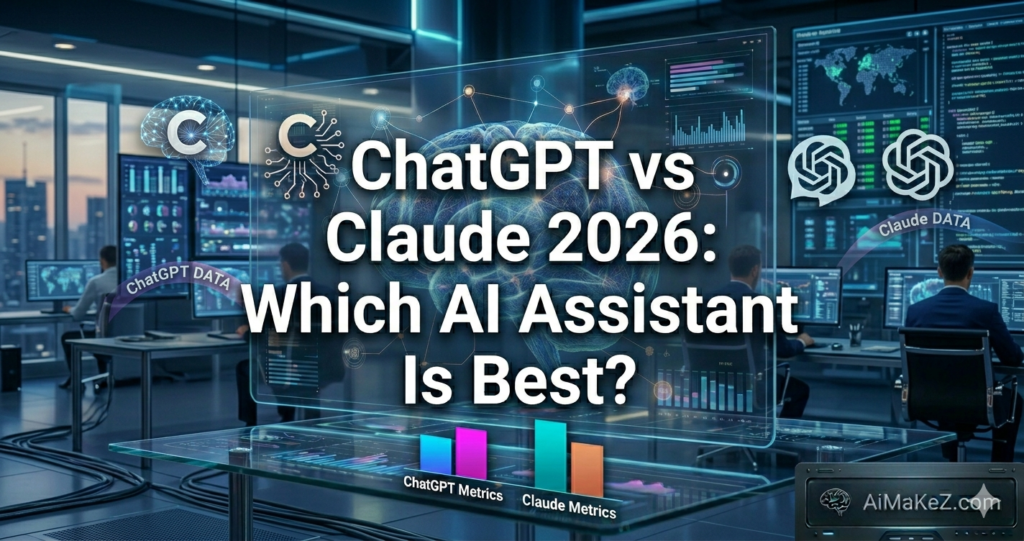
If you’ve spent any time exploring artificial intelligence tools in 2026, you’ve almost certainly encountered the same burning question: ChatGPT vs Claude — which one actually deserves a spot in your daily workflow? Both tools have matured significantly over the past two years, and the gap between them has both narrowed and widened in surprising ways depending on what you need. Whether you’re a solo entrepreneur, a marketing team lead, a developer, or a student, the right AI assistant can save you hours every week. The wrong choice? It can cost you time, money, and frustration. This deep-dive comparison will help you make the smartest decision for your specific needs.
Table of Contents
What Is the ChatGPT vs Claude Debate?
ChatGPT is a conversational AI system developed by OpenAI. It launched publicly in November 2022 and rapidly became the world’s most recognized AI assistant. As of 2026, it’s powered by GPT-4o and later models, with multimodal capabilities including image analysis, code execution, web browsing, and voice interaction baked into the platform.
Claude is Anthropic‘s flagship AI assistant. Anthropic was founded by former OpenAI researchers — including Dario and Daniela Amodei — with an explicit focus on AI safety and reliable, trustworthy outputs. Claude (now in its Claude 3.5 and beyond iterations in 2026) has earned a reputation for being thoughtful, nuanced, and particularly strong at long-form reasoning and writing tasks.
So when you think about the ChatGPT vs Claude choice, you’re really asking: Do I want the versatile Swiss Army knife, or the precision instrument? The answer depends entirely on your workflow. Let’s break down both tools from every angle.
Key Features Compared: ChatGPT vs Claude
ChatGPT Key Features in 2026
OpenAI has continued to aggressively build out ChatGPT’s feature set. Here’s what you get with the platform today:
- GPT-4o and Advanced Reasoning Models: The default model handles text, images, audio, and video inputs natively. The reasoning-focused model (o-series) is available for complex logic tasks.
- Custom GPTs: Users can create tailored AI assistants with specific instructions, knowledge, and tools — without writing a single line of code.
- DALL·E Integration: Generate high-quality images directly within the chat interface.
- Code Interpreter (Advanced Data Analysis): Upload files, run Python code, analyze data, and create visualizations on the fly.
- Web Browsing: Real-time search capability lets ChatGPT pull current information from the internet.
- Voice Mode: A natural, low-latency voice conversation mode that rivals virtual assistants like Siri or Alexa in responsiveness.
- Memory: ChatGPT can remember details about you across conversations (when enabled), creating a more personalized experience over time.
- Plugins and Integrations: A broad ecosystem of third-party integrations including Zapier, Slack, and many productivity tools.
Claude Key Features in 2026
- Large Context Window: Claude supports up to 200,000 tokens (roughly 150,000 words) in a single conversation — making it the clear leader for processing entire books, legal documents, or massive codebases.
- Constitutional AI Safety: Claude is built on Anthropic’s Constitutional AI framework, which trains the model to be helpful, harmless, and honest in a more principled way.
- Superior Long-Form Writing: Claude produces more natural, nuanced prose that is harder to identify as AI-generated.
- Artifacts Feature: Claude can generate standalone documents, code snippets, and interactive content directly in the conversation panel.
- Projects: Similar to ChatGPT’s memory, Claude Projects let you set persistent instructions and share files across conversations.
- Strong Code Generation: Claude Sonnet and Claude Opus consistently rank among the top performers in coding benchmarks.
- Honest Refusals: Claude tends to be transparent about its uncertainty and limitations rather than fabricating answers — a crucial trait for high-stakes use cases.
Benefits: Why These AI Assistants Change Everything
The real value of either tool isn’t in a feature list — it’s in what they actually do for you day-to-day.
For content creators and writers, both tools eliminate writer’s block and dramatically speed up the drafting process. The difference is that Claude tends to produce writing that flows more naturally, while ChatGPT can be better for structured, templated content at scale.
For developers, both tools offer impressive code generation and debugging. Claude tends to excel at understanding large codebases (thanks to its massive context window), while ChatGPT’s Code Interpreter makes it better for data analysis and quick script execution in a sandboxed environment.
For business professionals, both tools can summarize meetings, draft emails, create reports, and analyze data. ChatGPT’s integrations give it an edge in automation and workflow connectivity, while Claude shines in tasks requiring careful reasoning and nuanced communication.
For students and researchers, Claude’s larger context window makes it significantly better for analyzing long papers or documents. ChatGPT’s web browsing gives it an edge for current events and real-time research.
How Each AI Works: The Technical Foundation
How ChatGPT Works
ChatGPT is built on OpenAI’s large language model (LLM) architecture, trained on vast amounts of text data from the internet, books, and other sources. The model uses a technique called Reinforcement Learning from Human Feedback (RLHF) to align its outputs with human preferences. OpenAI’s GPT-4o is a natively multimodal model, meaning it was trained on text, images, and audio simultaneously rather than having these capabilities bolted on afterward.
When you send a message, ChatGPT processes your input through billions of parameters, generates a probability distribution over possible next tokens (words or word fragments), and produces a response that is statistically likely to be helpful based on its training and fine-tuning. Tools like web browsing and code execution are external capabilities that the model can invoke when needed.
How Claude Works
Claude is also built on transformer-based LLM architecture, but Anthropic has invested heavily in what they call “Constitutional AI” (CAI). Instead of relying solely on human feedback, Anthropic trains Claude using a set of principles — a “constitution” — that guides the model’s behavior. The model is trained to critique its own outputs based on these principles and revise them accordingly.
This approach is designed to produce an AI that is safer, more predictable, and more aligned with human values. In practice, users often notice that Claude is more willing to push back on problematic requests in a thoughtful, reasoned way, and more likely to express uncertainty when it genuinely doesn’t know something.
Claude’s extended context window is achieved through architectural choices that allow the model to attend to much longer sequences of text without losing coherence — a key differentiator that has enormous practical implications for enterprise use cases.
Real-World Use Cases: ChatGPT vs Claude in Action
Business and Marketing
A digital marketing agency in Chicago uses ChatGPT to generate first drafts of ad copy across 15 different client campaigns simultaneously, using Custom GPTs trained on each brand’s voice guidelines. The Code Interpreter helps their analysts turn raw CSV exports from Google Analytics into clean charts for client reports — in minutes instead of hours.
Meanwhile, a London-based legal tech startup relies on Claude to review 200-page contracts and extract key clauses, obligations, and risk factors. The 200K token context window means the entire document goes in as a single prompt, and Claude returns a structured analysis without losing context from page one by the time it reaches page 200.
Content Creation and SEO
For SEO content creation, both tools have become indispensable. A content agency based in New York uses ChatGPT to generate article outlines at scale and leverage its web browsing to check current SERP features and competitor content. Their editorial team then takes the best-performing drafts and hands them to Claude for a “humanization pass” — refining the language, adding nuance, and eliminating the telltale patterns of AI-generated text.
This hybrid workflow — using ChatGPT for breadth and speed, Claude for depth and quality — has become a common pattern among sophisticated content teams in 2026.
Education and Research
Universities across Europe are experimenting with both tools as academic aids. Students using Claude for literature reviews can upload an entire research paper and ask specific questions about methodology, findings, and limitations — getting precise answers rather than generic summaries. ChatGPT, with its real-time browsing, is more useful for finding and summarizing recent publications that post-date the models’ training cutoffs.
Software Development and Automation
For developers, the ChatGPT vs Claude debate often comes down to the specific task. ChatGPT excels at generating boilerplate code quickly, debugging in the integrated code environment, and building simple automation with Zapier or Make (formerly Integromat) through its integrations.
Claude is the preferred tool for “code comprehension” tasks — understanding what a large, complex codebase does, identifying architectural issues, or refactoring legacy code. Feed Claude a 10,000-line React application and ask it to explain the data flow, and you’ll get an impressively coherent answer. Try the same with earlier versions of ChatGPT and the context limitations become apparent immediately.
Productivity and Personal Use
For everyday productivity, ChatGPT’s voice mode has become a favorite among busy professionals who want to interact hands-free while commuting or cooking. Claude’s thoughtful communication style makes it a preferred choice for sensitive personal decisions, career advice, or emotionally nuanced conversations where getting a calibrated, honest answer matters more than getting a confident one fast.
Pros and Cons: ChatGPT vs Claude Comparison Table
| Feature | ChatGPT | Claude |
|---|---|---|
| Context Window | 128K tokens (GPT-4o) | 200K tokens |
| Image Generation | ✅ DALL·E built-in | ❌ Not available |
| Web Browsing | ✅ Real-time search | ✅ Limited (via tools) |
| Voice Mode | ✅ Advanced voice | ❌ Text-only (mostly) |
| Code Execution | ✅ Sandbox environment | ❌ No sandbox |
| Writing Quality | Good | Excellent |
| Long Document Analysis | Good | Excellent |
| Custom Personas/GPTs | ✅ Custom GPTs | ✅ Projects |
| AI Safety Focus | Strong | Very Strong |
| Integrations/Plugins | Extensive ecosystem | Growing ecosystem |
| Factual Accuracy | Good (with browsing) | Very Good |
| API Availability | ✅ OpenAI API | ✅ Anthropic API |
| Free Tier | ✅ GPT-3.5/limited GPT-4o | ✅ Limited Claude 3 Haiku |
| Mobile App | ✅ iOS & Android | ✅ iOS & Android |
ChatGPT Pros
- Enormous feature set with images, voice, code execution, and browsing in one platform
- Mature ecosystem with thousands of integrations and Custom GPTs
- Best-in-class voice conversation mode
- Strong brand recognition and widespread community support
- Memory feature creates increasingly personalized experience over time
ChatGPT Cons
- Can produce confident-sounding but incorrect information (hallucinations)
- Smaller context window than Claude for handling large documents
- Premium features locked behind Plus or Team subscriptions
- Writing style can sometimes feel formulaic or templated
Claude Pros
- Largest context window of any mainstream AI assistant (200K tokens)
- Produces more natural, human-like writing quality
- Better at expressing uncertainty and refusing to fabricate information
- Excellent for long-document analysis and nuanced reasoning tasks
- Constitutional AI approach provides strong, principled safety behaviors
Claude Cons
- No built-in image generation capability
- Smaller third-party integration ecosystem compared to ChatGPT
- No voice mode for conversational interactions
- No in-platform code execution sandbox
- Can sometimes be overly cautious on edge-case requests
Pricing in 2026: What Do ChatGPT and Claude Cost?
ChatGPT Pricing
OpenAI operates on a freemium model. The Free tier gives you access to GPT-4o Mini with limited GPT-4o usage. ChatGPT Plus runs $20/month and unlocks full GPT-4o access, image generation, advanced voice mode, and custom GPTs. ChatGPT Team costs $25/user/month (billed annually) and adds collaborative features and higher usage limits. ChatGPT Enterprise has custom pricing for organizations needing advanced security, compliance, and admin controls. OpenAI also offers API access on a pay-per-token model, which is essential for developers building applications.
Claude Pricing
Anthropic similarly uses a freemium structure. The Free tier gives access to Claude 3 Haiku with limited daily messages. Claude Pro costs $20/month and unlocks Claude 3.5 Sonnet and Opus with higher usage limits and priority access. Claude Team is $25/user/month (billed annually), designed for collaborative work with shared Projects and admin features. Claude Enterprise offers custom pricing with enhanced security, audit logs, and dedicated support. Anthropic’s API is also available on a pay-per-token basis, with competitive pricing for high-volume users.
At the $20/month price point, both tools offer comparable value — but what you get for that $20 differs considerably based on how you use AI. If you need image generation and voice, ChatGPT Plus wins. If you need to process massive documents or write high-quality long-form content, Claude Pro is the smarter investment.
How ChatGPT and Claude Compare to Other Alternatives
The AI assistant market in 2026 is more competitive than ever. Beyond the ChatGPT vs Claude comparison, here’s how they stack up against the field:
Google Gemini (formerly Bard) has become a genuine contender, especially for users already in the Google Workspace ecosystem. Its deep integration with Gmail, Google Docs, and Google Drive makes it the natural choice for productivity tasks within that suite. However, for pure creative or analytical tasks outside the Google ecosystem, both ChatGPT and Claude tend to outperform it.
Microsoft Copilot (powered by GPT-4o) is embedded throughout Microsoft 365. If your organization runs on Teams, Word, Excel, and Outlook, Copilot adds significant AI value without requiring a separate tool. However, as a standalone assistant, it lacks the depth of ChatGPT or Claude.
Meta’s Llama-based assistants have gained traction in open-source communities and enterprise settings where data privacy is paramount. Running a model on your own infrastructure eliminates cloud privacy concerns entirely.
Mistral AI has emerged as a strong European alternative, particularly popular among EU organizations concerned about data sovereignty under GDPR. Their models punch above their weight class in coding and reasoning tasks.
Despite the competition, in any fair ChatGPT vs Claude analysis, both tools remain the two best general-purpose AI assistants available to individual users and small-to-medium businesses in 2026. They sit at the top of the market for good reason.
Best Practices for Using ChatGPT and Claude Effectively
1. Master the Art of Prompting
The quality of your output is directly proportional to the quality of your input. Both ChatGPT and Claude respond dramatically better to detailed, specific prompts. Instead of asking “Write a blog post about AI,” try “Write a 1,500-word blog post for a small business audience about how AI automation can reduce administrative overhead, using a friendly tone, three real-world examples, and a practical action step at the end of each section.”
2. Use Each Tool for Its Strengths
Many power users in 2026 have resolved the ChatGPT vs Claude debate by running both tools simultaneously. Use ChatGPT when you need images, voice interaction, real-time web data, or code execution. Switch to Claude when you need to analyze a large document, write nuanced long-form content, or need a model that’s especially good at following complex multi-step instructions precisely.
3. Set Up Your Context Properly
Both ChatGPT (via Memory and Custom GPTs) and Claude (via Projects) allow you to establish persistent context. Take time to set this up properly. Tell the AI who you are, what your goals are, your preferred writing style, and your audience. This upfront investment pays compounding dividends as the AI consistently produces outputs that fit your needs without repeated re-explanation.
4. Always Verify Critical Information
Neither tool is infallible. Both ChatGPT and Claude can hallucinate — generating plausible-sounding but factually incorrect information. For any high-stakes content (medical, legal, financial, technical), always verify AI outputs against authoritative primary sources before relying on them.
5. Iterate and Refine
Treat AI as a collaborative partner, not a vending machine. The best results come from iterative conversations: get a first draft, provide specific feedback (“make the opening more urgent,” “simplify paragraph three,” “add a statistic to support this claim”), and refine through multiple rounds. This workflow consistently outperforms single-shot prompting.
Common Mistakes to Avoid With AI Assistants
Treating AI output as finished work: The most common mistake — and the most costly. AI-generated content is a starting point, not an endpoint. Always edit, fact-check, and add your own expertise and perspective before publishing or sending.
Using vague, ambiguous prompts: “Help me with my email” will produce mediocre results. “Help me write a professional but warm follow-up email to a potential client I met at a conference last week, reminding them of our conversation about their inventory management problem and proposing a 20-minute call” will produce something actually useful.
Ignoring context window management: In very long conversations, both tools can lose track of details mentioned early on. For important long projects, start fresh conversations for distinct sub-tasks rather than cramming everything into one endless thread.
Sharing sensitive data carelessly: Both OpenAI and Anthropic have enterprise tiers with stronger privacy protections, but on free and basic tiers, be cautious about pasting genuinely confidential information — trade secrets, client PII, proprietary code — into the chat interface.
Choosing the wrong tool for the job: Understanding each platform’s genuine strengths (as outlined throughout this comparison) prevents frustration and wasted time. A square peg in a round hole is still a square peg, no matter how powerful the AI model is.
Frequently Asked Questions: ChatGPT vs Claude
Is Claude better than ChatGPT for writing?
For most writing tasks — especially long-form content, nuanced prose, and work where sounding human matters — Claude tends to produce higher-quality output. Its writing style is more natural and less formulaic than ChatGPT’s default outputs. However, ChatGPT can be faster for structured, templated content at scale, especially with the right Custom GPT setup.
Which AI assistant is better for coding?
Both are excellent, but in different ways. ChatGPT has the advantage of a built-in code execution environment where it can actually run and test code. Claude has the advantage of a massive context window, making it better for understanding and refactoring large codebases. Developers often use both: Claude for comprehension tasks and ChatGPT for generation and testing.
Can I use both ChatGPT and Claude at the same time?
Absolutely — and many professionals do exactly this. Running ChatGPT Plus and Claude Pro simultaneously costs $40/month total, which is affordable for most serious knowledge workers. Many users report getting significantly better results by routing different task types to the model best suited for them, rather than trying to make one tool do everything.
Which is safer and more private: ChatGPT or Claude?
Both companies take data privacy seriously, but Anthropic has been particularly vocal about its AI safety mission since the company’s founding. Both platforms offer options to disable training on your data. For enterprise users, both offer stronger contractual privacy guarantees. For EU users, GDPR compliance features are available on both platforms, though you should review each company’s current data processing agreements for your specific use case.
Is the free version of Claude or ChatGPT good enough?
For casual use, both free tiers offer impressive capability. ChatGPT’s free tier gives access to GPT-4o with some limitations, while Claude’s free tier uses the faster Haiku model with daily message caps. For professional use — content creation, data analysis, regular coding help, or document processing — the $20/month paid tiers are almost universally worth the investment given the productivity gains they enable.
Final Verdict: ChatGPT vs Claude — Which Should You Choose in 2026?
After examining both tools across every major dimension — features, performance, pricing, use cases, and real-world effectiveness — here’s the honest bottom line on the ChatGPT vs Claude debate in 2026.
Choose ChatGPT if: You want the most feature-rich, all-in-one AI platform. You need image generation, voice mode, real-time web browsing, and code execution in a single tool. You work heavily within a broad ecosystem of integrations. You value breadth of capability over depth of reasoning.
Choose Claude if: You regularly work with long documents, large codebases, or tasks requiring deep contextual understanding. You prioritize writing quality and want outputs that genuinely sound human. You value an AI that’s honest about its limitations rather than confidently wrong. You need nuanced, careful reasoning for high-stakes decisions.
Use both if: You’re a serious professional who wants to maximize AI-driven productivity. The combined $40/month cost is genuinely one of the best ROI investments available for knowledge workers in 2026. Using each tool where it genuinely excels is smarter than forcing one tool to do everything.
The ChatGPT vs Claude competition has ultimately been a win for users everywhere. For more details on ChatGPT alone, read our ChatGPT Review 2026, or explore the Best AI Tools 2026 guide. Both companies are pushing each other to build better, safer, more capable AI systems. Wherever you land on this decision, you’re getting access to technology that would have seemed miraculous just five years ago. Use it wisely, verify what it produces, and let it amplify what makes you uniquely human — your judgment, creativity, and expertise.