If you’ve been spending money on expensive software subscriptions just to tap into the power of artificial intelligence, this guide is your way out. The best free AI tools available in 2026 are genuinely powerful — not watered-down demos or features locked behind paywalls. From writing assistants and image generators to code helpers and data analysis platforms, free AI tools have matured to the point where they can compete head-to-head with paid alternatives for most everyday tasks.
Whether you’re a freelancer, a small business owner, a student, or a marketing professional in New York or London, the right collection of best free AI tools can save you hundreds of dollars a month while dramatically boosting your output. This guide covers the top picks for 2026, what makes each one stand out, and how to get the most from them — without spending a cent.
Table of Contents
- What Are the Best Free AI Tools?
- Key Features to Look For in Free AI Tools
- Benefits of Using Free AI Tools
- How Free AI Tools Work
- Real-World Use Cases
- Pros and Cons
- Pricing: What’s Actually Free?
- Comparison With Paid Alternatives
- Best Practices for Using Free AI Tools
- Common Mistakes to Avoid
- Frequently Asked Questions
- Final Verdict
What Are the Best Free AI Tools in 2026?
Best free AI tools are software applications powered by artificial intelligence — including large language models (LLMs), generative AI, machine learning, and computer vision — that are available at no cost, either permanently on a free tier or through a genuinely unlimited free plan.
The term “free” can be slippery in the AI world. Some tools offer free tiers that are essentially unusable — capped at five requests per day or requiring a credit card upfront. The tools featured in this guide are different: they offer meaningful, usable free tiers that let you accomplish real work without hitting a wall every five minutes.
In 2026, the landscape has shifted dramatically. Competition between AI providers has driven an explosion of genuinely free offerings. According to Statista’s research on AI adoption, the number of businesses using AI tools has more than doubled since 2023, with free tools playing a major role in accelerating access. Google, Meta, Mistral, and dozens of startups are giving away powerful models and tools to gain users, build ecosystems, and generate data. The result is an unprecedented opportunity for anyone willing to explore what’s available.
Here are the top categories and leading tools for each in 2026:
Best Free AI Writing Tools
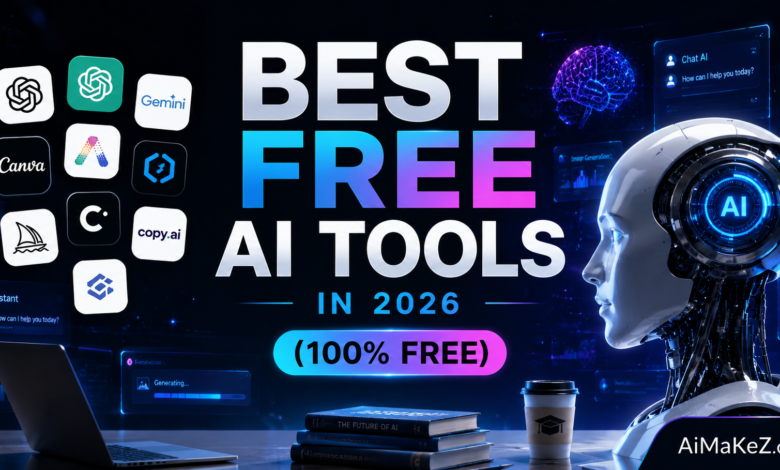
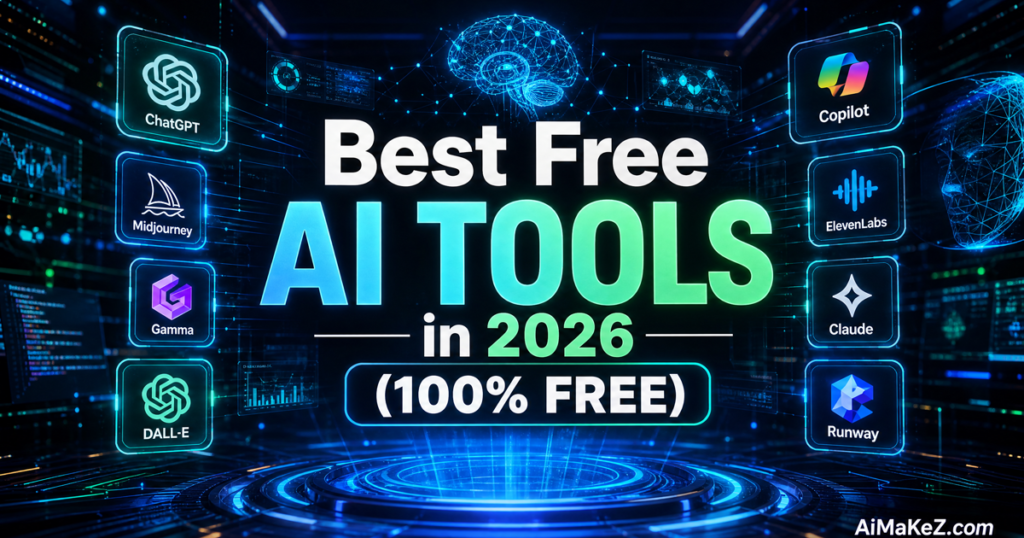
ChatGPT (Free Tier) — OpenAI’s flagship model remains one of the most capable free AI writing tools available. The free version provides access to GPT-4o mini, which handles blog posts, emails, summaries, and creative writing with impressive quality. There’s no hard daily cap, though heavy usage may slow responses during peak hours.
Google Gemini — Google’s AI assistant, powered by the Gemini model, is deeply integrated with Google Workspace. The free tier gives you unlimited access to Gemini 1.5 Flash and is ideal for users already working in Google Docs, Gmail, and Google Drive. It excels at research summaries and drafting documents with web-grounded answers.
Microsoft Copilot — Built into Microsoft Edge and available as a standalone web app, Copilot offers free access to GPT-4 class capabilities. It’s particularly strong for research, document drafting, and answering questions with cited web sources. Bing integration means answers are current, not frozen at a training cutoff.
Best Free AI Image Generation Tools
Adobe Firefly (Free Tier) — Adobe offers a generous free tier for its Firefly image generation platform. With 25 free generative credits per month refreshing automatically, you can create high-quality, commercially safe images directly in Adobe Express or via the Firefly web app. The outputs are trained on licensed content, making them safer for commercial use than many alternatives.
Microsoft Designer / Image Creator — Powered by DALL-E, Microsoft’s Image Creator offers free AI image generation directly within the Bing ecosystem. You get a generous daily allotment of “boosted” fast generations, with unlimited slower generations afterward. No account required for casual use.
Canva AI (Free Tier) — Canva’s free plan includes access to AI-powered image generation, background removal, and the Magic Write text feature. It’s the best free option for non-designers who need to produce polished social media graphics, presentations, and marketing materials with AI assistance built in.
Best Free AI Coding Assistants
GitHub Copilot Free — After years of being paid-only, GitHub Copilot launched GitHub Copilot launched a permanent free tier in late 2024 that has expanded through 2026. Free users get 2,000 code completions and 50 chat messages per month — more than enough for solo developers, students, and hobbyists working on personal projects.
Google AI Studio — Developers get free API access to Google’s Gemini models through AI Studio, with a generous free tier that’s ideal for building AI-powered applications, running experiments, and prototyping. The free quota is more than sufficient for most individual developers and small teams.
Codeium — Codeium remains completely free for individual developers and supports over 70 programming languages across more than 40 IDEs. It offers autocomplete, chat, and search capabilities that rival paid alternatives, with no usage cap for personal use.

Best Free AI Research and Productivity Tools
Perplexity AI (Free Tier) — Perplexity is the best free AI search engine available, delivering cited, real-time answers to research queries. The free tier gives you unlimited access to its standard model with web search, plus a limited number of Pro searches per day. For research, fact-checking, and exploring complex topics, it’s indispensable.
NotebookLM by Google — NotebookLM is a genuinely free AI-powered research assistant that lets you upload documents, PDFs, and web pages and then query them with natural language. You can have it summarize a 200-page research report, generate study guides, create audio overviews, and identify contradictions across sources. There’s no meaningful free tier limit for most users.
Claude (Free Tier) by Anthropic — Anthropic’s Claude offers a free tier with access to Claude 3.5 Haiku and limited access to Claude 3.5 Sonnet. Claude is widely considered the best free AI tool for nuanced writing tasks, document analysis, and thoughtful conversation. It handles long documents better than many competitors on the free tier.
Key Features of the Best Free AI Tools
Not all free AI tools are worth your time. The best ones share a consistent set of characteristics that distinguish them from the countless apps that are more hype than help:
Generous and Transparent Free Tiers
The best free tools are upfront about what’s included at no cost. They don’t hide limits in fine print or require a credit card just to get started. Tools like Google Gemini, NotebookLM, and Codeium are completely free for their core functionality — no tricks involved.
Meaningful Output Quality
Free shouldn’t mean low quality. The tools on this list produce outputs comparable to many paid alternatives. ChatGPT’s free tier, for instance, generates content quality that would have required a paid subscription just eighteen months ago. As AI models have become cheaper to run, quality on free tiers has risen dramatically.
No Forced Paywalls on Core Features
Some tools advertise themselves as “free” but lock the features you actually need behind subscriptions. The best free AI tools let you accomplish complete, useful tasks — writing a full blog post, generating a usable image, completing a coding function — without hitting a paywall mid-task.
Privacy and Data Handling
When you’re using a free tool, your data is often part of the value exchange. The best free tools are honest about this. Google and Anthropic clearly state their data usage policies, and many offer options to opt out of model training. Always review the privacy policy before pasting sensitive content into any free AI tool.
Integration and Accessibility
Top free AI tools work where you already work — in the browser, inside Google Docs, as VS Code extensions, or through mobile apps. The less friction involved in accessing the tool, the more likely you are to actually use it. Browser extensions, API access, and mobile apps are signs of a mature, accessible platform.
Benefits of Using the Best Free AI Tools in 2026
The case for building your workflow around the best free AI tools is stronger than ever. Here’s what you stand to gain:
Zero Cost, Real Results: The obvious benefit of the best free AI tools is that you’re not paying anything. But the less obvious benefit is that the quality gap between free and paid AI tools has narrowed to a sliver for most common tasks. Writing, research, image generation, and basic coding assistance are all achievable at the free tier without meaningful compromise.
Reduced Software Subscription Overhead: A freelance writer, designer, or developer who strategically uses free AI tools can realistically cut $50–$200 per month in software costs by replacing or supplementing paid tools. That adds up to $600–$2,400 per year in savings.
Faster Learning Curve: Free tools remove the financial commitment that can make people hesitant to experiment. When it costs nothing, you’re free to test aggressively, try different tools for the same task, and build intuition quickly about what works best for your specific use cases.
Access to Cutting-Edge Technology: Some of the best free AI tools in 2026 are running genuinely state-of-the-art models. Google Gemini 1.5 Flash, GPT-4o mini, and Claude 3.5 Haiku are not stripped-down models — they’re highly capable systems available at no cost because the providers have different monetization goals.
Competitive Advantage for Individuals: A solo consultant or one-person business that leverages multiple free AI tools effectively can produce work that competes with larger teams. Free AI tools are one of the most powerful democratizing forces in modern business, and 2026 is the year that’s become undeniably true.
How the Best Free AI Tools Work: The Technology Behind Them
Understanding how these tools function helps you use them more intelligently and set realistic expectations.
Step 1 — You Provide a Prompt: Every interaction with a generative AI tool starts with input — a question, an instruction, a piece of text, an image, or a file. The quality and specificity of your input directly determines the quality of what you get back. Vague prompts produce vague results.
Step 2 — The Model Processes Your Request: Your prompt is sent to the AI provider’s servers, where a large language model or other AI model processes it. The model draws on patterns learned during training on vast datasets to generate a relevant response. For image tools, diffusion models convert text descriptions into visual outputs pixel by pixel.
Step 3 — The Response Is Generated: The model produces a response — text, code, an image, or structured data — which is returned to your interface. Most modern AI tools stream the response in real time, letting you read or see the output as it’s being generated rather than waiting for the complete result.
Step 4 — You Iterate: Rarely is the first output exactly what you need. The most effective users of AI tools treat the first response as a starting point and refine through follow-up prompts — asking for shorter versions, different tones, additional detail, or corrections. This iterative process is where the real value is unlocked.
Step 5 — You Apply and Integrate: The final step is taking the AI-generated output and incorporating it into your actual work — editing a draft, using a generated image in a design, running generated code, or building on a research summary. The best users treat AI outputs as high-quality raw material that benefits from human judgment and refinement.
Real-World Use Cases for Free AI Tools
Content Creation and Blogging
A freelance blogger in Chicago uses the best free AI tools — starting with ChatGPT’s free tier — to generate detailed article outlines, research talking points, and draft introductions. She uses Canva’s free AI features to create featured images without a graphic designer. Her entire production workflow costs her nothing in AI tools, and she produces 8–10 articles per month at quality that commands premium rates from clients.
Marketing and Social Media
A small e-commerce brand in Amsterdam uses the best free AI tools available — Google Gemini for free — to write product descriptions, email newsletters, and social media captions. The marketing manager uses Microsoft Designer’s free Image Creator to generate promotional visuals. Between these two free tools alone, they’ve eliminated the need for a copywriter and graphic designer for routine tasks — saving over €800 per month.
Software Development
An independent developer in Berlin building a SaaS side project relies on the best free AI tools: Codeium’s free version for autocomplete and GitHub Copilot’s free tier for complex code generation. He uses Google AI Studio’s free API to prototype AI features within his application. His entire AI development stack costs nothing, yet competes with setups that would cost $50–$100 per month.
Academic Research and Education
A PhD student at a university in London uses NotebookLM to upload and cross-reference dozens of academic papers for her dissertation. She uses Perplexity’s free tier to get cited answers to research questions in real time. Claude’s free tier helps her summarize long papers and identify gaps in the existing literature. Her entire AI research stack costs £0 per month.
Business Productivity
A solopreneur running a consulting business takes advantage of the best free AI tools — using Microsoft Copilot for free to draft proposals and summarize meeting notes. Google Gemini in Gmail composes follow-up emails automatically. The combination saves an estimated 6–8 hours per week on administrative writing tasks — time that goes directly back into billable client work.
Pros and Cons of Free AI Tools
| Aspect | Pros | Cons |
|---|---|---|
| Cost | Completely free — zero financial risk | Free tiers may have usage limits |
| Quality | Capable models comparable to paid tiers for most tasks | Best models often reserved for paid plans |
| Accessibility | Available to anyone, no credit card required | Some tools require account creation |
| Variety | Cover writing, images, code, research, and more | No single free tool does everything perfectly |
| Privacy | Clear privacy policies from major providers | Data may be used for model training |
| Speed | Fast responses on most free tools during off-peak hours | Free tiers may throttle speed during peak hours |
| Support | Large communities, documentation, tutorials | No priority customer support on free plans |
Best Free AI Tools Pricing: What’s Actually Free in 2026?
Understanding the real limits of best free AI tools helps you plan your workflow and know when (if ever) an upgrade is worth considering.
ChatGPT Free — Access to GPT-4o mini with no hard daily message cap. Free users are limited during peak times and cannot access advanced features like image generation with DALL-E 3, voice mode, or custom GPTs. The free tier is significantly more capable than it was even a year ago.
Google Gemini Free — Unlimited access to Gemini 1.5 Flash at no cost. Extensions for Gmail, Docs, and YouTube are available free. Gemini Advanced (based on Gemini Ultra) requires a Google One AI Premium subscription at $19.99/month, but the free tier is highly usable for most tasks.
Microsoft Copilot Free — Unlimited access to Copilot with GPT-4 class capabilities at no cost. Copilot Pro ($20/month) adds deeper Microsoft 365 integration and priority access, but the free version is genuinely powerful for standalone use.
Claude Free — Access to Claude 3.5 Haiku and occasional access to Claude 3.5 Sonnet. There’s a daily usage limit that resets every 24 hours. Claude Pro at $20/month unlocks higher limits and access to Claude 3 Opus, but the free tier handles most writing and analysis tasks comfortably.
Perplexity Free — Unlimited standard searches with web grounding. Pro searches (using more powerful models with deeper web access) are limited to a few per day on the free plan. Perplexity Pro costs $20/month but the free plan covers most research needs.
NotebookLM Free — Currently free with no meaningful usage limits announced. Google has not introduced a paid tier as of 2026, making it the most unreservedly free tool on this list.
Codeium Free — Completely free for individual developers, with no usage caps on autocomplete or chat. Only teams and enterprise users pay. Visit Codeium’s official site to get started in minutes.
Best Free AI Tools vs. Paid AI Tools: Full Comparison
| Tool | Free Version | Paid Version | Worth Upgrading? |
|---|---|---|---|
| ChatGPT | GPT-4o mini, basic features | GPT-4o, DALL-E, advanced tools ($20/mo) | Yes, if you need image gen or GPT-4o speed |
| Google Gemini | Gemini 1.5 Flash, unlimited | Gemini Ultra, deeper integrations ($19.99/mo) | Only for heavy Google Workspace users |
| Microsoft Copilot | GPT-4 class, unlimited | M365 integration, priority access ($20/mo) | Only if you rely heavily on Microsoft 365 |
| Claude | Claude 3.5 Haiku, limited daily | Claude 3.5 Sonnet + Opus, higher limits ($20/mo) | Yes, if you do heavy document analysis |
| Perplexity | Standard search, limited Pro queries | Unlimited Pro search, better models ($20/mo) | Yes, for serious researchers |
| GitHub Copilot | 2,000 completions/month | Unlimited completions ($10/mo) | Yes, for full-time developers |
| Canva AI | Limited AI features, basic templates | Full Magic Suite, unlimited AI ($15/mo) | Yes, for professional designers |
Looking for in-depth reviews of specific AI tools? Explore our full collection of expert AI tool reviews on AiMaKeZ to find the best solution for your exact workflow and budget.

Best Practices for Getting the Most From Free AI Tools
Using the best free AI tools effectively is a skill — and like any skill, it rewards deliberate practice and good habits.
Use the right tool for each job. The best free AI tools for each specific task differ significantly — no single free AI tool does everything best. ChatGPT excels at creative writing and brainstorming. Perplexity is better for research with citations. NotebookLM shines for document analysis. Codeium is purpose-built for coding. Building a stack of complementary tools beats trying to force one tool to do everything.
Write better prompts. The quality of your output is directly proportional to the quality of your input. Specific prompts with context, format instructions, and constraints produce far better results than vague requests. Instead of “write a blog post about AI,” try “write a 300-word blog post introduction for a B2B marketing audience about how free AI tools can reduce operational costs for small businesses.”
Treat outputs as drafts, not finished products. The best users of free AI tools use them to accelerate their work, not replace their judgment. Always review, edit, and improve AI-generated content before publishing or using it professionally. This both improves quality and ensures your voice and expertise come through.
Stay within privacy boundaries. Never paste passwords, personal identification numbers, client-confidential data, or trade secrets into free AI tools. Most free tools explicitly reserve the right to use your inputs to improve their models. Treat these tools like a public forum — helpful, but not private.
Combine free tools for compound results. Some of the most powerful workflows stack free tools together. Use Perplexity to research a topic, paste the key findings into NotebookLM for deeper analysis, draft the piece in ChatGPT, and generate supporting visuals with Adobe Firefly or Canva’s free tier. The result is a professional-quality output produced entirely with free tools.
Monitor free tier limits and plan accordingly. Many free tools reset limits daily or monthly. Understanding when your limits refresh lets you plan heavy-use tasks — like generating a large batch of images or running a long document analysis session — at the optimal time without interruption.
Common Mistakes to Avoid When Using the Best Free AI Tools
Treating AI output as ground truth: Even the best free AI tools can and do hallucinate — confidently producing inaccurate information. Never publish AI-generated facts without independently verifying them, especially statistics, dates, quotes, and technical claims. Perplexity and Copilot, which cite their sources, are somewhat safer for factual content, but still require verification.
Using only one tool for everything: Relying exclusively on ChatGPT or Google Gemini for every task means you’re leaving better tools on the table. The best free AI toolkit in 2026 is a curated collection, not a single app.
Ignoring the context window: Every AI tool has a limit to how much text it can process at once (the “context window”). Feeding more text than a tool can handle leads to truncated, lower-quality outputs. Know the limits of your free tool and break large tasks into appropriately sized chunks.
Not iterating on prompts: Many users give up after one poor result and conclude the tool doesn’t work. In reality, the first response is a starting point. Refining your prompt — providing more context, specifying the format, asking for a different approach — almost always improves results substantially.
Forgetting about copyright and IP: Content generated by free AI tools may have complex copyright status depending on jurisdiction and the tool’s terms of service. If you’re using AI-generated content commercially, understand the legal landscape in your country. Adobe Firefly’s free tier is specifically designed to produce commercially safe images, which is a meaningful advantage over tools trained on unlicensed content.
Skipping the learning curve: Free AI tools are easy to start using but hard to master. Investing even a few hours in learning prompt engineering basics, understanding each tool’s strengths, and exploring their full feature sets pays dividends for months. YouTube tutorials, Reddit communities, and tool-specific documentation are all free resources that accelerate this learning.
Frequently Asked Questions About the Best Free AI Tools
Are the Best Free AI Tools Really Free, or Are There Hidden Costs?
Most of the best free AI tools featured in this guide are genuinely free for their core functionality, with no credit card required to get started. The main “costs” are non-monetary: you may see ads on some platforms, your usage data may inform model training, and usage limits apply on some tools. Always read the terms of service. Tools like NotebookLM, Codeium, Google Gemini, and Microsoft Copilot are completely free with no significant hidden costs for individual users.
Which of the Best Free AI Tools Is Best for Writing in 2026?
Among the best free AI tools for writing, ChatGPT’s free tier and Google Gemini stand out as the strongest options. ChatGPT tends to produce more creative, nuanced prose, while Google Gemini excels at web-grounded research writing and integrates natively with Google Docs. For analytical writing and document summarization, Claude’s free tier is particularly impressive. The “best” choice depends on your specific workflow.
Can I Use the Best Free AI Tools for Commercial Purposes?
For most of the best free AI tools covering text generation, yes — the content you create is generally yours to use commercially, subject to the platform’s terms. For AI-generated images, the situation is more nuanced. Adobe Firefly’s free tier is explicitly designed for commercial use with content trained on licensed materials. For tools like DALL-E via Microsoft Image Creator, commercial use is generally permitted under Microsoft’s terms, but review current policies before using generated images in commercial contexts as policies evolve.
How Do the Best Free AI Tools Make Money If They’re Free?
The best free AI tools typically monetize through several mechanisms: premium subscription upgrades (the free tier serves as a funnel to paid plans), enterprise and team plans, API usage fees for developers, advertising, and data licensing. Some tools, like Google Gemini, are also strategic products designed to drive usage of a broader ecosystem (Google Workspace, Google Cloud). Understanding this helps you make sense of what’s offered for free and what’s reserved for paying customers.
Are free AI tools safe to use for sensitive work?
Free AI tools should not be used for highly sensitive work — including confidential client data, legal documents, medical records, trade secrets, or personal financial information. Most free tools’ terms of service allow them to use your inputs to improve their models, meaning your data is not truly private. For sensitive work, use enterprise-grade tools with explicit data protection agreements (DPAs) and contractual privacy commitments, or consider locally-hosted open-source models like Ollama which run entirely on your own hardware with no data leaving your device.
Final Verdict: Are the Best Free AI Tools Worth Using in 2026?
Absolutely — and the argument for using the best free AI tools has never been stronger. The best free AI tools in 2026 represent a genuine democratization of technology that would have been unthinkable just a few years ago. State-of-the-art language models, image generators, coding assistants, and research tools are available to anyone with an internet connection at zero cost.
For most individuals — freelancers, students, small business owners, content creators, and independent developers — a carefully selected stack of free AI tools will cover 80–90% of their AI-related needs without a paid subscription. The remaining 10–20% where paid tools genuinely outperform their free counterparts comes down to volume, speed, and access to the very latest model versions.
Our top recommendations for building a complete toolkit using the best free AI tools in 2026: start with ChatGPT or Google Gemini for writing and brainstorming, add Perplexity for research, use NotebookLM for document analysis, rely on Codeium or GitHub Copilot Free for coding, and use Adobe Firefly or Canva for visuals. That combination handles nearly every common AI task — all at zero cost.
The best time to start building your toolkit with the best free AI tools was last year. The second best time is right now.