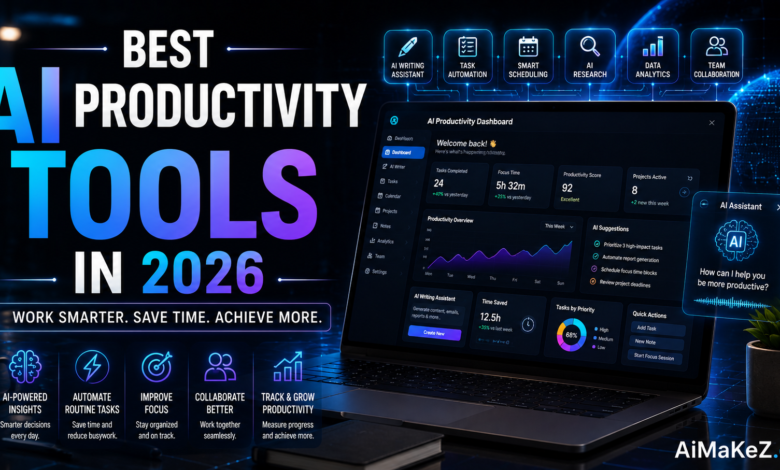
If you’ve ever felt like there aren’t enough hours in the day, you’re not alone — and in 2026, AI productivity tools are finally making that problem solvable. Whether you’re a solo entrepreneur in Austin, a marketing team lead in London, or a project manager juggling remote teams across time zones, artificial intelligence has quietly transformed how we work, think, and execute. This guide breaks down the best AI productivity tools available today, what makes each one worth your attention, and how to choose the right stack for your workflow. Check out our AI tools category for even more in-depth reviews.
Table of Contents
What Are AI Productivity Tools?
AI productivity tools are software applications powered by artificial intelligence — including large language models (LLMs), machine learning, and natural language processing (NLP) — designed to automate repetitive tasks, enhance decision-making, and accelerate output quality. Unlike traditional productivity apps, these tools don’t just help you organize work; they actively participate in it.
Think of them as a skilled digital collaborator that drafts your emails, summarizes meeting notes, writes code, generates marketing copy, schedules your calendar, and analyzes data — all while you focus on the high-value strategic thinking only you can do.
In 2026, the category has matured significantly. We’ve moved well past the “novelty” phase. Today’s AI productivity software integrates deeply into existing workflows through APIs, browser extensions, and native app integrations. They’re smarter, faster, and more contextually aware than ever before.
Key Features to Look For in AI Productivity Tools
Not every AI tool is built the same. Before committing to a subscription, here are the core features that distinguish the best platforms from the mediocre ones:
1. Natural Language Processing (NLP) Accuracy
The cornerstone of any AI productivity tool is its ability to understand and generate human-like text. In 2026, leading tools are built on next-generation LLMs that understand context, tone, nuance, and even industry-specific jargon. Whether you’re asking it to write a formal legal summary or a casual social media post, the output should feel natural and appropriate.
2. Deep Workflow Integration
The best tools don’t exist in silos. Look for platforms that integrate with the software you already use — Slack, Notion, Google Workspace, Microsoft 365, Salesforce, Jira, and more. Seamless integration means less context-switching and a faster path from idea to execution.
3. Automation and Task Orchestration
True productivity gains come from automation. Top-tier AI tools in 2026 can trigger multi-step workflows based on simple prompts, handle conditional logic, and even learn from your behavior over time to proactively suggest actions before you ask.
4. Multi-Modal Capabilities
The most powerful platforms in 2026 handle not just text, but images, audio, video, code, and structured data. Whether you need to transcribe a client call, generate a chart from raw numbers, or summarize a 90-minute webinar, multi-modal AI tools handle it all in one place.
5. Security and Data Privacy
For businesses handling sensitive client data or operating in regulated industries, enterprise-grade security is non-negotiable. Look for SOC 2 compliance, end-to-end encryption, data residency options, and clear policies on how your inputs are used for model training.
Benefits of Using AI Productivity Tools
The impact of adopting AI productivity software goes far beyond saving a few minutes per day. Here’s what consistent users across industries report experiencing:
Dramatic time savings. Tasks that used to take hours — writing a 1,500-word blog post, analyzing a spreadsheet, summarizing a research paper — now take minutes. According to multiple 2025 productivity studies, knowledge workers who actively use AI tools report saving 2–4 hours daily.
Reduced cognitive load. Decision fatigue is a real phenomenon. When AI handles routine decisions and first drafts, your mental bandwidth is freed up for creative problem-solving, client relationships, and strategic planning — the work that actually moves the needle.
Consistency at scale. AI doesn’t have bad days. Whether you’re generating your tenth email of the morning or your hundredth social post of the month, the output quality remains consistent — something human teams naturally struggle to maintain over time.
Lower operational costs. From small businesses to enterprise teams, AI tools reduce the need for outsourcing routine tasks. A one-person content team can now produce the volume of a five-person team, with AI handling the heavy lifting on drafts, research, and editing.
Accelerated learning and onboarding. New employees can get up to speed faster when AI tools can answer questions, explain internal processes, and generate training materials on demand. This is especially powerful in fast-growing companies where documentation often lags behind reality.
How AI Productivity Tools Work
Understanding the mechanics helps you use these tools more effectively. Here’s a simplified breakdown of what’s happening under the hood:
Step 1 — Input and Context. You provide a prompt, task description, or data set. The more context you give, the better the output. Modern tools support long context windows (some exceeding 200,000 tokens), meaning they can process entire books, documents, or project histories in a single session.
Step 2 — Model Processing. The AI processes your input using a large language model or specialized model trained for a specific task (e.g., code generation, image synthesis, speech-to-text). It draws on patterns learned from massive training datasets to generate a relevant, contextual response.
Step 3 — Output Generation. The tool returns a result — a written draft, a summary, a code snippet, an automated action, or a data visualization. You can then refine the output through follow-up prompts or manual editing.
Step 4 — Integration and Action. In agentic AI platforms (the cutting edge of 2026), the tool doesn’t just generate content — it takes action. It might send an email, update a CRM record, schedule a meeting, or push code to a repository, all based on your original instruction.
Step 5 — Learning and Personalization. Many enterprise-tier tools learn your preferences, writing style, and workflow patterns over time. The more you use them, the more personalized and accurate the outputs become.
Top AI Productivity Tools in 2026
Here’s a curated breakdown of the leading platforms dominating the AI productivity tools landscape in 2026:
1. ChatGPT (OpenAI) — Best for General-Purpose AI Assistance
ChatGPT remains the most widely adopted AI productivity tool globally. With its GPT-5 architecture, it handles everything from long-form writing and code debugging to data analysis and customer communication drafts. The deep integration with Microsoft 365 via Copilot makes it indispensable for enterprise users. For individuals, the ChatGPT Plus plan unlocks advanced reasoning, image generation via DALL·E, and web browsing capabilities that keep it relevant and current.
Best for: Writers, developers, marketers, executives, and anyone needing a capable all-rounder.
2. Claude (Anthropic) — Best for Long-Document Analysis and Safe AI
Anthropic’s Claude has become the go-to choice for professionals dealing with long, complex documents. Its extended context window and nuanced understanding of tone make it exceptional for legal review, research synthesis, and enterprise communications. Claude’s Constitutional AI approach means outputs are notably safer and more aligned with professional standards — a major selling point for regulated industries like healthcare and finance.
Best for: Legal teams, researchers, healthcare professionals, and compliance-heavy industries.
3. Notion AI — Best for Team Knowledge Management
Notion AI transforms the already-popular workspace into a living, breathing knowledge hub. It can summarize meeting notes, auto-populate project templates, answer questions about your internal documentation, and generate action items from brainstorming sessions. For teams that live inside Notion, this integration eliminates the need for a separate AI writing assistant entirely.
Best for: Startups, remote teams, project managers, and knowledge workers.
4. GitHub Copilot — Best for Software Development
For developers, GitHub Copilot is arguably the most transformative AI productivity tool of the decade. Powered by OpenAI Codex and deeply embedded inside VS Code, JetBrains, and other IDEs, it autocompletes code, suggests entire functions, explains legacy code, and catches bugs in real time. Studies consistently show developers using Copilot complete tasks up to 55% faster than those who don’t.
Best for: Software engineers, DevOps professionals, and full-stack developers.
5. Otter.ai — Best for Meeting Transcription and Summaries
Otter.ai has evolved from a simple transcription service into a full meeting intelligence platform. It joins your Zoom, Teams, or Google Meet calls automatically, transcribes in real time, identifies speakers, highlights action items, and generates a shareable summary within minutes of the call ending. For organizations running dozens of meetings per week, the ROI is immediate and measurable.
Best for: Sales teams, consultants, executives, and anyone drowning in back-to-back meetings.
6. Zapier AI — Best for No-Code Workflow Automation
Zapier’s AI layer brings automation to non-technical users like never before. You can describe a workflow in plain English — “When I receive an email with an invoice, extract the data and add it to my Google Sheet” — and Zapier’s AI builds the automation for you. With thousands of app integrations and an intuitive interface, it’s the connective tissue that ties your entire AI productivity stack together.
Best for: Operations managers, small business owners, and teams looking to eliminate manual busywork.
7. Grammarly — Best for Professional Writing and Communication
Grammarly has grown well beyond grammar correction. Its 2026 iteration includes full-sentence rewrites, tone adjustment, brand voice settings, and AI-generated paragraph suggestions. It works across Gmail, Slack, Google Docs, LinkedIn, and hundreds of other platforms. For teams where communication quality directly impacts client relationships and brand perception, Grammarly Business delivers measurable results.
Best for: Marketing teams, customer success professionals, non-native English speakers, and executives.
8. Perplexity AI — Best for Real-Time AI-Powered Research
Perplexity AI has carved out a unique niche as the researcher’s best friend. Unlike traditional search engines, it synthesizes information from multiple real-time sources and presents a cited, conversational answer. In 2026, its Pro plan includes document uploads, API access, and deeper web analysis — making it an essential tool for journalists, analysts, and anyone who needs accurate, sourced information fast.
Best for: Researchers, journalists, analysts, and anyone who spends significant time on information gathering.
Real-World Use Cases
Business Operations
A mid-sized e-commerce brand reduced its customer support response time by 60% by using an AI tool to draft personalized replies to common inquiries. The human support team reviewed and sent the drafts, cutting average handle time from 12 minutes to under 4 minutes per ticket — without sacrificing quality.
Content Marketing
A digital marketing agency in New York uses a combination of ChatGPT for first-draft generation, Grammarly for polish, and Surfer SEO for optimization. Their content team now produces three times the volume of SEO-optimized articles per month, with their average Google ranking improving from page 3 to page 1 within 90 days of adopting the stack.
Education
Universities across Europe are integrating AI productivity tools into faculty workflows. Professors use Claude to summarize academic research papers, generate quiz questions from lecture notes, and provide first-pass feedback on student essays — freeing up time for one-on-one mentoring that technology can’t replicate.
Software Development
A SaaS startup in Berlin cut its development cycle from 6 weeks to 3.5 weeks by adopting GitHub Copilot across its engineering team. Beyond code completion, developers used AI tools to generate technical documentation, write unit tests, and review pull requests — tasks that previously consumed 30% of their working hours.
Personal Productivity
Individual professionals use AI productivity tools for weekly planning, inbox zero strategies, and professional development. A freelance consultant in Chicago uses Otter.ai to capture insights from client calls, Notion AI to synthesize those insights into structured proposals, and ChatGPT to draft outreach emails — all before lunch.
Pros and Cons of AI Productivity Tools
| Pros | Cons |
|---|---|
| Saves 2–4 hours per day for power users | Requires a learning curve for effective prompting |
| Scales output without scaling headcount | Subscription costs can add up across multiple tools |
| Improves consistency and quality of output | AI-generated content needs human review and editing |
| Automates repetitive, low-value tasks | Data privacy concerns with sensitive business information |
| Integrates with existing software ecosystems | Over-reliance can reduce critical thinking skills |
| Accessible to non-technical users | Outputs can be confidently wrong (hallucinations) |
| Available 24/7 with no burnout | Some tools lack industry-specific context without fine-tuning |
Pricing Overview
AI productivity tools vary widely in pricing, from free tiers to enterprise contracts worth thousands per month. Here’s a realistic breakdown of what to expect in 2026:
ChatGPT Plus runs $20/month for individuals, while ChatGPT Enterprise pricing is custom based on team size and usage. The free tier still exists but offers limited model access and no priority processing.
Claude Pro is priced at $20/month, with the Claude for Teams plan available at $30/user/month. Enterprise contracts include custom usage limits and priority support.
Notion AI is bundled into Notion’s Plus plan at $16/month or available as an add-on for $10/user/month on existing plans. The Business plan starts at $18/user/month and includes advanced AI features.
GitHub Copilot charges $10/month for individuals or $19/user/month for business accounts. The Enterprise tier at $39/user/month adds custom model fine-tuning and organization-wide policy controls.
Grammarly Business is $25/member/month with a minimum team size of 3. Individual Pro plans are $12/month when billed annually.
Zapier offers a free plan for basic automations and paid plans starting at $20/month, scaling up based on task volume and the number of “Zaps” required.
For most professionals and small businesses, a well-chosen stack of 2–3 tools typically runs between $50–$100/month — an investment that pays for itself many times over in recovered productivity time.
Comparison With Alternatives
| Tool | Best For | Starting Price | Standout Feature |
|---|---|---|---|
| ChatGPT | General productivity | Free / $20/mo | Versatility & ecosystem |
| Claude | Long documents, safety | Free / $20/mo | Extended context window |
| Google Gemini | Google Workspace users | Free / $20/mo | Deep Google integration |
| Microsoft Copilot | Microsoft 365 users | $30/user/mo | Office suite integration |
| Notion AI | Team knowledge base | $10 add-on/mo | In-doc AI assistance |
| GitHub Copilot | Developers | $10/mo | Code completion accuracy |
| Perplexity AI | Research & fact-finding | Free / $20/mo | Real-time cited answers |
Best Practices for Using AI Productivity Tools
Master the Art of Prompting
The quality of your AI output is directly proportional to the quality of your input. Invest time in learning prompt engineering basics — specify context, format, tone, audience, and desired length. A well-crafted prompt like “Write a 300-word executive summary of this market report for a non-technical audience, focusing on revenue implications” will always outperform a vague “summarize this.”
Build a Lean, Integrated Stack
Resist the temptation to try every shiny new AI tool. Instead, identify 2–4 tools that cover your core workflows — writing, research, communication, and automation — and integrate them deeply. A smaller, well-connected stack beats a fragmented collection of standalone apps every time.
Always Edit AI Output
Treat AI-generated content as a first draft, not a finished product. Add your personality, lived experience, specific examples, and domain expertise. Clients, colleagues, and readers can tell the difference between AI-assisted content that’s been thoughtfully refined and raw machine output that’s been copy-pasted.
Establish Clear Data Policies
Before your team starts using AI productivity tools with client data, set clear internal policies. Define what information can and cannot be shared with AI platforms, and ensure all team members understand the rules. For regulated industries, consult legal and compliance teams before adoption.
Measure ROI Consistently
Track specific metrics before and after adopting AI productivity software. Hours saved per week, content volume produced, response times, error rates — quantify the impact. This not only justifies the cost but helps you identify which tools are delivering real value versus which are just nice to have.

Common Mistakes to Avoid
1. Treating AI output as infallible. Even the most advanced AI models make confident errors — a phenomenon called “hallucination.” Always fact-check claims, especially for statistics, dates, and technical specifications before publishing or sharing externally.
2. Using vague, context-free prompts. “Write me an email” will produce a generic, unusable result. Always provide context: who is the recipient, what’s the goal, what tone is appropriate, and what outcome do you want from this communication?
3. Neglecting data security. Sharing confidential client contracts, personal employee data, or proprietary trade secrets with consumer-grade AI tools is a serious risk. Understand the data handling policies of every tool you use, and use enterprise plans with stronger privacy protections for sensitive work.
4. Building over-dependence too quickly. Integrating AI into your workflow is smart; outsourcing your thinking entirely is not. Use AI tools to augment your judgment, not replace it. The professionals who thrive with AI are those who maintain sharp critical thinking and use AI as a multiplier, not a crutch.
5. Ignoring team training and change management. Rolling out AI productivity tools across a team without proper training leads to low adoption and inconsistent results. Invest in onboarding, share prompt libraries internally, and celebrate quick wins to build momentum and buy-in.
6. Failing to update your toolset. The AI landscape moves exceptionally fast. A tool that was best-in-class six months ago may have been surpassed by a new competitor. Schedule quarterly reviews of your AI productivity stack to ensure you’re still using the most effective options available.
Frequently Asked Questions
What are the best AI productivity tools for small businesses in 2026?
For small businesses, the most impactful combination in 2026 is ChatGPT (for writing and customer communication), Zapier AI (for workflow automation), and Grammarly (for polished, professional communication). Together, they cover the three biggest time drains for small teams — content creation, manual data tasks, and written communication quality — at a combined cost of under $60/month.
Are AI productivity tools safe to use with confidential business data?
It depends on the tool and the plan. Consumer-tier plans on most AI platforms use your inputs to improve their models, which poses a data risk for sensitive information. Enterprise-tier plans typically include data isolation, no training on your data, and SOC 2 compliance. For handling confidential business data, always opt for enterprise plans and review each vendor’s data processing agreement carefully.
How much time can AI productivity tools realistically save?
Research from multiple 2025 workforce studies suggests that professionals who actively use AI tools save between 90 minutes and 4 hours per workday, depending on their role and how deeply they’ve integrated AI into their workflows. Knowledge workers in writing-heavy roles (marketing, legal, consulting) tend to see the largest gains, while roles requiring physical presence or highly specialized judgment see more modest but still meaningful improvements.
Do I need technical skills to use AI productivity tools?
No, and that’s one of the most exciting developments of 2026. The vast majority of leading AI productivity tools are designed for non-technical users. The primary skill you need is the ability to communicate clearly in plain language — which means anyone comfortable writing an email can use these tools effectively from day one. More advanced users can unlock additional power through API access, custom workflows, and fine-tuning, but these are optional layers, not requirements.
Will AI productivity tools replace human jobs?
The more accurate framing is that AI productivity tools are changing which tasks humans focus on, rather than replacing humans outright. Roles that consist primarily of repetitive, templated, or data-processing tasks are being significantly transformed. However, roles that require creativity, empathy, strategic judgment, and interpersonal relationships are growing in importance. The professionals most at risk are those who refuse to adapt; those who embrace AI as a collaborator consistently outperform their peers and become increasingly valuable in the market.
Final Verdict
We’re living through the most significant shift in knowledge work since the invention of the personal computer, and AI productivity tools are at the center of it. Whether you’re optimizing a solo freelance practice or transforming the workflows of a 500-person enterprise team, the tools available in 2026 are powerful, accessible, and increasingly indispensable.
The key isn’t to use every AI tool available — it’s to choose a focused stack aligned with your specific goals, invest the time to learn how to prompt effectively, maintain human oversight on all outputs, and measure your results consistently.
Start with one or two tools that address your biggest daily friction points. Master those before expanding. The professionals and organizations that will win over the next decade aren’t the ones with the most AI subscriptions — they’re the ones who’ve learned to think alongside AI with precision, discernment, and purpose.
The future of work is AI-assisted, human-directed. And it’s already here. Explore more guides on AiMaKeZ to stay ahead of the curve in the fast-moving world of AI.