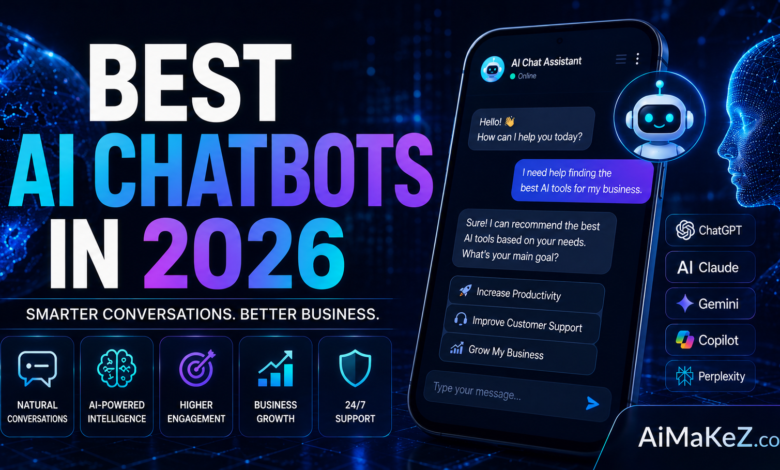
If you’ve ever spent hours searching for the right AI assistant only to end up more confused than when you started, you’re not alone. The market for best AI chatbots has exploded in 2026, with dozens of platforms competing for your attention. Whether you need the best AI chatbots for customer service, content creation, coding help, or everyday productivity, this guide cuts through the noise and shows you exactly what each tool does best. We’ve tested, compared, and ranked the best AI chatbots available today so you don’t have to.
Table of Contents
What Are AI Chatbots?
An AI chatbot is a software application powered by large language models (LLMs) and natural language processing (NLP) that can understand, generate, and respond to human text or voice input. Unlike traditional rule-based bots that follow scripted decision trees, modern AI chatbots use generative AI to produce context-aware, human-like conversations.
The best AI chatbots in 2026 go far beyond simple Q&A. They can write code, analyze documents, summarize research, draft marketing copy, plan projects, and even control third-party apps through integrations. They’re used by solo freelancers, Fortune 500 companies, healthcare providers, educators, and developers alike.
What sets today’s best AI chatbots apart is their multimodal capability — they can process text, images, audio, video, and files simultaneously, making them versatile AI virtual assistants for nearly any workflow.
Key Features of the Best AI Chatbots
Not every AI chatbot platform is built the same. When evaluating the best AI chatbots, look for these critical capabilities:
1. Natural Language Understanding (NLU)
The cornerstone of any great conversational AI is how well it understands context, intent, and nuance. Top-tier chatbots don’t just respond to keywords — they grasp the meaning behind ambiguous or complex prompts, maintaining context across long multi-turn conversations.
2. Multimodal Input Support
The leading AI chat platforms in 2026 support text, images, PDFs, spreadsheets, audio, and video inputs. This means you can upload a financial report and ask the chatbot to summarize it, or paste a screenshot and ask it to explain the error message.
3. Real-Time Web Access
Static knowledge bases become outdated quickly. The best AI chatbot software includes live web browsing or search integrations, allowing you to get answers based on current news, pricing, and recent events — not just training data from months ago.
4. Plugin and API Ecosystem
Extensibility matters. Leading chatbot platforms offer deep integrations with tools like Google Workspace, Microsoft 365, Slack, Notion, Zapier, Salesforce, and hundreds of other productivity apps. This transforms your AI assistant from a standalone chat window into a fully integrated workflow engine.
5. Memory and Personalization
Advanced AI chatbots now feature persistent memory — they remember your preferences, past conversations, writing style, and project details across sessions. This personalization dramatically reduces repetitive setup time and makes the chatbot feel like a true digital colleague.
6. Code Generation and Execution
For developers and technical teams, code generation is a non-negotiable feature. The best AI chatbots can write, debug, explain, and even execute code in multiple programming languages — including Python, JavaScript, SQL, Rust, and more.
7. Enterprise Security and Compliance
Business users need AI chatbot tools that meet SOC 2, HIPAA, GDPR, and ISO 27001 standards. Enterprise-grade platforms offer data encryption, private deployment options, audit logs, and role-based access controls.
Benefits of Using AI Chatbots
The practical advantages of using high-quality best AI chatbots in 2026 are hard to overstate. Here’s what businesses and individuals consistently report after adopting conversational AI into their workflows:
Time savings: Tasks that once took hours — like researching a topic, drafting an email, or generating a report — now take minutes. Teams that use AI chatbot tools report saving 5–15 hours per person per week on routine cognitive tasks.
Cost reduction: Companies using the best AI chatbots for customer service reduce support costs by 30–60%. The chatbot handles repetitive tier-1 queries, freeing human agents to focus on complex, high-value issues.
24/7 availability: Unlike human teams, AI chatbots never sleep, take vacations, or call in sick. They handle customer inquiries, generate reports, and assist users around the clock — a critical advantage for global businesses.
Consistent quality: Every response follows the same standards. AI chatbots don’t have bad days or off-brand moments. For customer-facing applications, this consistency builds trust and brand reliability.
Scalability: Whether you need to handle 10 conversations or 10,000, AI chatbots scale instantly without proportional cost increases. This makes them especially powerful for growing startups and seasonal businesses.
How AI Chatbots Work
Understanding the mechanics behind the best AI chatbots helps you choose the right tool and use it more effectively. Here’s a simplified step-by-step breakdown of how modern AI chatbots process your input:
Step 1 — Input processing: When you type a message, the AI chatbot converts your text into tokens (numerical representations of words and word fragments). The tokenizer breaks down your prompt into units the model can process mathematically.
Step 2 — Context window analysis: The model reads your entire conversation history within its context window (which can range from 8,000 to over 2 million tokens in 2026’s leading models). It uses this context to understand what you’re asking in relation to previous exchanges.
Step 3 — Transformer attention: The AI applies attention mechanisms — the core innovation behind LLMs — to weigh the importance of different words and phrases in your prompt relative to each other. This is how it grasps nuance and context.
Step 4 — Response generation: The model predicts the most statistically appropriate next token, then the next, building a response word by word. This is called autoregressive generation — it’s why chatbots appear to “think” as they respond.
Step 5 — Post-processing: The raw output is filtered through safety layers, formatting rules, and system instructions (the AI’s personality and guardrails set by the provider). The final text is streamed back to you in real time.
Step 6 — Tool use (if enabled): Advanced best AI chatbots can call external tools — web search APIs, code interpreters, database connectors, or third-party plugins — mid-conversation. The chatbot orchestrates these tool calls autonomously before presenting you with a synthesized final answer.
Top Best AI Chatbots in 2026: Detailed Reviews
Here is an in-depth look at the best AI chatbots dominating the market in 2026, based on capability, usability, pricing, and real-world performance.
1. ChatGPT (OpenAI) — Best AI Chatbot for General Use
ChatGPT remains the most widely used AI chat platform in the world. Powered by GPT-4o and beyond, it supports multimodal inputs, real-time web browsing, DALL·E image generation, and a vast plugin ecosystem. The ChatGPT desktop app and mobile apps make it accessible everywhere.
For businesses, ChatGPT Enterprise offers custom GPTs, advanced data analysis, and API access with no usage caps. It excels at long-form writing, coding, data analysis, and research synthesis — making it a go-to AI virtual assistant for knowledge workers globally. If you’re looking for the best AI chatbot for everyday tasks, ChatGPT is the obvious starting point.
2. Claude (Anthropic) — Best AI Chatbot for Long Documents
Claude has earned a reputation as one of the safest and most nuanced AI chatbot tools available. Built with Anthropic’s Constitutional AI framework, it prioritizes helpfulness, harmlessness, and honesty. Claude excels at processing extremely long documents — its context window supports up to 200,000 tokens — making it ideal for legal, research, and enterprise document workflows.
Claude’s ability to maintain consistent tone across long conversations and handle sensitive topics with care makes it a preferred choice for healthcare, legal, and compliance-heavy industries. For document-intensive work, Claude is arguably the best AI chatbot on the market.
3. Google Gemini — Best AI Chatbot for Google Workspace
Google Gemini integrates natively with Google Workspace — Gmail, Docs, Sheets, Slides, and Drive — making it arguably the best AI chatbot for existing Google ecosystem users. Gemini Ultra supports multimodal reasoning at a level that rivals the best models on the market.
Its deep integration with Google Search gives Gemini an edge in real-time information retrieval, and the Gemini API lets developers build custom generative AI chat applications at scale.
4. Microsoft Copilot — Best AI Chatbot for Microsoft 365
Microsoft Copilot is deeply embedded across the Microsoft 365 ecosystem — Word, Excel, PowerPoint, Teams, and Outlook. For enterprise users already invested in the Microsoft stack, Copilot is the most seamlessly integrated AI assistant available. It can draft emails, summarize meeting recordings, create PowerPoint decks from prompts, and analyze Excel data with natural language. For Microsoft-first organizations, it’s clearly the best AI chatbot choice.
5. Perplexity AI — Best AI Chatbot for Research
Perplexity AI positions itself as a conversational search engine. Every answer comes with cited sources, making it particularly valuable for researchers, journalists, and analysts who need verifiable, up-to-date information. Its Pro Search mode uses multiple AI models — including GPT-4o and Claude — to cross-verify answers, delivering impressive accuracy on complex research queries.
6. Meta AI (Llama-Based)
Meta AI is embedded directly in WhatsApp, Instagram, Facebook, and Messenger — making it the most accessible free AI chatbot for everyday users. Powered by Meta’s Llama models, it handles everyday questions, image generation, and social media content creation with impressive capability for a free tier offering.
7. Grok (xAI)
Grok, developed by Elon Musk’s xAI, is designed to be a no-nonsense, real-time AI chatbot with access to live X (formerly Twitter) data. Grok 3 offers deep reasoning capabilities and is one of the few AI chatbots with genuine humor and a willingness to engage with edgier topics other models deflect.
8. Jasper AI — Best AI Chatbot for Brand Marketing
While Jasper originated as a marketing copywriting tool, it has evolved into a full-featured enterprise AI chat platform. It excels at brand voice consistency — you can train Jasper on your company’s style guide, tone, and messaging pillars to ensure every piece of AI-generated content sounds unmistakably on-brand. For marketing teams, Jasper stands out as the best AI chatbot for maintaining brand consistency at scale.
Real-World Use Cases for Best AI Chatbots
The practical applications of AI chatbot tools span virtually every industry. Here’s how real businesses and professionals are using the best AI chatbots today:
Customer service automation: E-commerce brands use AI chatbots to handle order tracking, returns, product recommendations, and FAQs — deflecting 70–80% of support tickets before they reach human agents. Companies like Shopify merchants report customer satisfaction scores actually improving after deploying well-configured AI customer service bots.
Content marketing: Digital agencies use AI chat platforms to generate blog post outlines, SEO meta descriptions, social media captions, email newsletters, and ad copy in minutes. A single content strategist can now manage the output of what previously required a team of three writers.
Software development: Developers use ChatGPT, Claude, and GitHub Copilot Chat to write boilerplate code, debug tricky errors, explain legacy codebases, and generate unit tests. Engineering teams report 20–40% faster development cycles when AI chatbot tools are integrated into their IDE workflows.
Education and tutoring: Students and lifelong learners use AI chatbots as personalized tutors. Instead of passive reading, they engage in Socratic dialogue — asking follow-up questions, testing understanding, and exploring concepts at their own pace. Khan Academy’s integration of AI tutoring demonstrates how conversational AI reshapes personalized education.
Healthcare information: Hospitals and health platforms use enterprise AI chatbots (with appropriate HIPAA compliance) to provide patients with pre-appointment information, symptom triage guidance, and medication reminders. These tools reduce administrative burden without replacing clinical judgment.
Legal and compliance: Law firms use Claude and similar AI chatbots to summarize lengthy contracts, identify unusual clauses, and draft initial correspondence. The ability to analyze 100,000-word documents in seconds is transforming how legal teams handle due diligence.
Pros and Cons: Best AI Chatbots Compared
| AI Chatbot | Best For | Strengths | Weaknesses |
|---|---|---|---|
| ChatGPT | General use, coding, writing | Versatile, massive plugin ecosystem, strong reasoning | Premium features require paid plan |
| Claude | Long documents, safe enterprise use | 200K context window, nuanced writing, safety-focused | Fewer integrations than ChatGPT |
| Google Gemini | Google Workspace users | Native Google integrations, real-time search | Less consistent in creative tasks |
| Microsoft Copilot | Microsoft 365 enterprise | Deep Office integration, Teams workflow | Limited outside Microsoft ecosystem |
| Perplexity AI | Research, fact-checking | Cited sources, real-time accuracy | Less useful for creative writing |
| Meta AI | Social/casual use | Free, embedded in popular apps | Privacy concerns, limited enterprise features |
| Grok | Real-time data, X users | Live X data, strong reasoning | Requires X Premium subscription |
| Jasper AI | Brand marketing teams | Brand voice training, marketing templates | Expensive for solo users |
Pricing of the Best AI Chatbots in 2026
Here’s an overview of current pricing across the leading best AI chatbots available in 2026:
ChatGPT: Free tier available (GPT-3.5 access). ChatGPT Plus costs $20/month and includes GPT-4o, image generation, and plugins. ChatGPT Team is $25/user/month. ChatGPT Enterprise pricing is custom.
Claude: Claude.ai free tier gives limited access. Claude Pro is $20/month with priority access and a 200K context window. Claude for Teams starts at $25/user/month. Enterprise pricing available on request.
Google Gemini: Gemini is free with a Google account. Gemini Advanced (via Google One AI Premium) costs $19.99/month. Workspace users can access Gemini for Workspace add-ons at $30/user/month.
Microsoft Copilot: Free in Windows 11 and Bing. Microsoft 365 Copilot for enterprise is $30/user/month (requires a Microsoft 365 base subscription).
Perplexity AI: Free tier available. Perplexity Pro is $20/month with access to GPT-4o, Claude, and priority Pro Search features.
Meta AI: Completely free, integrated into Meta’s social platforms.
Grok: Included with X Premium ($8/month) and X Premium+ ($16/month). API access available separately.
Jasper AI: Creator plan at $49/month. Teams plan at $125/month (3 users). Business pricing is custom.
Best AI Chatbots vs. Alternatives: How They Compare
Choosing among the best AI chatbots comes down to matching the tool to your specific workflow. Here’s how the top contenders stack up against each other in the most important dimensions:
ChatGPT vs. Claude: ChatGPT wins on plugin ecosystem breadth and real-time image generation. Claude wins on document length, nuanced tone, and enterprise safety compliance. For writers handling long manuscripts or legal documents, Claude is often the better choice. For developers and marketers who need a versatile Swiss Army knife, ChatGPT is hard to beat.
Google Gemini vs. Microsoft Copilot: If your team lives in Google Workspace, Gemini is the natural AI assistant — it reads your Gmail, summarizes your Drive documents, and drafts your Docs inline. If you’re a Microsoft-first organization, Copilot is seamlessly embedded in the tools your team already uses daily, making adoption frictionless.
Perplexity AI vs. ChatGPT (for research): Perplexity AI wins hands-down for fact-checking and current events research because every answer includes cited sources you can verify. ChatGPT (without browsing enabled) can hallucinate facts more readily, making Perplexity the safer choice for research-dependent tasks.
Free best AI chatbots comparison: Meta AI is unbeatable for zero-cost casual use. ChatGPT free tier and Gemini free tier offer stronger capabilities for knowledge workers. Claude free tier is excellent for occasional long-document tasks.
Best Practices for Using AI Chatbots Effectively
Getting maximum value from the best AI chatbots requires more than simply typing questions. Here are expert-recommended practices that professional users rely on:
Write clear, specific prompts: Vague prompts produce vague answers. Include context, desired output format, tone, length, and audience in your prompt. Instead of “Write a blog post,” write “Write a 1,000-word blog post for B2B SaaS marketers explaining how to use AI chatbot tools to reduce customer churn. Use a professional but approachable tone.”
Use system prompts for consistency: If your AI chatbot platform allows custom system instructions, use them to lock in your preferred communication style, expertise level, and recurring context. This eliminates the need to re-explain your situation every session.
Iterate, don’t accept first drafts: The first AI response is a starting point, not a final product. Ask it to expand a section, make a tone adjustment, add more examples, or restructure the argument. Power users treat best AI chatbots as collaborative thought partners, not one-shot answer machines.
Verify important facts independently: Even the best AI chatbots occasionally produce confident-sounding but incorrect information. For anything consequential — medical, legal, financial, or safety-related — always verify AI-generated facts against authoritative primary sources.
Leverage multimodal inputs: Upload documents, screenshots, and data files when relevant. Describing a problem in text is slower and less precise than uploading the actual error message, report, or spreadsheet directly.
Build a prompt library: If you find a prompt structure that consistently produces great results, save it. Professional AI users maintain libraries of high-performing prompts for their most common tasks — this is one of the highest-ROI habits you can build around AI chatbot tools.
Common Mistakes to Avoid With AI Chatbots
Even experienced users fall into predictable traps when using the best AI chatbots. Awareness of these mistakes can save you time, money, and frustration:
Treating AI output as automatically correct: No AI chatbot has a 100% accuracy rate. Hallucinations — where the model generates plausible-sounding but factually wrong content — are a real and ongoing limitation. Never publish, submit, or act on AI-generated output without a human review step.
Sharing sensitive data with consumer-grade tools: Free and consumer AI chatbot tiers often use your conversations to train future models. Never input confidential client data, proprietary business information, PII, or trade secrets into a public AI chatbot. Use enterprise-grade, privacy-compliant deployments for sensitive workflows.
Using a single chatbot for every task: No single AI chatbot is the best at everything. Perplexity beats ChatGPT for research. Claude beats Gemini for long documents. The savviest users maintain subscriptions to 2–3 best AI chatbots and route tasks to the tool best suited for each job.
Ignoring context window limits: When a conversation exceeds the chatbot’s context window, it “forgets” earlier parts of the discussion. For long projects, periodically summarize previous progress and paste it in as fresh context to maintain coherence.
Relying on AI chatbots without understanding the output: Using an AI chatbot to write code, medical advice, or legal analysis without understanding the domain is risky. AI chatbots accelerate expert work — they don’t replace the need for human expertise and judgment.
Frequently Asked Questions About Best AI Chatbots
What is the best AI chatbot in 2026?
The best AI chatbot depends on your specific use case. ChatGPT (OpenAI) remains the most versatile option for general use, coding, and content creation. Claude (Anthropic) excels at long-document processing and safety-sensitive enterprise workflows. Google Gemini is ideal for Google Workspace users, and Microsoft Copilot is best for Microsoft 365 organizations. For research with cited sources, Perplexity AI is the top choice.
Are AI chatbots free to use?
Yes, several best AI chatbots offer free tiers: ChatGPT (limited GPT-4o access), Claude.ai (limited daily messages), Google Gemini (full free tier), Microsoft Copilot (free in Windows and Bing), Perplexity AI (free tier with limited Pro Searches), and Meta AI (completely free). Paid plans unlock higher usage limits, faster response speeds, and access to more advanced models — typically ranging from $8 to $30/month for individual users.
What is the difference between an AI chatbot and a traditional chatbot?
Traditional chatbots follow pre-programmed decision trees — they can only respond to specific keywords or select options from a menu. The best AI chatbots, powered by large language models (LLMs), understand natural language contextually. They can handle open-ended questions, generate original content, and maintain complex multi-turn conversations without rigid scripts. The result is a dramatically more natural, useful, and flexible user experience.
Which AI chatbot is best for business customer service?
For enterprise customer service automation, ChatGPT Enterprise and Claude for Teams are the strongest options, offering fine-tuning, custom knowledge bases, and enterprise security. For small businesses, Intercom’s AI-powered Fin, Zendesk AI, and Tidio offer pre-built customer service chatbot frameworks built on top of leading LLMs — making deployment faster without custom development. These are widely considered the best AI chatbots for customer-facing support.
Can AI chatbots replace human customer service agents?
The best AI chatbots can automate 60–80% of routine customer service interactions, but they work best as a first-line tool that escalates complex or emotionally sensitive issues to human agents. Current AI chatbots lack true empathy, nuanced judgment in crisis situations, and the ability to handle truly novel scenarios with no precedent in their training data. The optimal model is a human-AI collaboration — not full replacement.
Final Verdict: Which of the Best AI Chatbots Should You Choose?
The landscape of best AI chatbots in 2026 is richer and more competitive than ever. There is no single “best” chatbot — the right choice depends on your specific needs, workflows, and budget. Here’s a quick decision guide to match you with the right tool:
Choose ChatGPT Plus if you need the most versatile AI assistant for a mix of writing, coding, research, and productivity tasks. Its plugin ecosystem and multimodal capabilities make it the best all-rounder among the best AI chatbots available today.
Choose Claude Pro if you regularly work with long documents, need consistent and nuanced writing, or operate in an industry where safety and compliance are priorities. Its 200K context window is genuinely transformative for document-heavy workflows.
Choose Google Gemini Advanced if your entire professional life runs through Google Workspace. The native integration is seamless and genuinely saves hours each week for Gmail, Docs, and Sheets power users.
Choose Microsoft Copilot if your organization is Microsoft-first and you want AI that works inside the tools your team already uses — without any additional setup or learning curve.
Choose Perplexity AI Pro if your primary use case is research, competitive intelligence, or journalism. The cited sources and multi-model verification make it the most trustworthy option for fact-dependent work.
For most users, starting with a free tier of ChatGPT or Google Gemini and upgrading based on actual usage patterns is the smart approach. The best AI chatbots are powerful tools — and like all tools, their value comes from how skillfully you use them. Master your prompting, explore the features, and let the best AI chatbots amplify what makes you uniquely human.