The content landscape has never moved faster. Between shrinking attention spans, algorithm shifts, and the constant pressure to publish more across more platforms, AI tools for content creators have moved from novelty to necessity. Whether you’re a solo blogger, a YouTube creator, a marketing team lead, or a podcast producer, the right artificial intelligence tools can dramatically reduce your workload while elevating the quality of your output.
In 2026, the AI toolkit available to creators is richer, smarter, and more affordable than ever before. This guide breaks down the best options on the market, explains how each one works, and helps you choose the tools that genuinely fit your workflow — not just the ones with the biggest marketing budgets.
Table of Contents
What Are AI Tools for Content Creators?
AI tools for content creators are software applications that use machine learning, natural language processing (NLP), computer vision, and generative AI models to help individuals and teams produce, optimize, repurpose, and distribute content more efficiently.
These tools span a wide range of functions. Some focus on long-form written content — blog posts, whitepapers, scripts, and ad copy. Others handle image generation, video editing, voiceover creation, social media scheduling, or SEO optimization. The most powerful platforms combine multiple capabilities in a single dashboard.
What separates 2026’s AI tools from earlier generations is contextual awareness. Modern large language models (LLMs) understand tone, brand voice, audience intent, and even regional language nuances. They don’t just generate text — they generate relevant text that feels written by a human who actually understands the subject matter.
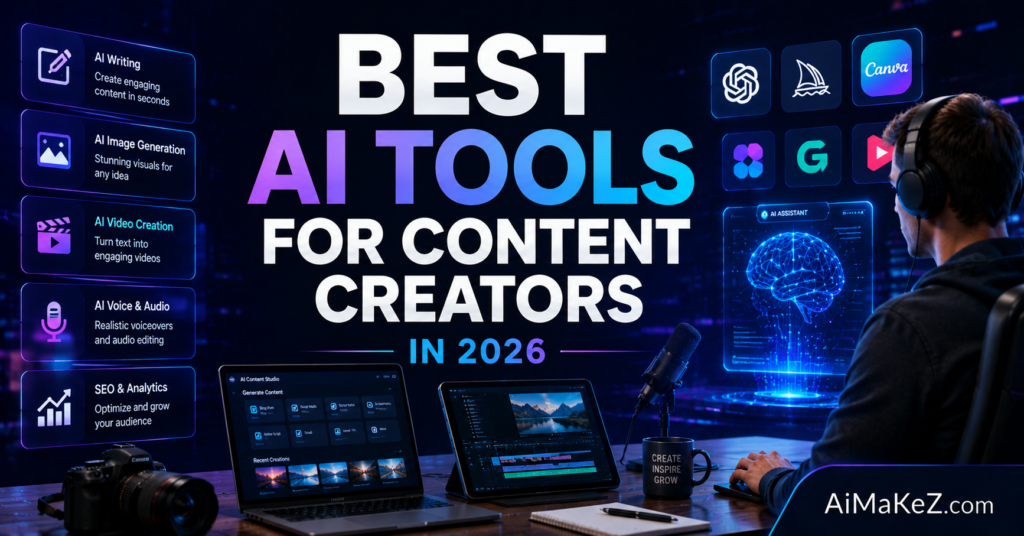
Key Features to Look For in AI Tools for Content Creators
Not all AI content tools are created equal. Before you invest in a platform — whether it’s a free tier or an enterprise subscription — here are the features that separate genuinely useful tools from overhyped ones.
Natural Language Generation Quality
The core of any content AI is how well it writes. Look for tools built on or fine-tuned from cutting-edge LLMs like GPT-4o, Claude 3.7, Gemini 2.0, or proprietary models. The output should be coherent, contextually accurate, and free from factual hallucinations.
Brand Voice Customization
Generic AI output is recognizable — and readers notice. The best platforms let you train or configure a custom brand voice, import writing samples, and maintain consistent tone across all content types. This is especially critical for agencies managing multiple clients.
SEO and Keyword Integration
Top-tier tools integrate with SEO data providers like SEMrush, Ahrefs, or Surfer SEO to surface related keywords, semantic entities, and content gap opportunities. Some even analyze SERP competitors in real time and suggest content structures proven to rank.
Multimodal Content Support
The best AI platforms in 2026 go beyond text. They generate images, create short video clips, produce voiceovers, and summarize video transcripts — all from a single interface. Multimodal support is the key to true workflow automation for modern creators.
Collaboration and Team Features
If you work with a team, look for role-based access, content approval workflows, shared asset libraries, and version history. Platforms that treat collaboration as an afterthought will slow you down rather than speed you up.
Integrations and API Access
Seamless integration with your existing tech stack — WordPress, HubSpot, Notion, Shopify, Google Docs, Slack — is non-negotiable for professional creators. API access allows custom automation and ensures your AI tool can grow with your workflow.
Top AI Tools for Content Creators in 2026
Below are the most impactful AI tools for content creators available this year, evaluated across quality, versatility, pricing, and real-world usability.
1. Jasper AI — Best for Long-Form Marketing Content
Jasper remains one of the most mature AI writing platforms on the market. In 2026, it ships with Jasper Brand Voice 2.0, which lets teams upload existing content to train a writing style that stays consistent across all campaigns. Its integration with Surfer SEO makes it particularly powerful for content teams chasing organic traffic.
Jasper excels at blog articles, email sequences, product descriptions, and ad copy. The Campaign Accelerator feature generates an entire campaign — landing page, email series, and social posts — from a single creative brief. For marketing-focused creators, it’s one of the most comprehensive solutions available. Check out the full list of Best AI Writing Tools in 2026 to compare your options.
2. ChatGPT (OpenAI) — Best for Versatile, Conversational AI Assistance
OpenAI’s ChatGPT, now running on GPT-4o and its successors, continues to be the Swiss Army knife of AI content tools. Creators use it for brainstorming, scripting, research summarization, repurposing content across formats, and generating first drafts they refine manually.
The integration of voice, image analysis, and web browsing within the same interface makes ChatGPT uniquely flexible. For individual creators who want one tool to handle everything from YouTube script drafts to Instagram caption batches, it’s hard to beat — especially at its current price point. For a full breakdown, check out our ChatGPT Review 2026.
3. Claude (Anthropic) — Best for Nuanced, Long-Context Writing
Anthropic’s Claude models are known for producing some of the most nuanced, human-sounding prose in the industry. With an exceptionally large context window, Claude can process and respond to entire documents, research papers, or transcripts without losing coherence.
Content creators working on in-depth research articles, white papers, or long-form educational content will find Claude especially capable. Its emphasis on honest, calibrated responses also reduces the hallucination problem that plagues lower-tier models. See our Claude AI Review 2026 for more details.
4. Descript — Best for Video and Podcast Creators
Descript transformed video editing by letting creators edit footage by editing a transcript. Remove a word from the text — the corresponding clip disappears. In 2026, it has expanded its AI voice cloning and overdub features significantly, allowing creators to fix audio mistakes without re-recording and generate entire narrations from text.
For podcast producers and YouTube creators, Descript’s AI-powered transcription, chapter generation, and social clip extraction make it a cornerstone tool. Its screen recording and remote interview features are icing on an already feature-rich cake.
5. Midjourney — Best AI Image Generation for Creators
Midjourney v7 (released in early 2026) produces photorealistic and stylized imagery that continues to set the standard for AI image generation. For content creators who need custom thumbnails, social media visuals, blog post illustrations, or brand imagery without a dedicated design budget, Midjourney is transformative.
Its style consistency feature — which maintains character and environment coherence across multiple generated images — is particularly useful for creators building visual brands or producing illustrated content series. Explore more options in our Best AI Image Generators in 2026 guide.
6. Surfer SEO — Best for SEO-Optimized Content
Surfer SEO has become the go-to platform for data-driven content strategy. Its Content Score system analyzes the top-ranking pages for any target keyword and tells you exactly which terms, headings, and entity relationships your article needs to compete in search results.
In 2026, Surfer’s AI writer generates outlines and drafts directly from its SERP analysis, creating content that’s structurally optimized from the first sentence. Combined with its internal link suggestions and content audit tool, it covers the entire SEO content lifecycle.
7. ElevenLabs — Best for AI Voiceover and Audio Content
ElevenLabs produces the most realistic AI-generated voice audio available to creators. With support for 30+ languages, custom voice cloning, and emotional range controls, it’s become the standard for podcasters adding AI narration, course creators producing audio modules, and video creators localizing content for international audiences.
The platform’s Projects feature allows creators to convert entire scripts or blog posts into polished audio productions — complete with multiple voice characters — in a fraction of the time traditional voice recording would require.
8. Canva AI — Best for Visual Content Design
Canva’s AI feature suite — including Magic Design, Magic Write, and the AI image generator — makes professional visual content accessible to creators with no graphic design background. In 2026, Canva AI can generate full presentation decks, social media content calendars, video reels, and branded templates from a simple text prompt.
Its deep integration with brand kits ensures that every piece of AI-generated content stays on-brand — a crucial requirement for businesses and creators building audience recognition.
9. Opus Clip — Best for Short-Form Video Repurposing
Opus Clip solves one of the most time-consuming problems in modern content creation: turning long-form video into platform-optimized short clips. Upload a podcast episode, webinar, or YouTube video, and Opus Clip’s AI identifies the most engaging moments, adds captions, reframes for vertical format, and exports clips ready for TikTok, Instagram Reels, and YouTube Shorts. You may also want to explore our guide to Best AI Video Generators in 2026.
For creators doubling down on short-form distribution — which drives enormous discovery volume in 2026 — Opus Clip is a genuine time saver that would otherwise require hours of manual editing per episode.
10. Notion AI — Best for Content Planning and Knowledge Management
Notion AI integrates directly into the workspace millions of creators already use for content calendars, research notes, and project management. Ask it to summarize meeting notes, draft a content brief, generate blog post outlines from bullet points, or translate content into another language — all without leaving Notion.
For creators who live in Notion, the AI add-on effectively turns their existing knowledge base into a smart assistant that knows their projects, editorial calendar, and brand better than any external tool could.
Benefits of Using AI Tools for Content Creation
The advantages of integrating AI tools for content creators into a workflow extend beyond simple time savings. Here’s what creators consistently report after making the switch to the best AI tools for content creators.
Speed and Volume: AI tools for content creators dramatically accelerate content production. A blog post that used to take four hours to research, outline, draft, and edit can be completed in 45 minutes with AI assistance. This allows creators and teams to maintain publishing consistency without burning out.
Ideation at Scale: Creative blocks are real and costly. The best AI tools for content creators can generate dozens of headline variations, topic ideas, content angles, and audience-specific messaging in seconds — giving creators a rich foundation to work from instead of staring at a blank page.
Content Repurposing: With AI tools for content creators, one piece of content can be repurposed into social posts, email newsletters, video scripts, and podcast segments — multiplying the ROI of every piece you create.
SEO Optimization: AI tools for content creators include powerful SEO capabilities that remove the guesswork from keyword research, content structure, and entity coverage. They analyze what’s already working in search and tell you precisely how to match and surpass it.
Cost Efficiency: For small creators and startups, the right AI tools for content creators replace or reduce the need for freelance writers, designers, and video editors — dramatically lowering content production costs while maintaining professional quality.
How AI Content Tools Work
Understanding the mechanics behind AI tools for content creators helps you use them more effectively. Whether you’re new to AI tools for content creators or looking to deepen your workflow, knowing how they work helps you get better results.
Step 1 — Input and Prompt: You provide the tool with a prompt, brief, or set of parameters. This could be a target keyword, a topic description, a writing style, a target audience, or a sample of existing content to emulate.
Step 2 — Model Processing: The AI model processes your input against its training data — billions of text examples, web pages, books, and specialized datasets — and generates a statistically likely, contextually appropriate response.
Step 3 — Output Generation: The tool produces a draft, image, audio clip, or structured recommendation. Modern tools stream this output in real time, so you see it being written rather than waiting for a completed document.
Step 4 — Human Refinement: The best results come when creators treat AI output as a first draft, not a final product. You edit for accuracy, inject your personal perspective, verify factual claims, and adjust the tone to match your voice.
Step 5 — Optimization and Publishing: Some tools automatically score content for SEO, readability, and engagement before you publish. Others integrate directly with your CMS, so you can push content live without switching platforms.
Real-World Use Cases for AI Tools in Content Creation
Blogging and Long-Form Writing
A travel blogger uses Jasper AI and Surfer SEO together. Surfer identifies high-volume, low-competition keywords about destinations. Jasper drafts the article with proper heading structure and semantic keywords included. The blogger reviews and personalizes the output with their own travel experiences — a process that takes 90 minutes instead of a full day.
E-Commerce and Product Marketing
An online store owner uses ChatGPT to generate product descriptions for 200 new SKUs in an afternoon. Each description is tailored to a specific tone, integrates target keywords naturally, and highlights benefits rather than just features. What would take a freelance writer two weeks is finished before lunch.
YouTube and Video Production
A YouTube educator uses Claude to research and outline a 20-minute tutorial, Descript to edit the recorded footage by modifying the transcript, ElevenLabs to generate an intro voiceover, and Opus Clip to extract five short clips for YouTube Shorts promotion. The entire post-production workflow runs in parallel rather than sequentially.
Social Media Content Calendars
A marketing agency uses Canva AI and Jasper together to build a month of social media content for three clients in a single afternoon. Jasper generates copy variations for each platform (LinkedIn, X, Instagram), while Canva AI produces the visual assets. The result is a fully populated content calendar that previously required two full-time employees to produce.
Online Courses and Educational Content
A course creator uses Notion AI to organize research, Claude to write lesson scripts, ElevenLabs to produce audio narration, and Midjourney to create illustration assets. Each module that used to take a week to produce now takes two days — and the production quality is higher across the board.
Pros and Cons of AI Tools for Content Creators
| Tool | Pros | Cons |
|---|---|---|
| Jasper AI | Excellent brand voice training, deep SEO integration, campaign-level content generation | Expensive for individuals, requires learning curve to maximize output quality |
| ChatGPT | Highly versatile, multimodal, large community, affordable plans | Lacks native SEO features, output can be generic without careful prompting |
| Claude | Exceptional long-context understanding, nuanced writing, lower hallucination rate | Fewer integrations than competitors, no native image generation |
| Descript | Revolutionary for video/podcast editing, AI overdub, great for teams | Video rendering can be slow, steeper learning curve for new users |
| Midjourney | Industry-leading image quality, style consistency, active community | Discord-based interface (improving), no text-in-image support yet |
| Surfer SEO | Data-driven content optimization, SERP analysis, internal linking | Premium pricing, best results require pairing with a quality AI writer |
| ElevenLabs | Most realistic AI voices, multilingual, custom voice cloning | Voice cloning raises ethical considerations, credit-based pricing adds up |
| Canva AI | All-in-one design, easy to use, great brand kit support | Less precise control than dedicated design tools like Adobe |
| Opus Clip | Fully automated short-form clip generation, excellent for repurposing | Limited manual editing control, best clips still need human curation |
| Notion AI | Integrated into existing workflows, great for planning and research | Not a standalone content writer, limited SEO features |
Pricing Overview
Pricing for AI tools for content creators varies significantly based on the platform’s target market and feature depth. Here’s a realistic breakdown for 2026.
Jasper AI starts at $49/month for the Creator plan (single user, unlimited words) and scales to $125/month for the Pro plan with team features and brand voice. Enterprise pricing is custom.
ChatGPT Plus costs $20/month for individuals with access to GPT-4o, browsing, image generation, and voice. The ChatGPT Team plan runs $30/user/month and adds collaboration features and longer context windows.
Claude Pro is priced at $20/month for individuals, offering priority access to the latest models and extended context. Team and enterprise plans scale with usage.
Descript offers a free tier with limited transcription hours. The Creator plan is $24/month and the Business plan is $40/user/month, both billed annually.
Midjourney plans range from $10/month (Basic) to $60/month (Pro), with the $30/month Standard plan offering the best value for most creators.
Surfer SEO starts at $89/month for the Essential plan (up to 30 articles/month) and $129/month for the Scale plan. An AI add-on is available for an additional fee.
ElevenLabs has a free tier (10,000 characters/month) and paid plans starting at $5/month (Starter) up to $99/month (Professional), based on character generation volume.
Canva Pro costs $15/month per person and includes the full AI feature suite, brand kit, and premium asset library. Teams and enterprise pricing is available.
Opus Clip offers a free plan with watermarked exports. Paid plans start at $19/month (Starter) and go up to $79/month (Business) for higher upload limits and watermark removal.
Notion AI is an add-on to any Notion plan at $10/member/month, making it extremely accessible for teams already on the platform.
How These Tools Compare to Alternatives
The AI tools for content creators market has no shortage of competitors. Here’s how the tools above stack up against some notable alternatives.
Copy.ai vs. Jasper: Copy.ai targets smaller teams and solopreneurs with a lower price point, but Jasper’s brand voice training and deep SEO integration make it significantly more powerful for larger content operations. Copy.ai is a solid starter tool; Jasper is for teams ready to scale.
Adobe Firefly vs. Midjourney: Adobe Firefly integrates directly into Photoshop and the Creative Cloud ecosystem, making it the better choice for designers already in that workflow. Midjourney still leads in raw image quality and aesthetic versatility, especially for creative and editorial use cases.
Riverside.fm vs. Descript: Riverside excels at high-quality remote recording and live streaming, while Descript wins on post-production AI editing. Many podcast creators use both — Riverside for recording, Descript for editing.
Writesonic vs. ChatGPT: Writesonic is purpose-built for marketing content with templates for ads, landing pages, and social posts. ChatGPT is more flexible but requires more skilled prompting to match Writesonic’s marketing-specific output quality.
Best Practices for Using AI Tools for Content Creators
Always Add Your Human Perspective
AI tools for content creators generate content based on patterns, but lack opinions, personal experience, or insider knowledge. The content that performs best in 2026 when using AI tools for content creators is human-enriched — infused with specific examples, original observations, and personality.
Fact-Check Everything
Even the best AI tools for content creators can confidently produce inaccurate statistics, misquote sources, or hallucinate details. Build a habit of verifying any specific claim — especially numbers, dates, and attributions — before publishing content from AI tools for content creators.
Build a Prompt Library
The quality of AI output is directly proportional to the quality of your prompts. Invest time in developing, testing, and refining prompt templates for your most common content types — and save them in Notion or a dedicated prompt management tool. Your prompt library becomes a competitive advantage over time.
Use AI for Ideation and Structure, Not Just Writing
Some of the highest-leverage AI use cases aren’t about generating paragraphs — they’re about generating ideas, outlines, and editorial frameworks. Using AI to map out a content strategy for the next quarter takes 30 minutes and saves days of planning.
Maintain EEAT Standards
Google’s EEAT framework rewards content that demonstrates genuine human knowledge. Top AI tools for content creators can handle structure and phrasing, but building EEAT requires author bylines, original research, first-hand experience, and authoritative sourcing — all things you provide.
Common Mistakes to Avoid
Publishing Without Editing: Raw output from AI tools for content creators is rarely publication-ready. Treat every AI-generated draft as a starting point, not a finished product. The time you save on drafting should be reinvested in quality refinement.
Over-Relying on One Tool: No single platform among AI tools for content creators does everything well. The most effective creators build a curated stack of AI tools for content creators — one for writing, another for SEO, another for visuals.
Ignoring Tone Consistency: If you’re not training your AI tool on your brand voice or carefully adjusting output, your content will feel inconsistent across channels. Audiences notice the difference between content that sounds like “you” and content that sounds like everyone else.
Neglecting Copyright and Originality: AI models are trained on vast datasets that include copyrighted material. Always customize AI output substantially, and never publish AI-generated images or text that closely mirrors a recognizable copyrighted source.
Skipping the SEO Layer: Writing AI-generated content without SEO optimization is one of the most common mistakes. Use tools like Surfer SEO or Rank Math to ensure your content has the keyword density, heading structure, and entity coverage it needs to rank.
Failing to Update Content: AI-generated content goes stale like any other content. Set reminders to revisit and update your most important articles every six to twelve months to maintain accuracy and search relevance.
Frequently Asked Questions About AI Tools for Content Creators
Are AI tools for content creators worth the investment?
For the vast majority of creators and content teams, yes — the ROI is clear. Even a $30/month AI writing subscription that saves five hours of work per week delivers significant value. The key is choosing tools that integrate with your existing workflow and match the content types you produce most frequently.
Will AI content rank on Google in 2026?
AI-generated content absolutely ranks on Google — but only when it meets the same quality standards Google applies to all content. Content that is helpful, accurate, well-structured, and demonstrates genuine expertise and trustworthiness will rank regardless of how it was produced. Thin, generic, or unedited AI content will not.
What is the best free AI tool for content creators?
ChatGPT’s free tier remains one of the most capable free AI tools for content creators in 2026. It handles writing, research, brainstorming, and light image generation without a paid subscription. Canva’s free plan also offers a solid set of design and AI writing features. For SEO, Rank Math’s free WordPress plugin provides keyword optimization without additional cost.
How do I prevent AI content from sounding generic?
When using AI tools for content creators, the most effective anti-generic strategies are: writing detailed, specific prompts that include your target audience, desired tone, and any unique angles you want explored; editing the output to inject personal examples and specific data; training the AI on your existing content to capture your voice; and reading the final draft aloud — your ear will catch generic phrasing your eye misses.
Can AI tools replace human content creators?
Not entirely — and certainly not the best ones. AI tools for content creators excel at pattern recognition, text generation, and rapid iteration, but lack genuine experience, emotional intelligence, and creative originality. The creators thriving in 2026 aren’t the ones resisting AI tools for content creators or fully delegating to them — they’re the ones using AI to amplify their own unique human perspective.
Final Verdict
The best AI tools for content creators in 2026 are not magic wands — they’re leverage. Used thoughtfully, they let you produce more, publish more consistently, reach more platforms, and serve your audience more effectively than was possible even two years ago.
If you’re just getting started, begin with ChatGPT Plus and Canva Pro. These two tools cover writing and visuals at a combined cost of $35/month and will handle the majority of a solo creator’s needs. Add Surfer SEO when organic traffic becomes a priority. Integrate Descript or Opus Clip when video becomes a major channel.
For teams and agencies, Jasper AI combined with Surfer SEO and a project management layer in Notion creates a production pipeline capable of scaling content output without proportionally scaling headcount.
The bottom line: the creators who master the top AI tools for content creators today are building an enormous compounding advantage. Every article, video, and social post produced faster and smarter than your competition widens the gap. The tools are here, they’re affordable, and the barrier to adoption is lower than it’s ever been. The only question is whether you’ll use them.