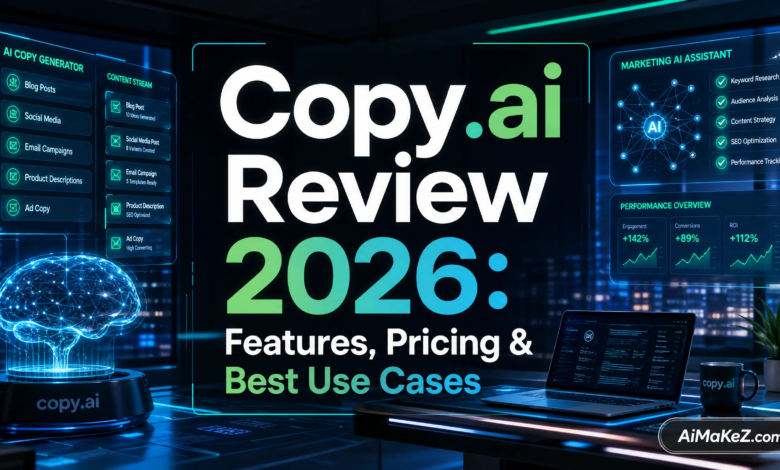
If you’ve been searching for an honest Copy.ai review that actually digs into what this platform can and cannot do in 2026, you’ve landed in the right place. The AI writing tool landscape has exploded over the past few years, and Copy.ai has evolved from a simple copywriting shortcut into a full-blown GTM (Go-To-Market) AI platform. But is it the right tool for your workflow? Let’s find out.
Table of Contents
What Is Copy.ai?
As this Copy.ai review will show, Copy.ai is an AI-powered content generation and automation platform founded in 2020 by Paul Yacoubian and Chris Lu. What started as a tool for writing marketing copy has since matured into something far more ambitious: a unified GTM AI platform designed to streamline sales, marketing, and content workflows at scale.
At its core, Copy.ai uses large language models (LLMs) — including models from OpenAI’s GPT family — to generate human-readable text for a wide variety of use cases. These range from short-form social media captions and email subject lines to long-form blog posts, sales sequences, and automated pipeline workflows.
This Copy.ai Review covers the 2026 version of the platform. As of 2026, Copy.ai positions itself less as a standalone content writer and more as an intelligent automation layer between your data, your teams, and your buyers. The platform is used by over 10 million users globally, including teams at major enterprises across North America and Europe.
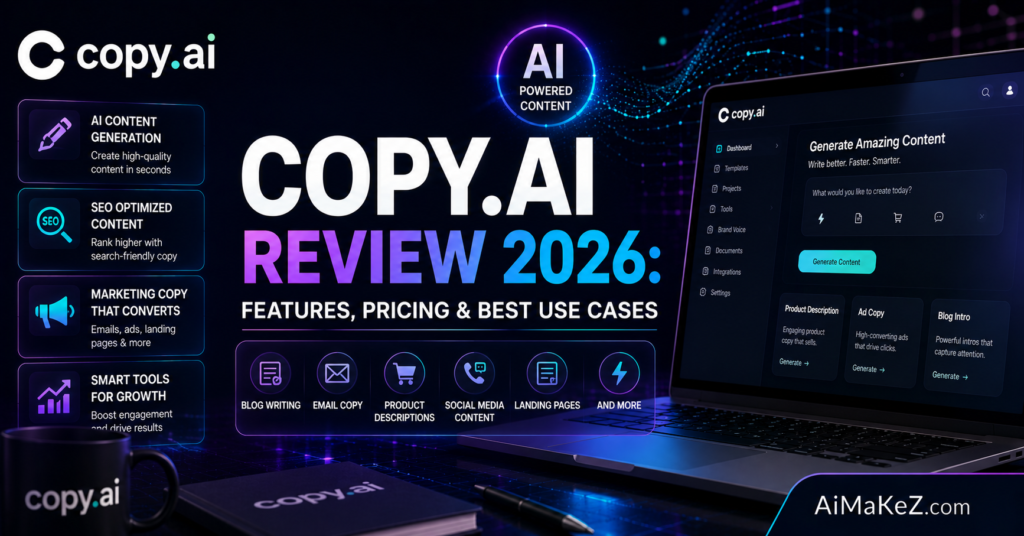
Copy.ai Review: Key Features in 2026
1. GTM Workflows (Go-To-Market Automation)
Copy.ai’s flagship feature in 2026 is GTM Workflows, which allow you to build automated, multi-step AI pipelines that replace repetitive manual tasks. You can chain together prompts, data sources, and external tools to create systems that run without human intervention — like auto-researching a lead, generating a personalized cold email, and logging the output to your CRM.
2. AI-Powered Copywriting Templates
Copy.ai still offers its library of 90+ copywriting templates covering everything from AIDA (Attention, Interest, Desire, Action) sales pages to product descriptions, Facebook ad headlines, and YouTube video scripts. These templates are particularly useful for marketers who need to produce content at scale without starting from a blank page every time.
3. Brand Voice and Style Guides
Copy.ai’s Brand Voice feature lets you upload your company’s style guide, tone of voice documentation, or even sample content. The AI uses this context to produce outputs that sound like you — not like a generic chatbot. This is a critical feature for agencies and enterprise content teams managing multiple brands simultaneously.
4. Infobase (Knowledge Management)
The Infobase is Copy.ai’s internal knowledge repository. You can store company facts, product details, target audience profiles, competitor intelligence, and brand messaging. When you generate content, the AI pulls from this repository automatically — reducing hallucinations and keeping outputs accurate and on-brand.
5. Chat (AI Chat Interface)
Copy.ai’s Chat interface is similar in concept to ChatGPT but with business context baked in. You can engage in back-and-forth conversations with the AI to brainstorm ideas, refine drafts, research topics, or solve specific copy challenges. The chat pulls from your Infobase and Brand Voice settings to stay contextually relevant.
6. Integrations and API Access
Our Copy.ai review found that Copy.ai integrates natively with tools like HubSpot, Salesforce, Zapier, Slack, Google Sheets, and more. The platform also offers a robust API for developers who want to embed Copy.ai’s generation capabilities into their own products or internal systems. This makes it highly extensible for technical teams.
7. Multilingual Content Generation
Copy.ai supports content generation in 25+ languages, making it a practical choice for international businesses targeting audiences in Europe, Latin America, Asia, and beyond. Quality varies by language, but English, Spanish, French, German, and Portuguese outputs are consistently strong.
Benefits of Using Copy.ai
As highlighted throughout this Copy.ai review, the most immediate benefit most users notice is speed. Tasks that used to take a copywriter half a day — researching a prospect, drafting outreach, iterating on messaging — can now be reduced to minutes with well-configured workflows.
Beyond speed, this Copy.ai review confirms that the tool also reduces creative friction. Writers often experience blank-page syndrome, especially when generating high-volume content like product descriptions for an e-commerce catalog or cold email sequences for a sales team. Copy.ai gives you a solid first draft that you can refine rather than build from scratch.
For enterprise teams, the brand consistency benefits are substantial. When everyone on a 50-person marketing team generates content through a shared system with the same Brand Voice settings and Infobase, you naturally get more consistent messaging across touchpoints. This is something traditional style guides alone rarely achieve.
Copy.ai also excels at lowering the cost of content production. Agencies that once required large copywriting teams can now service more clients with fewer writers. While the quality of AI-generated content still benefits from human review, the reduction in time-per-piece is measurable and significant.
How Copy.ai Works: Step-by-Step
Getting started with Copy.ai is straightforward in our hands-on Copy.ai review, even for non-technical users. Here’s how a typical content creation session works:
- Create your account: Sign up at copy.ai and choose a plan. The free tier gives you access to a limited set of features to test the platform.
- Set up your Infobase: Add your company details, products, audience profiles, and any brand documentation. This step dramatically improves output quality.
- Configure Brand Voice: Upload sample content or write a brief description of your tone. Options typically include professional, conversational, authoritative, playful, and more.
- Choose a template or open Chat: Navigate to the template library or start a Chat conversation. Templates guide you through structured inputs; Chat is better for open-ended tasks.
- Fill in your inputs: Provide context — your product name, target audience, key benefits, call-to-action. The more context you give, the better the output.
- Generate and review: The AI produces multiple output variations. You review, select, and edit the best option.
- Build Workflows (advanced): For recurring tasks, connect triggers, data sources, and generation steps into a workflow that runs automatically.
Real-World Use Cases for Copy.ai
Sales and Outbound Marketing
In this Copy.ai review, we found that sales teams use Copy.ai’s GTM Workflows to automate the research-to-outreach pipeline. A typical workflow might pull a prospect’s LinkedIn profile and company website, summarize key business pain points, and generate a hyper-personalized cold email — all without a human touching it. Teams at B2B SaaS companies report significant reductions in time-to-send for outbound campaigns using this approach.
Content Marketing and SEO
Content marketers use Copy.ai to scale blog production, generate meta descriptions, craft social media content calendars, and repurpose long-form articles into short-form formats. For SEO-focused teams, the tool helps with generating semantic variations of target keywords, building topic clusters, and drafting FAQ sections like this one.
E-commerce Product Descriptions
Online retailers with large catalogs often struggle to write unique, persuasive descriptions for hundreds or thousands of SKUs. Copy.ai can generate product descriptions in bulk using templates, dramatically reducing the time and cost of catalog management. A mid-size apparel brand, for example, could generate 500 product descriptions in the time it previously took to write 20.
Agency Use Cases
Digital marketing agencies are among the heaviest users of Copy.ai. With multiple client brands to serve, agencies benefit enormously from the ability to quickly switch Brand Voice contexts and generate client-specific content without briefing a new freelancer every time. Client onboarding, monthly reporting, ad copy testing, and email marketing are all common agency use cases.
Education and Training Content
Another use case covered in this Copy.ai review: instructional designers and e-learning developers use Copy.ai to draft course outlines, quiz questions, learning objectives, and module summaries. The tool is particularly useful for corporate training departments that need to produce large volumes of instructional content on a consistent schedule.
Copy.ai Review: Pros and Cons
| Pros | Cons |
|---|---|
| Intuitive, beginner-friendly interface | Free plan is very limited in 2026 |
| Powerful GTM Workflow automation | Workflow setup has a learning curve for non-technical users |
| Excellent brand voice and Infobase controls | Output quality can be inconsistent for niche technical topics |
| 90+ copywriting templates | Fewer long-form SEO writing features than Jasper |
| Strong integration ecosystem (HubSpot, Salesforce, Zapier) | Enterprise pricing can be steep for smaller teams |
| Supports 25+ languages | No built-in image generation |
| Regular platform updates and new features | Chat interface less powerful than standalone ChatGPT for research |
| Active community and support documentation | Plagiarism checker is not built-in |
Copy.ai Review: Pricing Plans (2026)
Copy.ai’s pricing has shifted significantly since its early days as a simple subscription tool. The current pricing structure reflects its evolution into an enterprise platform.
Free Plan
The free tier gives you access to basic copywriting templates and limited Chat functionality. It’s useful for testing the platform, but the monthly usage limits make it impractical for regular professional use. New users get a trial period with access to more features before being moved to the free tier’s restrictions.
Starter Plan
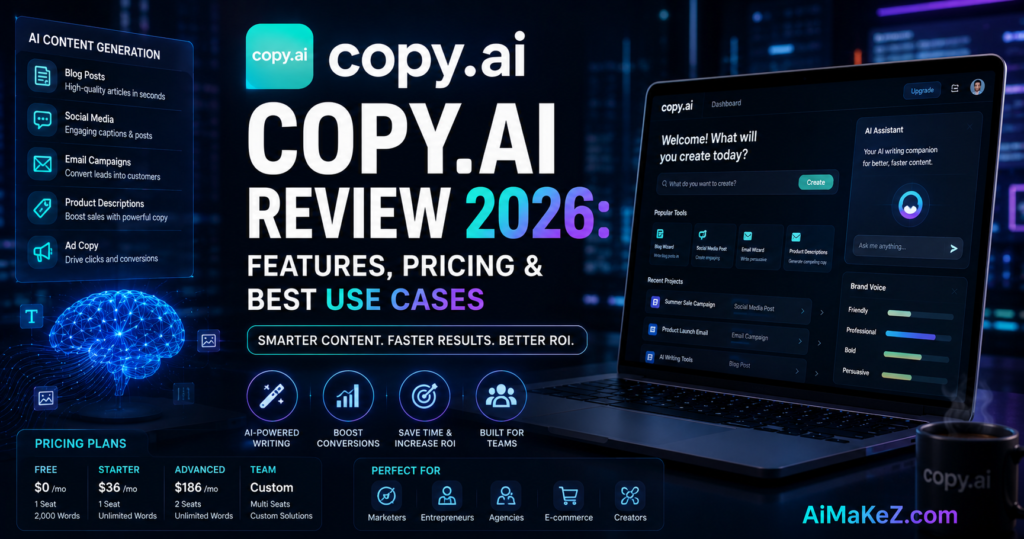
As our Copy.ai review found, the Starter plan is priced at approximately $49/month (or around $36/month when billed annually) and is aimed at freelancers and small teams. It includes unlimited chat words, access to most templates, one Brand Voice, and basic workflow capabilities. This plan suits solopreneurs and small agencies that need consistent content volume without enterprise complexity.
Advanced Plan
The Advanced plan, typically around $249/month, significantly expands workflow automation capabilities, adds multiple Brand Voices, increases Infobase storage, and adds API access. This tier targets mid-sized marketing teams and growing agencies that need more horsepower and integrations.
Enterprise Plan
The Enterprise plan is custom-priced and includes dedicated support, advanced security features (SSO, SAML), unlimited workflows, custom integrations, and SLA guarantees. Large brands and enterprise sales organizations typically operate on this tier. Pricing is negotiated based on seat count and usage volume.
Note: Pricing may vary. Always check Copy.ai’s official pricing page for the most current rates.
Copy.ai Review vs. Competitors: How Does It Stack Up?
| Feature | Copy.ai | Jasper AI | Writesonic | ChatGPT (GPT-4o) |
|---|---|---|---|---|
| Primary Focus | GTM Automation + Copywriting | Long-form SEO Content | SEO + Marketing Content | General-purpose AI |
| Templates | 90+ | 50+ | 100+ | None (prompt-based) |
| Workflow Automation | ✅ Advanced | ⚠️ Basic | ⚠️ Basic | ❌ |
| Brand Voice | ✅ | ✅ | ✅ | ❌ |
| SEO Tools | ⚠️ Limited | ✅ Strong (Surfer SEO integration) | ✅ Built-in | ❌ |
| Languages Supported | 25+ | 30+ | 25+ | 100+ |
| CRM Integrations | ✅ HubSpot, Salesforce | ⚠️ Limited | ⚠️ Limited | ❌ |
| Free Plan | ✅ (Limited) | ❌ | ✅ (Limited) | ✅ (Generous) |
| Starting Price | ~$49/month | ~$49/month | ~$20/month | $20/month (Plus) |
Bottom line from this Copy.ai review: If your primary need is SEO-focused long-form content, Jasper with a Surfer SEO integration might serve you better. If you’re on a tight budget and just need basic AI writing assistance, Writesonic or ChatGPT Plus may be more cost-effective. But if your goal is to automate multi-step sales and marketing workflows while maintaining brand consistency at scale, Copy.ai’s GTM platform offers a depth that competitors haven’t yet matched.
Copy.ai Review: Best Practices for Power Users
Copy.ai Review Tip: Invest time in your Infobase before generating content. The single biggest lever for improving output quality isn’t the prompt — it’s the context you give the system upfront. Spend an hour populating your Infobase with your ICP (ideal customer profile), key product differentiators, and common objections. You’ll see immediate improvement in relevance and accuracy.
Use iterative prompting, not one-shot requests. Treat Copy.ai Chat like a collaborative conversation rather than a vending machine. Start with a broad request, review the output, then refine with follow-up prompts. “Make this more concise” or “rewrite this for a technical audience” often produces better results than trying to front-load all your requirements into one mega-prompt.
Always apply a human editing pass. AI-generated content — even from the best tools — benefits from a human review. Check for factual accuracy, tone consistency, and logical flow. This is especially important for technical content, legal copy, or anything making specific factual claims.
Build workflows for your most repetitive tasks first. Start small when exploring GTM Workflows. Pick your single most time-consuming repeatable task — whether that’s generating weekly social posts, researching prospects, or writing follow-up emails — and automate that one process before building more complex pipelines.
Leverage templates as creative starting points, not final outputs. The template library is best used to structure your thinking and generate a first draft, not to produce publication-ready copy. Templates are especially useful for formats you’re unfamiliar with — like writing a LinkedIn thought leadership post when you’ve only ever written press releases.
Copy.ai Review: Common Mistakes to Avoid
Publishing AI content without editing. This is the most common and most damaging mistake. Unedited AI content often contains subtle inaccuracies, generic phrasing, or structural weaknesses that hurt your brand credibility. Always treat AI output as a first draft, not a finished product.
Skipping the Brand Voice setup. Many users jump straight into generating content without configuring Brand Voice. This produces generic outputs that don’t reflect your company’s personality. The Brand Voice setup takes less than 15 minutes and has an outsized impact on output quality.
Using vague or incomplete prompts. “Write a blog post about marketing” will produce a mediocre generic article. “Write an 800-word blog post targeting e-commerce CMOs explaining how AI personalization increases email CTR, with a professional but approachable tone” will produce something far more useful. Specificity is everything.
Over-relying on AI for strategic decisions. Copy.ai is a tool for execution, not strategy. The platform excels at producing content quickly once you know what you want to say. It’s not a substitute for market research, customer interviews, or competitive analysis. Use it to amplify your strategy, not replace it.
Ignoring integration possibilities. Many teams use Copy.ai in isolation, manually copying outputs into their CRM or email platform. This defeats the purpose of a connected platform. Explore the native integrations and Zapier connections early — the compounded time savings are significant.
Copy.ai Review: Frequently Asked Questions
Is Copy.ai good for SEO content writing?
Copy.ai can generate solid SEO-friendly drafts, especially when you provide clear keyword targets and topic context. However, it lacks the built-in SEO analysis tools that competitors like Jasper (with Surfer SEO) or Writesonic offer natively. For pure SEO content workflows, you may want to pair Copy.ai with a dedicated SEO tool like Surfer SEO or Clearscope. That said, for teams that already have an SEO tool in their stack, Copy.ai handles the content generation component well.
How does Copy.ai compare to ChatGPT?
ChatGPT is a more powerful general-purpose conversational AI, especially for research, analysis, and complex reasoning tasks. Copy.ai, however, is purpose-built for marketing and sales content creation, with business-specific features like Brand Voice, Infobase, and GTM Workflows that ChatGPT doesn’t offer. For marketing teams generating content at scale, Copy.ai’s structured environment and templates offer a more efficient workflow. For individual researchers or writers who prefer open-ended AI conversations, ChatGPT may be more flexible.
Does Copy.ai produce plagiarism-free content?
Copy.ai generates original content using AI language models — it doesn’t copy text from the internet. However, “original” in the AI sense doesn’t mean the content will pass every plagiarism checker, as similar phrasing can emerge across different AI-generated outputs. Copy.ai does not include a built-in plagiarism checker. If plagiarism-free certification is important for your use case (academic, legal, editorial), run outputs through a dedicated tool like Copyscape or Grammarly’s plagiarism checker before publishing.
Is Copy.ai suitable for small businesses and solopreneurs?
Absolutely. The Starter plan at around $49/month is well-suited for small business owners, freelance marketers, and solopreneurs who need consistent content output without hiring a full-time copywriter. The templates and Chat interface are intuitive enough to use without a technical background, and the brand voice setup helps even a one-person operation maintain professional, consistent messaging across channels.
What is Copy.ai’s GTM Workflow, and do I need it?
GTM Workflows are multi-step automated pipelines that connect data sources, AI generation, and external tools to complete complex tasks without manual intervention. They’re most valuable for sales teams, growth marketers, and RevOps professionals who deal with high-volume, repetitive tasks like prospect research, outreach personalization, or content repurposing. If you’re a solo blogger or small team just writing occasional articles, you probably don’t need Workflows right away. But as your content operation scales, they become increasingly powerful.
Final Verdict: Is Copy.ai Worth It in 2026?
This Copy.ai Review 2026 has thoroughly examined the platform’s features, pricing, and real-world applications, here’s where this Copy.ai review lands: Copy.ai is a genuinely impressive platform that has earned its place in the AI tools ecosystem — particularly for teams that need to scale their GTM content operations with consistency and efficiency.
For a deeper look at competing platforms, check out our AI tools hub. Copy.ai review verdict: it’s not the right tool for everyone. If you’re primarily focused on SEO-driven long-form content, the lack of built-in SEO analysis is a real gap. If you need an open-ended research AI, ChatGPT remains more flexible. And if budget is a primary concern, there are cheaper options for basic copy tasks.
But if you’re running a growing marketing team, managing a sales organization, or operating a content-heavy agency, Copy.ai’s combination of brand controls, workflow automation, deep integrations, and a battle-tested template library makes it one of the most powerful GTM AI tools available today.
The platform has also demonstrated a commitment to continuous improvement — rolling out meaningful updates, expanding its integration ecosystem, and listening to user feedback in ways that smaller competitors haven’t been able to match.
Our Copy.ai review recommendation: Start with the free trial, invest time in setting up your Infobase and Brand Voice, and run a real project through the platform before committing to a paid plan. If it clicks with your workflow — and for most marketing and sales teams, it will — the return on investment becomes clear within the first week.
This article is written for informational purposes. Pricing and features may have changed since publication. Always verify current plans and capabilities on Copy.ai’s official website.