AI automation tools are no longer a luxury reserved for Fortune 500 companies. In 2026, they have become the backbone of how individuals, startups, and enterprises get things done — faster, smarter, and with far fewer manual bottlenecks. Whether you’re running a lean marketing team in Berlin, managing a remote workforce in Chicago, or scaling a SaaS product from scratch, intelligent automation is the competitive edge you simply can’t ignore anymore.
This guide covers everything you need to know: what AI automation tools actually are, how they work, which ones are worth your time and money in 2026, and how to avoid the pitfalls that trip up most businesses when adopting them. By the end, you’ll have a clear roadmap for choosing the right tools for your specific needs.
Table of Contents
What Are AI Automation Tools?
At their core, AI automation tools are software platforms that combine artificial intelligence — including machine learning, natural language processing (NLP), and computer vision — with workflow automation to complete tasks that previously required constant human input.
Unlike traditional rule-based automation (think: simple “if this, then that” logic), modern AI-powered automation can learn from data, adapt to changing conditions, and even make context-aware decisions. They integrate with your existing tech stack — from CRMs and email platforms to project management apps and cloud databases — and handle repetitive, time-consuming tasks in the background while your team focuses on higher-value work.
Think of them as a hybrid between a digital worker and an intelligent assistant. They read, write, analyze, schedule, route, and respond — 24/7, without burnout. According to McKinsey’s research on AI automation, automation could add trillions in economic value annually by augmenting human productivity across industries.
In 2026, the category has matured dramatically. The tools available today aren’t just automating email sorting or data entry. They’re orchestrating entire workflows, managing multi-step campaigns, generating and editing content, handling customer support conversations, and even writing and debugging code.
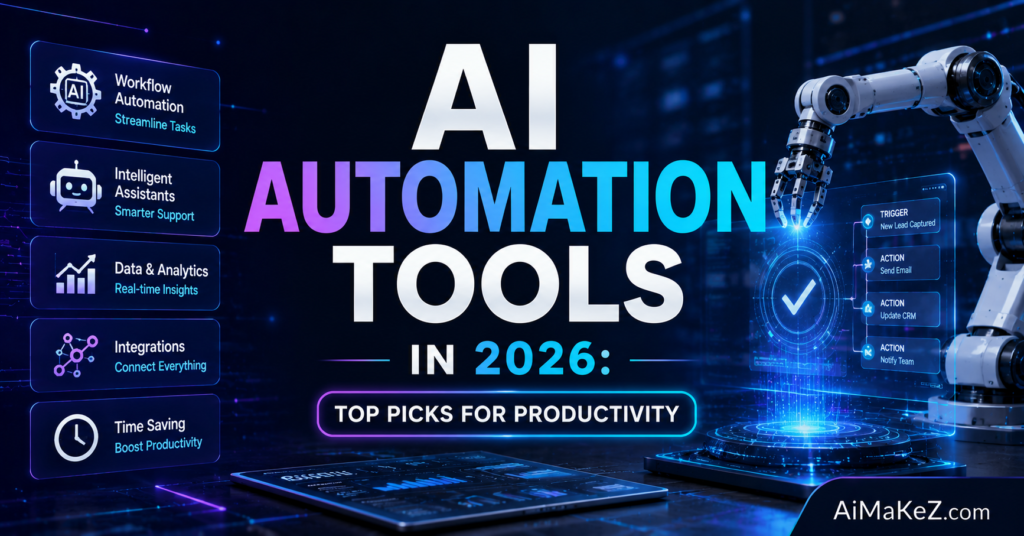
Key Features of AI Automation Tools
Not all AI automation platforms are created equal. When evaluating your options, these are the core capabilities that separate powerful solutions from overhyped ones:
Intelligent Workflow Orchestration
The best tools let you design complex, multi-step workflows visually — dragging and connecting triggers, conditions, and actions — without needing to write a single line of code. Platforms like Make (formerly Integromat) and n8n excel here, offering hundreds of pre-built app integrations and custom logic branches.
Natural Language Processing (NLP) Capabilities
Modern AI automation tools can read, interpret, and respond to natural language. This means they can categorize incoming support tickets, summarize lengthy documents, extract key data points from emails, and even draft context-aware responses — all without human supervision.
Cross-Platform Integration
A tool is only as powerful as its ability to connect your existing systems. Leading platforms support thousands of native integrations — from Salesforce and HubSpot to Slack, Google Workspace, Shopify, and custom APIs. Zapier, for instance, connects over 7,000 apps as of 2026.
AI-Powered Decision Making
Rather than following static rules, AI automation tools use machine learning models to classify data, predict outcomes, and choose the best course of action dynamically. This is especially valuable in customer journey automation and sales pipeline management.
Real-Time Monitoring and Analytics
Every mature automation platform includes dashboards and reporting features that let you track workflow performance, identify bottlenecks, monitor error rates, and optimize over time. This closed-loop feedback is essential for continuous improvement.
Low-Code / No-Code Interface
The most accessible AI automation tools are designed for non-technical users. Drag-and-drop builders, pre-built templates, and guided setup wizards allow marketing managers, HR professionals, and operations leads to build powerful automations without relying on developers.
Benefits of Using AI Automation Tools in 2026
The ROI from well-implemented AI automation is measurable and often dramatic. Here’s what businesses are actually gaining:
Dramatic Time Savings: Automating repetitive tasks — data entry, email routing, report generation, social media scheduling — can save individual team members 10–20 hours per week. At scale, that’s thousands of productive hours recovered annually.
Reduced Operational Costs: Replacing or augmenting manual processes with automation reduces labor costs, minimizes human error, and lowers the overhead associated with scaling operations. A mid-sized e-commerce company, for example, can automate order processing, inventory updates, and customer notifications for a fraction of the cost of additional staff.
Faster Execution and Response Times: Automated workflows execute instantly. Whether it’s responding to a lead within seconds of form submission or sending a personalized follow-up email the moment a deal stage changes, speed becomes a genuine competitive advantage.
Consistency and Accuracy: Humans make mistakes, especially on monotonous tasks. AI automation tools execute the same process the same way, every single time — reducing data errors, compliance issues, and customer-facing inconsistencies.
Scalability Without Proportional Headcount Growth: One of the most powerful advantages of automation is the ability to scale output without scaling your team at the same rate. A startup team of five can handle the operational volume of a team of fifteen by automating the right processes.
Better Employee Satisfaction: When routine, soul-crushing work is handled by automation, employees can focus on creative, strategic, and relational work — the kind that actually engages them and drives organizational value.
How AI Automation Tools Work: A Step-by-Step Breakdown
Understanding the mechanics helps you implement automation far more effectively. Here’s how modern AI automation platforms typically function:
Step 1 — Trigger Identification: Every automation begins with a trigger — an event that sets the workflow in motion. This could be a new email arriving, a form submission, a CRM status change, a scheduled time, or a webhook from another application.
Step 2 — Data Extraction and Parsing: Once triggered, the tool extracts relevant data from the source. NLP models may parse unstructured content (like email bodies or support tickets) into structured data fields the workflow can use.
Step 3 — Conditional Logic and AI Processing: The extracted data passes through logic layers. AI models may classify the input (e.g., “Is this a complaint, a question, or a purchase inquiry?”), score it (e.g., lead scoring), or transform it (e.g., translating a document or generating a summary).
Step 4 — Action Execution: Based on the processed data, the tool executes one or more actions — sending an email, updating a database record, creating a task in a project management tool, posting to Slack, or triggering another workflow.
Step 5 — Logging and Feedback: The platform logs the execution, records any errors, and feeds performance data back into your analytics dashboard. Over time, this data helps you refine and improve your automations.
Real-World Use Cases for AI Automation Tools
The most compelling argument for adopting AI automation tools is seeing how they actually perform in the wild. Here are concrete examples across key industries and functions:
Marketing and Content Creation
A digital marketing agency in Austin uses Zapier + OpenAI to automatically pull trending topics from an RSS feed, generate draft blog post outlines, assign them to writers in Asana, and send a Slack notification — all triggered at 7 AM each Monday. What used to take a content manager two hours now happens in under three minutes.
AI tools like Jasper, Copy.ai, and Writesonic integrate directly with CMS platforms to generate first drafts, meta descriptions, and social captions at scale — dramatically compressing the content production cycle.
Customer Support and Service
E-commerce brands are deploying AI chatbots powered by platforms like Intercom, Drift, and Tidio to handle up to 70% of incoming support queries autonomously — answering FAQs, processing returns, tracking orders, and escalating complex issues to human agents only when necessary. Response times drop from hours to seconds.
Sales and Lead Management
A SaaS company in London uses HubSpot’s AI-powered workflows to score inbound leads automatically, route high-value prospects to senior sales reps, enroll lower-scoring leads in nurture sequences, and trigger personalized demo invitations based on website behavior — all without manual intervention. Their sales team now spends 80% of their time in actual sales conversations instead of administrative triage.
HR and Recruitment
HR teams are using tools like Workato and Rippling to automate the entire employee onboarding journey — from provisioning software accounts and sending welcome emails to scheduling orientation sessions and assigning compliance training — reducing onboarding time from two weeks to two days.
Finance and Operations
Accounting teams use AI automation to match invoices against purchase orders, flag discrepancies, generate expense reports, and sync data between accounting platforms and ERPs. This eliminates weeks of manual reconciliation work each month and reduces audit risk significantly.
Education and E-Learning
Online education platforms use AI automation to personalize learning paths, send adaptive quiz reminders, auto-grade assignments, generate progress reports for instructors, and trigger intervention messages when students fall behind — creating a more responsive, personalized learning environment at scale.
Pros and Cons of AI Automation Tools
| Aspect | Pros | Cons |
|---|---|---|
| Efficiency | Executes tasks 24/7 without fatigue | Initial setup and configuration takes time |
| Cost | Reduces long-term labor costs significantly | Subscription costs can add up for complex stacks |
| Accuracy | Eliminates human error on repetitive tasks | AI models can produce incorrect outputs without oversight |
| Scalability | Handles volume spikes effortlessly | Over-automation can introduce brittleness in workflows |
| Integration | Connects thousands of apps and APIs | Legacy system compatibility can be challenging |
| Accessibility | No-code options available for non-technical users | Advanced features often require technical expertise |
| Intelligence | Learns and adapts over time with ML | Requires quality data to perform accurately |
Pricing Overview: What to Expect in 2026
Pricing across the AI automation landscape varies enormously based on usage volume, the number of connected apps, and the sophistication of AI features. Here’s a general breakdown of what the major players charge:
Zapier — Free plan (100 tasks/month, 5 zaps). (View Zapier pricing) Starter at $19.99/month. Professional at $49/month. Team and Enterprise plans available. Ideal for individuals and SMBs.
Make (formerly Integromat) — Free plan (1,000 operations/month). Core at $9/month. Pro at $16/month. Teams at $29/month. Business at $99/month. Excellent value for power users needing complex multi-step workflows.
n8n — Open-source self-hosted version is free. Cloud plans start at $20/month. Enterprise plans with advanced security and support are available. Best for technical teams wanting full control and customization.
HubSpot Workflows — Included in Marketing Hub Professional ($800/month) and above. Extensive native automation within the HubSpot ecosystem. High cost of entry but deeply integrated for full-funnel automation.
Workato — Enterprise-focused pricing, typically $10,000–$50,000+ per year depending on usage. Designed for large organizations with complex integration needs across hundreds of apps.
Microsoft Power Automate — Per-user plan at $15/month. Per-flow plan at $500/month per flow. Included in many Microsoft 365 Business plans. Strong choice for organizations deeply embedded in the Microsoft ecosystem.
Comparison With Alternatives: Top AI Automation Tools in 2026
| Tool | Best For | Ease of Use | AI Features | Starting Price |
|---|---|---|---|---|
| Zapier | SMBs, marketers | ★★★★★ | Medium | Free / $19.99/mo |
| Make | Power users, agencies | ★★★★☆ | Medium-High | Free / $9/mo |
| n8n | Developers, tech teams | ★★★☆☆ | High | Free (self-hosted) |
| HubSpot Workflows | Sales & marketing teams | ★★★★☆ | High | $800/mo |
| Microsoft Power Automate | Enterprise, Microsoft users | ★★★☆☆ | Medium-High | $15/mo |
| Workato | Large enterprises | ★★★☆☆ | Very High | Custom |
| Activepieces | Startups, open-source fans | ★★★★☆ | Medium | Free / $19/mo |
Looking to dive deeper into specific tools? Check out our detailed reviews on the latest AI tools on AiMaKeZ to help you make the best choice for your workflow.
Best Practices for Implementing AI Automation Tools
Getting the most out of AI automation requires more than just picking a tool and flipping a switch. Here are the practices that separate successful automation programs from expensive experiments:
Start with your highest-friction processes. Don’t automate everything at once. Identify the two or three workflows that consume the most time or cause the most errors, and automate those first. Early wins build momentum and organizational buy-in.
Map your workflow before building it. Before touching any automation tool, document the current process step by step. Identify inputs, outputs, decision points, and exceptions. Tools like Lucidchart or even a simple Google Doc work fine. Automation built without a clear process map almost always needs expensive rebuilding later.
Build in human checkpoints for high-stakes decisions. Not everything should be fully automated. For actions with significant consequences — sending mass emails, making financial transactions, deleting records — include a human approval step in the workflow until you have complete confidence in the automation’s accuracy.
Test obsessively before going live. Use sandbox environments and test data to validate every step of a workflow before activating it in production. A single misconfigured step in an automated process can affect thousands of records or customers in minutes.
Monitor, iterate, and improve. Automation is not a “set it and forget it” exercise. Review workflow performance metrics weekly, watch for errors, and refine your automations as your processes evolve. The best automation programs treat their workflows like software products — always in development.
Train your team. The most sophisticated automation is worthless if your team doesn’t understand it or trust it. Invest in proper documentation, training sessions, and a culture that embraces continuous improvement through technology.
Common Mistakes to Avoid With AI Automation Tools
These are the errors that consistently derail automation initiatives — and how to sidestep them:
Automating a broken process: Automation amplifies what already exists. If a process is inefficient or poorly designed, automating it just makes it fail faster and at greater scale. Fix the process first, then automate it.
Over-engineering from day one: Many teams try to build the perfect, comprehensive automation system immediately. This leads to complexity, delays, and abandonment. Start simple, validate, then layer in sophistication.
Neglecting error handling: Every workflow needs a plan for when things go wrong — failed API calls, missing data, unexpected input formats. Without proper error handling, broken automations can silently fail for days, causing downstream problems you won’t notice until the damage is done.
Ignoring data quality: AI automation tools are only as good as the data they work with. Dirty, inconsistent, or incomplete data — common in CRMs and legacy databases — will undermine your automations. Clean your data first.
Forgetting about compliance and privacy: Automation often involves handling personal data. In the US and Europe (especially under GDPR), automated processing of personal information carries specific legal requirements. Ensure your automation workflows are compliant before deployment.
Choosing the wrong tool for the job: Using an enterprise-grade tool for a simple two-step automation is overkill. Using a lightweight consumer tool for complex enterprise workflows is a recipe for hitting limitations. Match the tool to the actual complexity and scale of your needs.
Frequently Asked Questions About AI Automation Tools
What is the best AI automation tool for small businesses in 2026?
For small businesses, Zapier remains the top recommendation due to its ease of use, extensive app library (7,000+ integrations), and generous free tier. Make is an excellent alternative for teams that need more complex, multi-step workflows at a lower price point. Both platforms offer no-code interfaces that allow non-technical users to build powerful automations quickly.
Do I need coding skills to use AI automation tools?
Most leading AI automation platforms — including Zapier, Make, and Microsoft Power Automate — are designed specifically for non-technical users with drag-and-drop interfaces and pre-built templates. However, if you want to build highly customized automations, integrate with niche APIs, or use AI models in advanced ways, some technical knowledge (basic JavaScript or Python) is helpful. n8n is the best option for developers who want maximum flexibility.
How much does it cost to implement AI automation in a business?
Costs vary dramatically based on scale and complexity. A small business can get started for free on Zapier or Make and scale to $50–$200/month as their automation needs grow. Mid-market companies typically spend $500–$2,000/month across multiple platforms. Enterprise implementations involving Workato, MuleSoft, or HubSpot can run $10,000–$100,000+ annually. The ROI, however, typically far exceeds the cost within the first six months for any well-implemented automation program.
Are AI automation tools secure and GDPR compliant?
The major platforms — Zapier, Make, n8n, HubSpot, and Microsoft Power Automate — are GDPR-compliant and offer robust security features including data encryption, SSO, role-based access controls, and data residency options for EU users. However, compliance ultimately depends on how you configure your workflows. You are responsible for ensuring that personal data is processed lawfully, stored appropriately, and that data subject rights can be fulfilled. Always review a platform’s Data Processing Agreement (DPA) before handling personal data.
What’s the difference between AI automation tools and traditional RPA?
Robotic Process Automation (RPA) tools like UiPath and Automation Anywhere automate tasks at the UI layer — essentially recording and replaying mouse clicks and keystrokes on desktop or web applications. They’re powerful for automating legacy software that lacks APIs but are brittle when interfaces change. Modern AI automation tools, by contrast, integrate via APIs, use machine learning to handle unstructured data, and can adapt to variable inputs intelligently. The two approaches are increasingly converging, with many enterprise platforms now offering both RPA and AI-driven workflow automation in a single suite.
Final Verdict: Which AI Automation Tools Should You Use in 2026?
The bottom line is this: adopting AI automation tools in 2026 is not optional for businesses that want to remain competitive. The question isn’t whether to automate, but where to start and which platforms to trust.
For most small to medium-sized businesses, Zapier or Make will cover the majority of automation needs at an accessible price point. If your team is technically inclined and values flexibility, n8n offers unmatched power and customization. For organizations running their go-to-market operations through HubSpot, leaning into native HubSpot Workflows is the smart move. Enterprise teams with complex, cross-functional needs should evaluate Workato or Microsoft Power Automate as their orchestration layer.
The key is to start small, demonstrate value quickly, and build from there. Automation is a capability that compounds over time — each workflow you build frees up human attention that can be redirected toward building the next, smarter automation. Teams that embrace this iterative approach consistently outperform those that either ignore automation entirely or try to build a perfect system all at once.
Invest in the right AI automation tools today, and you’re not just optimizing for 2026 — you’re building the operational infrastructure that will define how efficiently and intelligently your organization operates for years to come.