Launching a brand in 2026 means competing in a visual-first world where a memorable logo is the first handshake between you and your audience. Yet hiring a professional designer can cost hundreds of dollars and take weeks. This is exactly where AI logo generators change the game, letting founders, marketers, and creators design polished, professional identities in minutes. In this in-depth guide, we review the best AI logo generators, explain how they work, and help you choose the right tool for your budget and brand.
Table of Contents
What Are AI Logo Generators?
AI logo generators are software platforms that use artificial intelligence, machine learning, and generative design algorithms to create custom logos based on your inputs. Instead of starting with a blank canvas, you answer a few prompts about your business name, industry, style preferences, and color palette. The system then produces dozens of ready-to-use brand marks within seconds.
Modern logo makers blend two technologies. Template-driven engines like Looka and Tailor Brands assemble curated icons, fonts, and layouts using smart design rules. Newer generative tools, powered by diffusion models similar to those behind image generators, create original artwork from a text description. The result is a fast, affordable path to a professional brand identity that once required a design agency. If you want to explore more AI-powered creative software, browse our latest AI tool reviews and guides.
For small business owners, startups, and content creators, AI logo generators remove the biggest barriers to branding: cost, time, and design skill. You do not need to open Adobe Illustrator or understand color theory to walk away with a usable logo, a matching brand kit, and files ready for print and web.
Key Features of the Best AI Logo Generators
While every platform has its own personality, the leading tools share a core set of capabilities that separate a quick gimmick from a genuinely useful design partner.
Intelligent Design Suggestions in AI Logo Generators
The heart of any logo maker is its recommendation engine. Quality AI logo generators analyze your industry and style choices to suggest icons, typography pairings, and color schemes that actually make sense for your niche. A yoga studio receives calming, organic shapes, while a fintech startup sees clean, geometric marks that signal trust.
Full Customization Control
The best tools let you fine-tune every element. You can swap symbols, adjust spacing, change fonts, tweak colors with hex codes, and reposition text. This editing freedom is what turns an automated draft into a brand you truly own.
Vector and High-Resolution File Export
Professional branding demands scalable files. Top platforms deliver SVG, EPS, and PDF vector formats alongside transparent PNGs, so your logo stays crisp on a business card or a billboard.
Complete Brand Kits
Beyond a single logo, tools like Looka and Tailor Brands generate business cards, social media banners, email signatures, letterheads, and brand style guides. This turns a logo maker into a lightweight branding suite.
Benefits of Using AI Logo Generators
The practical advantages go well beyond saving a few dollars. Speed is the headline benefit. What might take a freelance designer a week arrives in under five minutes, letting you test ideas and iterate without waiting on revision rounds.
Affordability is the second draw. Most AI logo generators let you experiment for free and only charge when you download final files, usually between twenty and sixty-five dollars. That is a fraction of a typical agency fee, making professional branding accessible to bootstrapped founders and side-hustlers.
Consistency is an underrated advantage. Because these tools export matching brand assets, your visual identity stays cohesive across your website, packaging, and social channels. Finally, the low commitment encourages creative exploration; you can generate fifty concepts and refine the ones that resonate, all without design experience.
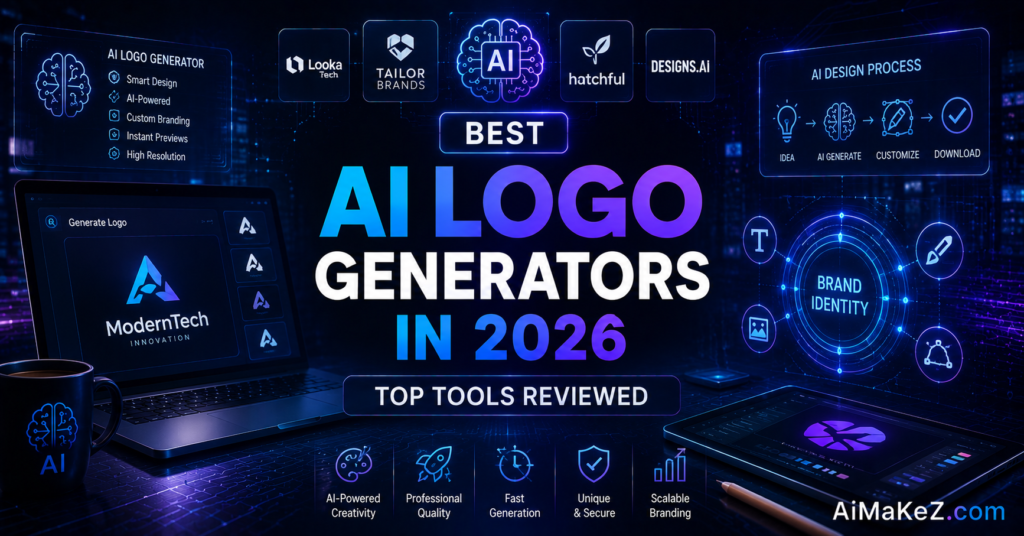
How AI Logo Generators Work: Step by Step
- Enter your brand name and tagline. The tool uses this text as the foundation for typography and layout options.
- Choose your industry. Selecting your niche helps the AI recommend relevant icons and design conventions.
- Pick styles and colors. You select visual moods, such as modern, playful, or classic, and preferred color palettes.
- Review generated concepts. The engine instantly produces dozens of unique logo variations to browse.
- Customize your favorite. Open the editor to adjust fonts, icons, spacing, and colors until it feels right.
- Download your files. Export vector and raster formats, plus any brand kit assets included in your plan.
Real-World Use Cases
AI logo makers serve a surprisingly wide range of users. In small business, a local bakery owner can create a warm, hand-lettered mark and matching menu cards over a weekend. For marketing agencies, these tools speed up client pitches by producing multiple identity directions before a single billable hour is spent.
In content creation, YouTubers and podcasters use them to build recognizable channel branding, including thumbnails and profile art. Within education, student clubs, online courses, and school events design event logos without a budget. For productivity and automation, entrepreneurs launching multiple micro-brands or dropshipping stores can spin up cohesive identities at scale, then plug the assets into automated print-on-demand and e-commerce workflows.
Pros and Cons of AI Logo Generators
| Pros | Cons |
|---|---|
| Extremely fast, results in minutes | Can feel generic without customization |
| Far cheaper than hiring a designer | Limited originality on template-based tools |
| No design skills required | Best files often locked behind paid plans |
| Includes matching brand kits | Trademark uniqueness is not guaranteed |
| Easy to test many concepts | Less strategic than a human brand expert |
Pricing Overview
Most AI logo generators follow a freemium model: design for free, pay to download. Looka typically offers a basic logo package around twenty dollars and a brand kit subscription near ninety-six dollars per year. Tailor Brands uses a monthly subscription that bundles branding with business formation tools. Wix Logo Maker sells standard logos near twenty dollars and advanced kits closer to fifty. Free options like Canva and Brandmark provide generous no-cost tiers, with premium exports available on paid plans.
Before you pay, always confirm what the price includes. Check whether you receive full commercial rights, editable source files, and high-resolution vectors, since these details vary significantly between platforms.
Detailed Reviews of the Top AI Logo Generators
While a feature checklist tells part of the story, the real differences between platforms show up once you start designing. Below we break down the strengths, weaknesses, and ideal user for each of the most popular AI logo generators in 2026, so you can match a tool to your specific situation rather than picking one at random.
Looka
Looka remains one of the most polished options on the market, and it is often the first name people mention when they talk about AI logo design. After you enter your company name, industry, and a few style preferences, Looka generates dozens of professional concepts in seconds. Its editor is beginner-friendly yet surprisingly deep, letting you adjust typography, symbols, colors, and layout without any design experience. The biggest advantage is the seamless jump from a single logo to a complete brand identity, including business cards, social media assets, and a full brand kit. The main drawback is that high-resolution and vector files sit behind a paywall, so the genuinely useful output requires a purchase.
Canva
Canva is less of a dedicated logo maker and more of an all-in-one design platform, and that breadth is exactly why so many creators love it. Its generous free tier lets you build a logo and then reuse the same brand across presentations, social posts, flyers, and video thumbnails. The template library is enormous, and the drag-and-drop editor is the most intuitive of any tool reviewed here. The trade-off is that Canva leans on shared templates rather than fully original AI concepts, so extra effort is needed to make a logo feel truly unique. It is the ideal pick for content creators and small teams who want one workspace for everything.
Tailor Brands
Tailor Brands positions itself as a complete business-launch platform rather than a simple logo tool. Alongside logo creation, it bundles services such as business formation, domain registration, and marketing materials, which appeals to first-time founders who want everything under one roof. The logo engine produces clean, modern results and guides you through the process with plenty of hand-holding. The downside is a subscription-first pricing structure that can feel expensive if you only need a logo, and some of the advanced branding tools push you toward higher-tier plans.
Adobe Express and Other Notable Tools
Adobe Express deserves a mention for anyone already inside the Adobe ecosystem. Its logo features are simpler than a dedicated maker, but the payoff is effortless handoff into professional tools like Photoshop and Illustrator when you are ready to refine. Beyond the big names, a growing group of specialized generators such as LogoAI and Brandmark focus on speed and clever automation, producing usable concepts in under a minute. These niche tools rarely offer the polish of the market leaders, yet they are excellent for quickly testing directions before you commit budget to a premium platform.
Comparison With Top Alternatives
Choosing between the leading platforms comes down to your priorities. Looka is the strongest all-rounder, praised for polished results and a robust brand kit, making it ideal for startups that want a complete identity. Tailor Brands appeals to entrepreneurs who want branding bundled with LLC formation and business services in one dashboard.
Canva wins for flexibility and a huge free tier, though its logos lean more template-based. Brandmark and LogoAI shine for design-forward users who value unique icon combinations and detailed style controls. If your priority is a genuinely original, generative mark, newer AI-first tools deserve a look, while template engines remain the safe choice for speed and reliability. For most US and European small businesses, Looka offers the best balance of quality, price, and ease of use.
How to Choose the Right AI Logo Generator for Your Needs
With so many capable tools available, the right choice depends less on which platform is “best” overall and more on which one fits your goals, budget, and technical comfort. A freelancer launching a personal brand has very different needs from a funded startup preparing for a national rollout, so it helps to weigh a few key factors before committing.
Start with your budget and how you plan to use the logo. If you only need a simple mark for a side project, a free tier or a one-time low-cost purchase may be plenty. If you expect to scale, print signage, or hand assets to a professional printer, prioritize a tool that exports true vector files such as SVG and EPS. Next, consider how much control you want: some users prefer a guided, hands-off experience, while others want to tweak every curve and kerning value themselves.
Finally, think about the ecosystem around the logo. Do you need matching business cards, social media templates, and a documented brand style guide, or just the logo itself? Platforms that generate complete brand kits save enormous time later, but you pay for that convenience. Whenever possible, test the free preview of two or three tools with your actual business name before deciding, since the quality of AI suggestions can vary significantly depending on your industry and style.
It also pays to look beyond the launch moment and think about the long term. A brand rarely stays frozen; you may rebrand, add sub-products, or expand into new markets, and a tool that keeps your editable project files and design history makes those updates painless. Reading recent user reviews and checking how responsive a platform’s support team is can save you real frustration down the line, especially if you hit a billing issue or need a specific file format on a tight deadline.
Best Practices for Getting Great Results
To pull the most value from any logo maker, treat the AI as a starting point rather than a finished product. Feed it clear, specific inputs; the more precise your industry and style choices, the better the output. Keep your design simple, since the most memorable logos are clean and work at any size, from a favicon to a storefront sign.
Limit yourself to two fonts and a tight color palette for a professional look. Always test your logo in black and white to confirm it holds up without color. Before committing, run a quick trademark search to reduce the risk of overlap with an existing brand, and download vector files so you never lose quality when scaling.
Common Mistakes to Avoid
- Overcomplicating the design. Too many icons, colors, or effects make a logo hard to recognize and reproduce.
- Skipping customization. Downloading a raw AI draft often leaves you with a generic mark that looks like everyone else’s.
- Ignoring file formats. Grabbing only a low-resolution PNG means you cannot scale for print or large displays later.
- Forgetting trademark checks. A logo that resembles an existing brand can create legal headaches down the road.
- Chasing trends. A design built on a passing fad can look dated within a year, so favor timeless simplicity.
The Future of AI Logo Design
AI logo generators have already reshaped how brands come to life, but the technology is still evolving quickly. The next wave of tools is moving beyond static template matching toward genuinely generative design, where the AI understands the meaning behind your brand and proposes concepts that feel handcrafted rather than assembled. As models improve, expect logos that adapt automatically to different contexts, shifting layout, spacing, and detail depending on whether they appear on a mobile screen, a billboard, or an app icon.
Personalization is another frontier. Future platforms will likely learn from your feedback in real time, refining suggestions as you react to them and building a lasting understanding of your visual taste. We are also seeing tighter integration between logo creation and broader brand strategy, with AI recommending color psychology, tone of voice, and even naming ideas alongside the mark itself. For small businesses, this means the gap between a do-it-yourself identity and a professionally designed one will continue to shrink.
None of this removes the value of human creativity. The most effective brands in 2026 and beyond will pair the speed and affordability of AI with a designer’s judgment about strategy, emotion, and cultural nuance. Rather than replacing designers, these tools are expanding who gets to participate in good design, and that democratization is arguably the most exciting shift of all.
For readers deciding whether to adopt these tools today, the takeaway is simple: the barrier to a strong, professional visual identity has never been lower. Experiment freely, keep your design choices consistent, and remember that the best logo is one that communicates clearly and still looks great years from now.
Frequently Asked Questions
Are AI logo generators any good for professional branding?
Yes. Modern AI logo generators produce professional-quality results, especially when you invest a few minutes in customization. They are ideal for startups, small businesses, and creators who need a polished identity quickly and affordably.
Do I own the logo an AI generator creates?
In most cases, yes. Once you purchase a plan, the platform typically grants you full commercial rights to your logo. Always read the license terms to confirm ownership and usage rights before publishing your brand.
How much does an AI logo cost?
Pricing ranges from free to around sixty-five dollars for a single logo package. Full brand kits with additional assets usually cost more, often through an annual subscription between fifty and one hundred dollars.
Can I edit my logo after downloading it?
Yes, if you download vector files such as SVG or EPS, you can edit them in tools like Adobe Illustrator or free alternatives like Inkscape. Many platforms also let you return and re-edit your design online.
Which is the best AI logo generator in 2026?
Looka is widely regarded as the best overall choice for its quality, brand kit, and ease of use. Canva is the top free option, while Tailor Brands suits founders who want branding and business services combined.
Final Verdict
The rise of AI logo generators has democratized brand design, putting professional-quality tools into the hands of anyone with an idea and a few minutes to spare. For most users in the United States and Europe, these platforms deliver remarkable value: fast, affordable, and flexible enough to launch a credible brand without a designer.
Our recommendation is straightforward. Choose Looka if you want the best all-around experience and a complete brand kit, pick Canva if you are on a tight budget, and consider Tailor Brands if you want branding bundled with business formation. Whichever you choose, remember that AI logo generators provide the raw material; your thoughtful customization is what transforms a template into a brand worth remembering. Start experimenting today, and you may be surprised how quickly a professional identity comes to life.