If you’ve been searching for an honest, in-depth Runway AI Review that cuts through the marketing noise, you’re in the right place. In 2026, AI-powered video editing has moved from a novelty to a necessity — and Runway ML stands at the center of that revolution. Whether you’re a solo creator producing YouTube content, a marketing team churning out social media ads, or a filmmaker experimenting with generative visuals, Runway promises to change how you work. But does it actually deliver? This comprehensive review breaks down everything you need to know before you commit to a plan.
Table of Contents
What Is Runway AI?
Runway AI (officially Runway ML) is a New York-based AI research company and creative platform founded in 2018 by Cristóbal Valenzuela, Alejandro Matamala, and Anastasis Germanidis. It gained mainstream attention as one of the foundational contributors to the development of Stable Diffusion and rapidly evolved into one of the most powerful AI video generation and editing tools on the market.
Our Runway AI Review reveals that at its core, Runway is a cloud-based creative suite that lets users generate videos from text prompts, edit existing footage with AI-powered tools, apply cinematic effects, remove backgrounds in real time, and synthesize entirely new scenes — all without needing a film degree or professional editing software. In 2026, the platform has expanded significantly, incorporating multi-modal generation, real-time collaboration, and integration with third-party creative workflows.
What sets Runway apart from competitors like Pika Labs, Kling AI, and Sora is its combination of usability and depth. It’s approachable enough for beginners yet powerful enough for studios working on commercial productions. The platform is used by major brands including Adobe, Adidas, and HBO, which speaks to the trust it has earned in professional environments.
Key Features of Runway AI in 2026
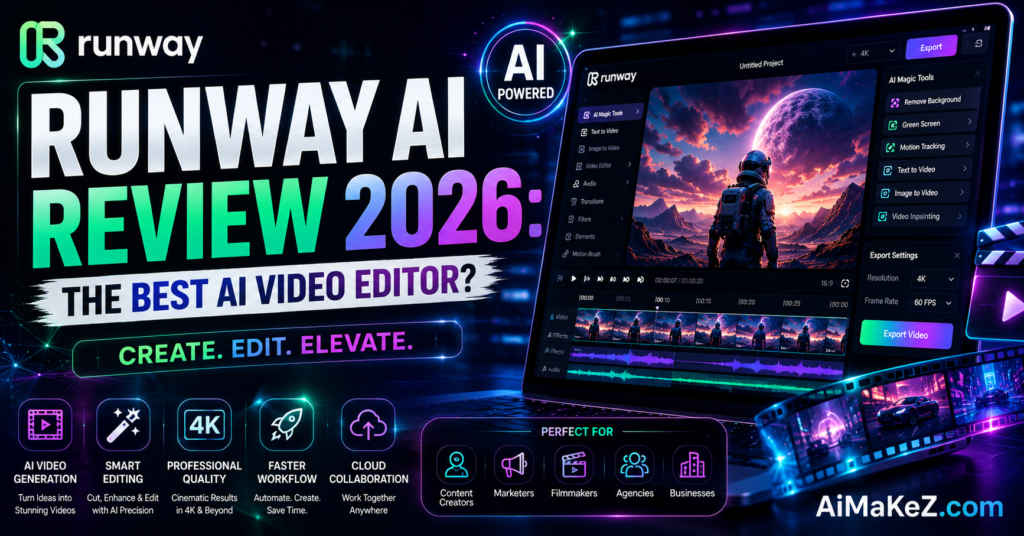
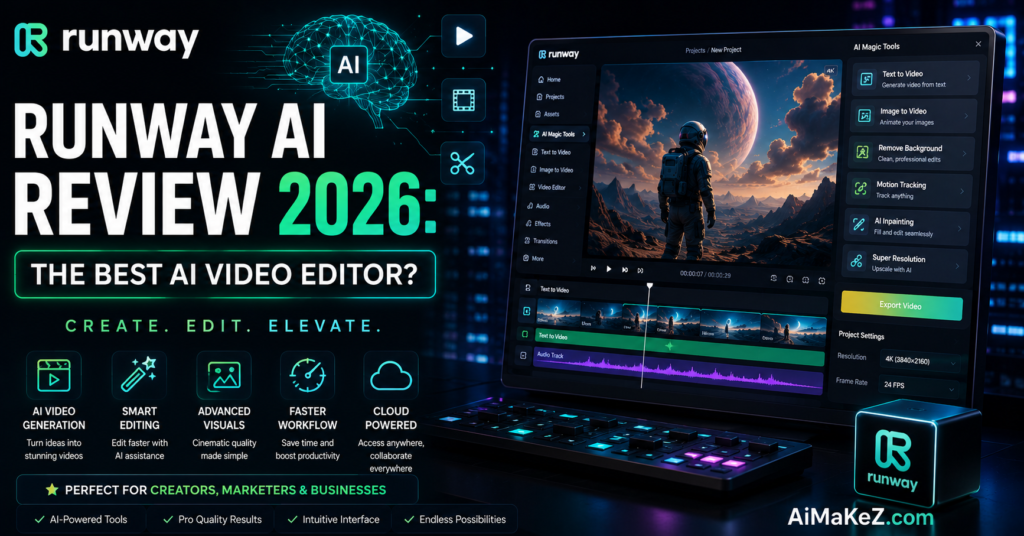
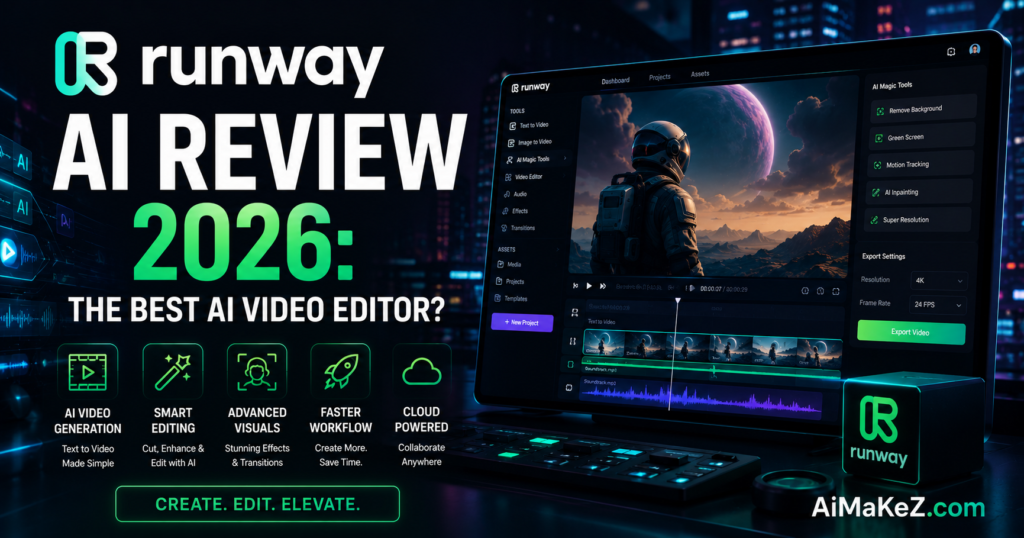
As this Runway AI Review explores, Runway has grown into a feature-rich ecosystem. Below are the most significant capabilities that define the platform in 2026:
Gen-3 Alpha and Gen-4 Video Generation
According to our Runway AI Review, Runway’s generative video model — now in its fourth generation — is the centerpiece of the platform. Gen-4 allows users to produce high-quality, photorealistic video clips from simple text descriptions or reference images. The model understands nuanced prompts, handles complex scene compositions, and maintains visual consistency across frames far better than earlier iterations. You can generate cinematic footage of scenes that would cost thousands to shoot in real life, all within seconds.
Image-to-Video and Video-to-Video Transformation
Beyond text-to-video, this Runway AI Review notes that Runway lets you animate a still image into a moving scene or transform existing video footage by applying style transfers, changing environments, or altering the mood of a shot. This is particularly useful for brand teams that want to refresh existing content without a full reshoot, or artists who want to push the boundaries of visual storytelling.
AI-Powered Background Removal and Green Screen
One of the highlights in this Runway AI Review: Runway’s background removal tool is arguably one of the most polished in the industry. It works on video in real time, accurately isolating subjects even in challenging lighting conditions or with complex hair and edges. This is a major time-saver for content creators who previously relied on expensive green screen setups or hours of manual rotoscoping.
Motion Tracking and Object Removal
With Runway’s Inpainting and Object Removal tools, you can erase unwanted elements from video with surprising accuracy. Microphones, boom poles, distracting signage, or accidental photobombers — all can be removed in a few clicks. The AI fills in the gap intelligently by analyzing surrounding pixels and motion patterns, maintaining visual coherence throughout the clip.
Text-to-Image Generation
Runway also includes a capable text-to-image pipeline that integrates tightly with its video tools. You can generate a concept image and immediately animate it, creating a seamless workflow from ideation to final output. This feature is used extensively by advertising agencies developing visual concepts for client approval before full production begins.
Multi-Motion Brush and Camera Control
One of the most impressive features introduced in recent updates is the Multi-Motion Brush — a tool that lets you paint motion directions onto different areas of an image independently. Want the clouds to drift left while a character walks right? You can define that granularly. Combined with simulated camera controls (pan, zoom, tilt), this gives creators cinematographic control over AI-generated scenes.
Real-Time Collaboration
A key finding in this Runway AI Review is that Runway has invested heavily in team-based workflows. Teams can work within shared workspaces, leave comments on assets, manage brand libraries, and control access permissions — making it genuinely enterprise-ready. This collaborative layer is something many competing tools still lack.
Runway API
For developers and agencies building custom pipelines, this Runway AI Review notes that Runway offers a robust API that allows programmatic access to its generation models. This opens up possibilities for automated content production, custom applications, and integration with CMS platforms, DAM systems, and marketing automation tools.
Benefits for Creators and Businesses
The value Runway delivers spans a wide range of use cases and user types. If you’re exploring other options, check out our guide to the best AI video generators in 2026. Here’s why creators and businesses are increasingly turning to the platform:
Dramatic Time Savings: Tasks that once required days of post-production work — rotoscoping, compositing, visual effects — can now be completed in hours or even minutes. A solo creator can produce broadcast-quality content without a full production team.
Lower Production Costs: As highlighted in this Runway AI Review, Runway significantly reduces the need for expensive equipment, studio time, and specialized talent. For small businesses and startups, this democratizes access to professional-grade video content that was previously reserved for large marketing budgets.
Creative Experimentation: Because generating and testing ideas is so fast, creators can iterate far more than before. You can test ten different visual styles for an ad in the time it would traditionally take to produce one.
Scalable Content Production: For teams managing large content libraries or multiple brand channels, this Runway AI Review confirms that Runway’s batch processing and API capabilities make it possible to scale video production without proportionally scaling headcount.
No Technical Barrier: As this Runway AI Review demonstrates, the interface is browser-based and designed for creatives, not engineers. You don’t need to know how to write code or manage model weights. If you can describe what you want in plain English, Runway can produce it.
How Runway AI Works: Step-by-Step
Getting started with Runway is simpler than you might expect. This Runway AI Review section walks you through the core workflow. Here’s a practical walkthrough of how to use the core Gen-4 video generation feature:
Step 1 — Create an Account: Head to runwayml.com and sign up for a free account. You’ll receive a limited number of free credits to try the platform before committing to a paid plan.
Step 2 — Choose Your Generation Mode: From the dashboard, select “Gen-4” or your preferred tool. Runway clearly labels each tool by its function, making navigation intuitive.
Step 3 — Enter Your Prompt: Type a detailed text description of the scene you want to create. Good prompts include details about lighting, camera angle, subject action, and mood. For example: “A slow-motion aerial shot of a dense forest at golden hour, mist rising through the trees, cinematic color grading.”
Step 4 — Adjust Generation Settings: You can control parameters like video duration (up to 10 seconds per clip in standard mode), aspect ratio (16:9, 9:16, 1:1), and resolution. You can also upload a reference image to guide the visual style.
Step 5 — Generate and Preview: Hit generate. The platform uses its cloud infrastructure to process your request — typically within 30 to 90 seconds for a 4-second clip. You’ll receive multiple variations to choose from.
Step 6 — Edit and Refine: Once you have a clip you like, you can extend it, apply additional AI effects, trim it, add audio, or export directly to your editing software as an MP4 or ProRes file.
Step 7 — Export and Publish: Export in your desired format and resolution (up to 4K on higher-tier plans) and integrate into your final production pipeline. Runway supports direct export to Final Cut Pro, Premiere Pro, and DaVinci Resolve workflows.
Real-World Use Cases
Content Creation and YouTube
Independent YouTubers and content creators love this Runway AI Review finding: Runway produces cinematic b-roll without a camera crew, generate title sequences, and create AI-assisted visual effects that would otherwise require After Effects expertise. A travel vlogger, for instance, can generate atmospheric establishing shots of destinations they didn’t physically visit, supplementing their real footage to enhance storytelling.
Marketing and Advertising
Our Runway AI Review found that Marketing teams at mid-sized companies use Runway to rapidly prototype video ads. Instead of scheduling a full production shoot to test whether a new visual concept resonates with audiences, teams can generate multiple ad concepts in an afternoon, test them on social platforms, and then invest in a real production only for the concepts that prove out. This dramatically reduces the risk and cost of video advertising.
Film and Television Production
From our Runway AI Review perspective, Runway has been openly used in film production for previsualization (previz) — creating rough visual drafts of complex scenes before expensive practical shoots. It’s also used for VFX cleanup and removing production artifacts. Several independent films screened at Sundance and Tribeca have publicly credited Runway as part of their production pipeline, adding legitimacy to the platform’s role in professional filmmaking.
Education and E-Learning
Educators and e-learning developers use Runway to create explainer videos, historical recreations, and concept visualizations that make complex subjects more accessible. A history teacher can generate a visual recreation of ancient Rome to accompany a lecture without sourcing expensive stock footage or commissioning custom animation.
Social Media and Short-Form Video
For social media managers producing high-volume short-form content for platforms like TikTok, Instagram Reels, and YouTube Shorts, Runway’s speed is invaluable. Trending visual styles can be replicated and customized quickly, keeping brand accounts fresh and responsive to cultural moments without needing a full creative team on standby.
Product Visualization and E-Commerce
Brands in fashion, interior design, and consumer electronics are using Runway to generate lifestyle video content featuring their products — without physical product shoots. A furniture company can show their sofa in ten different living room environments, animated and shot from multiple angles, all generated from a single product image.
Pros and Cons of Runway AI
This Runway AI Review presents a balanced look at what Runway does exceptionally well — and where it still has room to grow.
| ✅ Pros | ❌ Cons |
|---|---|
| Industry-leading Gen-4 video quality | Can be expensive for heavy users |
| Extremely intuitive, browser-based interface | Generation credits are consumed quickly |
| Comprehensive tool suite (video, image, audio) | Maximum clip length is still limited per generation |
| Strong collaboration features for teams | Outputs can occasionally be inconsistent |
| Robust API for developers and automation | Requires stable internet connection (cloud-only) |
| Regularly updated with new features | Learning curve for advanced prompt engineering |
| Used by major studios — proven at scale | No offline mode |
| High-quality background removal tool | Free plan is quite limited in credits |
Runway AI Pricing Plans 2026
In this Runway AI Review, we found that Runway offers a tiered pricing structure designed to accommodate individuals, small teams, and enterprises. All plans are billed monthly, with discounts available for annual commitments.
Free Plan
As covered in this Runway AI Review, Runway’s free tier gives new users 125 one-time generation credits to explore the platform. This is enough to generate several short video clips and test the core features, but it’s not designed for sustained content production. Free users have access to Gen-3 Alpha and a selection of editing tools, with outputs capped at standard resolution.
Standard Plan — $15/month
In our Runway AI Review, the Standard plan provides 625 credits per month (with the option to purchase additional packs), access to all generation models including Gen-4, and export at up to 720p. It’s suitable for individual creators who use Runway regularly but not at an enterprise scale. The credit allowance covers roughly 60–80 standard video generations per month depending on clip length.
Pro Plan — $35/month
The Pro plan is the most popular choice for serious content creators and small production companies. It includes 2,250 credits monthly, access to all features, 4K export capability, watermark-free downloads, and priority generation queue. The substantially higher credit allocation makes it practical for weekly or even daily content production workflows.
Unlimited Plan — $95/month
The Unlimited plan provides a generous monthly credit pool (effectively unlimited for most use cases), maximum resolution outputs, advanced team collaboration tools, and priority customer support. It’s aimed at agencies, production houses, and high-volume content operations. The Unlimited plan also includes early access to experimental features before they’re rolled out to the broader user base.
Enterprise Plan — Custom Pricing
For organizations with specific compliance requirements, higher throughput needs, or custom integration requirements, Runway offers enterprise agreements with SLAs, dedicated support, custom usage limits, and SSO integration. Pricing is negotiated directly with Runway’s sales team.
Note: As mentioned throughout this Runway AI Review, Runway pricing is subject to change. Always verify current pricing directly on runwayml.com before making a purchasing decision.
Runway AI Review vs. Competitors: How Does It Stack Up?
The AI video generation space has become crowded in 2026. In this Runway AI Review, here’s how Runway compares to the most significant alternatives:
Runway AI vs. Sora (OpenAI)
In this Runway AI Review, OpenAI’s Sora generates longer, highly coherent video sequences and benefits from OpenAI’s research depth and brand recognition. However, Sora has more restricted access and less mature editing tools. Runway wins on workflow integration, collaborative features, and the breadth of its tool suite. Sora wins on raw long-form video coherence.
Runway AI vs. Pika Labs
Pika Labs is a fast-growing competitor that has gained popularity for its ease of use and strong short-form video generation. Its output quality is impressive, and its pricing is competitive. However, Runway’s editing toolkit is far more comprehensive. Pika is better for users who want quick, simple generations; Runway is better for teams doing professional-grade production work.
Runway AI vs. Kling AI
Kling AI, developed by Kuaishou, has generated significant buzz for its realistic human motion generation and longer clip lengths. It’s a strong technical competitor, particularly for Asian markets. Runway maintains an advantage in Western markets due to its English-language UI, customer support, compliance infrastructure, and established brand relationships.
Runway AI vs. Adobe Firefly Video
For Adobe users reading this Runway AI Review: Adobe Firefly Video is tightly integrated with the Creative Cloud ecosystem, making it appealing to existing Adobe users. If you’re a Premiere Pro or After Effects user, Firefly’s native integration is compelling. However, Runway’s standalone generative quality and broader feature set make it a stronger choice for users who aren’t locked into the Adobe ecosystem.
Best Practices: Runway AI Review Tips for Maximizing Results
Using Runway effectively goes beyond just typing a prompt and hitting generate. As highlighted in this Runway AI Review, experienced users consistently cite these practices as key to getting professional results:
Invest Time in Prompt Engineering: The quality of your output is directly tied to the quality of your prompt. Be specific about lighting (golden hour, overcast, studio), camera movement (slow dolly in, static wide shot), subject action, color palette, and mood. Vague prompts produce generic results. Detailed, vivid prompts produce cinematic ones.
Use Reference Images: Whenever you have a specific visual aesthetic in mind, upload a reference image alongside your text prompt. This significantly improves consistency between what you envision and what gets generated.
Generate Multiple Variations: One standout insight from this Runway AI Review — don’t settle for your first output. Generate at least 3–5 variations of each scene and select the best elements from each. Runway’s credit system makes this practical even on standard plans.
Use the Motion Brush Strategically: For image-to-video generations, the Multi-Motion Brush gives you precise control over what moves and how. Spend time learning this tool — it’s the difference between a clip that looks natural and one that looks glitchy.
Combine Runway with Traditional Editing: This Runway AI Review recommends: Runway is not a replacement for video editing software — it’s a powerful addition to it. Export your best AI-generated clips into DaVinci Resolve, Premiere Pro, or Final Cut Pro and finish the edit with traditional tools for maximum quality and control.
Build a Prompt Library: Keep a running document of prompts that have produced great results. Over time, this becomes an invaluable creative resource you can remix and iterate on, rather than starting from scratch each time.
Common Mistakes to Avoid with Runway AI
One key insight from our Runway AI Review is that Expecting Perfect Realism Every Time: While Gen-4 is remarkably good, it still struggles with complex physics, detailed hand animations, and extremely rapid motion. Plan your prompts to work around these known limitations rather than fighting them.
Ignoring Credit Management: As noted in our Runway AI Review, running out of generation credits mid-project is a real problem. Monitor your usage, understand how many credits each generation costs, and budget accordingly — especially for larger projects.
Over-Relying on AI for Final Outputs: The best creators use Runway as a starting point, not an endpoint. AI-generated clips often benefit from color grading, sound design, and editorial polish in traditional software before they’re publication-ready.
Skipping the Reference Image: Many beginners rely solely on text prompts and wonder why results are inconsistent. Adding a reference image dramatically improves output relevance and style consistency.
Ignoring Aspect Ratio Settings: Generating content in the wrong aspect ratio creates headaches in post-production. Always set your aspect ratio to match your final distribution platform (16:9 for YouTube, 9:16 for TikTok/Reels, 1:1 for Instagram feed) before you start generating.
Not Reading the Release Notes: Runway updates its models and features frequently. Users who don’t stay current miss out on significant improvements and newer, more capable features that could make their workflow more efficient.
Frequently Asked Questions About Runway AI
1. Is Runway AI free to use?
Based on our Runway AI Review: Yes, Runway offers a free tier with 125 one-time generation credits, which is enough to explore the platform and generate a handful of video clips. However, the free plan is limited and not designed for regular content production. For ongoing use, a paid plan starting at $15 per month is required. Runway also occasionally offers promotional credits to new users who sign up through partner links.
2. What is the video quality like on Runway AI?
In our Runway AI Review testing, Runway Gen-4 produces high-quality video output that is competitive with the best models in the market. Standard plan users can export at up to 720p, while Pro and Unlimited plan users can export at 4K resolution. The visual quality of generated clips is generally excellent for short-form content, with cinematic lighting, realistic textures, and smooth motion. Complex scenes with detailed human faces or rapid physical interactions may occasionally show inconsistencies, which is a known limitation of current generation models industry-wide.
3. Can I use Runway AI for commercial projects?
Yes — and this is an important point in our Runway AI Review. Runway’s paid plans grant users full commercial usage rights to the content they generate. This means you can use Runway-generated video in client work, commercial advertisements, branded social content, and monetized YouTube channels without licensing restrictions. Always review Runway’s current Terms of Service to confirm the specific rights applicable to your plan, as terms can be updated.
4. How does Runway AI compare to Sora by OpenAI?
Both are leading AI video generation platforms, but they serve somewhat different needs. Sora excels at generating longer, highly coherent video sequences with strong physics simulation. Runway offers a broader suite of creative tools, better team collaboration features, more accessible pricing, and a more mature editing ecosystem around its generation capabilities. For most content creators and production teams, Runway’s overall platform is more practical on a day-to-day basis. Sora is better suited for high-fidelity, long-form cinematic generation where physical accuracy is critical.
5. Does Runway AI work on mobile devices?
In our Runway AI Review testing, Runway is primarily a browser-based desktop application and is optimized for desktop and laptop use. While the interface can be accessed from a mobile browser, the experience is not optimized for touchscreens and the smaller viewport makes it difficult to use effectively. As of 2026, Runway does not offer a dedicated native mobile app. For on-the-go AI video creation, tools like Pika or CapCut’s AI features are better suited to mobile workflows.
Final Verdict: Is Runway AI the Best AI Video Editor in 2026?
After a thorough Runway AI Review, the answer is a qualified yes — Runway is one of the best, and for many users, it is the best AI video platform available in 2026. It earns that position through a combination of video generation quality, tool breadth, interface polish, and proven adoption in professional environments.
No platform is perfect, and Runway is no exception. The credit-based pricing model can feel limiting for high-volume users, and the cloud-only infrastructure means you’re dependent on a reliable internet connection. Max clip lengths and occasional generation inconsistencies are real-world friction points. But weighed against what Runway delivers — professional-grade video generation accessible to anyone with a browser — these are minor inconveniences rather than deal-breakers.
For individual creators, small agencies, and enterprise teams alike, Runway offers something genuinely valuable: the ability to produce high-quality video content faster, cheaper, and more creatively than ever before. It’s not replacing filmmakers or video editors — it’s giving them superpowers.
If you’re serious about AI video in 2026, our Runway AI Review firmly recommends: Runway belongs in your toolkit. You may also want to explore our comprehensive list of best AI tools for business in 2026. Start with the free plan, explore the capabilities, and upgrade when you’re ready to commit to a regular production workflow.
Our Rating: 9.1 / 10 — Highly Recommended